Loading
•
Make sure the power switch is OFF.
•
Insert the BATMAN™ FOREVER Game Pak as described in your SUPER NINTENDO ENTERTAINMENT SYSTEM® instruction manual. If you wish to play a two player game, make sure both controllers are inserted at this time. •
Turn the power switch ON.
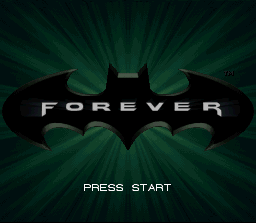
When the BATMAN™ FOREVER title screen appears, press the START BUTTON. You will then see five options. To begin game play before or after setting options, press the START BUTTON.
To begin game play after or before setting options, highlight Start Game and press the START BUTTON.
Options
BATMAN™ FOREVER features several exciting ways to alter the gaming environment. To set an option, highlight a desired option by pressing UP or DOWN on the CONTROL PAD. Press the B BUTTON to change the option setting.
Once you are satisfied with your settings, press the START BUTTON begin play. You can customize game play in the following ways:
•
GAME MODE — see page 6 for details on the two game modes.
•
ONE PLAYER GAME — To play a solo game.
•
TWO PLAYER COOPERATIVE/ TWO PLAYER COMPETITIVE GAME — In a Two Player game, you can choose whether you wish to cooperate with your fellow player or compete against him or her. In a cooperative game, players cannot damage one another and they each share credits. Competitive Play pits you against the other player. Yes, Batman can fight with Robin (and vice versa), but remember there are a host of bad guys after each of you and you'll both need all the energy you can muster! •
CONTROL METHOD — This allows you to select how you wish to perform back attacks. Direction setting will cause a Back Attack to be performed when a player pushes a direction on the CONTROL PAD and attacks. Button setting will cause the Back Attack to be performed by holding the RIGHT TRIGGER and pressing attack button.
•
MUSIC — Choose to play with Music OFF or ON.
•
DIFFICULTY — In Normal Game Mode, choose between Easy, Medium and Hard play skill levels.
Game Modes
BATMAN™ FOREVER has two different game play modes, a Normal Game Mode and a Training Mode. Each mode can be played by one or two players. In two player games, players choose between cooperative and competitive play, as described above.
After selecting a gaming mode, you must select the number of players and which character each player wishes to play as. Once characters are selected, each player selects his gadgets (if playing as Batman or Robin), and in Training Mode, his opponents. See Gadgets (pages13-16) for details on how to select and use gadgets. Normal Game Mode
In a normal game, the player follows the story of BATMAN™ FOREVER, playing as either Batman or Robin through 8 levels until Gotham City is safe from the depredations of Two-Face, The Riddler and their horrible helpers! Training Mode
Training Mode gives you the chance to hone your fighting skills before taking on the villains who menace Gotham City. The Batcomputer will provide computer-generated holographic opponents who become increasingly difficult to defeat as you progress.
In Training Mode, you can choose to play a one player game against the computer, a player vs. player game, or pit two players against the computer. You can choose to play as several different characters, including thugs and villains like Sugar and Spice. The default player character settings are player one as Batman and player two as Robin. To choose a different character, press the CONTROL PAD to change the character, then press any button. If Batman or Robin are chosen, then the player(s) will go to the gadgets select screen, where they can equip themselves with any available gadgets (see pages 13-16 for a description of gadgets). In a player vs. player game with Batman and Robin, players enter the Batcave Gym to test each other's skills. The default opponent for both one and two player games is an Arkham Asylum inmate. Player one chooses an opponent by highlighting a player's opponent box, then pressing UP or DOWN on the CONTROL PAD until the desired opponent appears, and pressing the START BUTTON. This enemy will be your opponent throughout the training program.
Each time an enemy is defeated, the computer will regenerate this simulated opponent with increased levels of aggression and difficulty. This continues until the player sees the Training Program Complete screen. Once this appears, you're ready to take on any foe!
Selecting Gadgets
There are over 20 gadgets available in BATMAN™ FOREVER, but only five gadgets can be carried at one time. Both Batman and Robin carry different gadgets on a utility belt. The good news is that Ammo for all gadgets is unlimited, allowing them to be used as often as needed. Players choose gadgets at the beginning of each level. When you get to the Gadget Select screen on the Batcomputer, you will see five default gadget icons displayed. In a two player game, both players' default gadget icons will appear.
The first three gadgets are always available, while the remaining two may be swapped in from the Optional Gadgets list. To swap a gadget, first highlight it with the Control Pad, then press the B BUTTON. Scroll between the available Optional gadgets by pressing UP or DOWN on the Control Pad.
To see information about a particular gadget, press the A BUTTON. To select an Optional gadget, press the B BUTTON. That gadget will now appear along your available gadgets.
Once a player has chosen gadgets for a particular level, pressing the START BUTTON will bring the player right into the next level. In a two player game, once one player presses the START BUTTON, he or she is no longer able to select gadgets
 (Rev 1).png)


.png)









.png)


.png)


.png)


.png)