Starting the Game
Correctly insert the Game Pak into your SNES, and turn the power ON. When the title screen appears, press the Start button to bring up the Mode Select screen. Choose a mode with the + Control Pad, and press any button to start.
1 Player Game
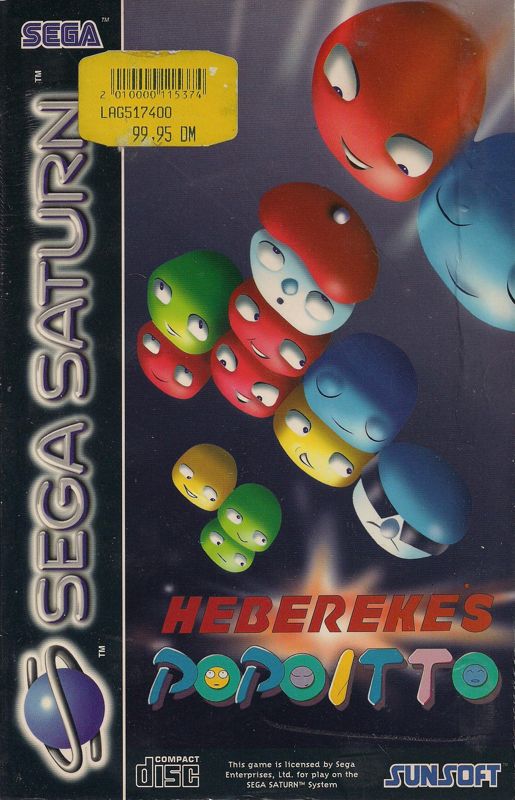
Enjoy the Popoitto Hebereke story while playing against the computer. The characters appear on the Map screen and the Visual screen and tell you the story as the game progresses.
2 Player Game (Versus Mode)
Play against a friend. Player 1 plays on the left-hand side of the screen, and Player 2 plays on the right-hand side.
You win the round if you are the first to clear all your Poroporos, or if your opponent's side of the screen fills up with Popoons and Poroporos. The first person to win two rounds wins the game. When you first enter this mode, the Handicap Select screen appears.
Options Menu
•
Fitting in: Choose which button to use for the fitting in / insert function.
•
Right turn: Choose which button to use to turn or rotate Popoons to the right.
•
Left turn: Choose which button to use to turn or rotate Popoons to the left.
•
Normal/Easy: Set the difficulty level of the game. Choose from Normal or Easy.
•
Sound: Listen to the music and sounds used in the game.
•
Effects: Listen to the sound effects used in the game.
Basic Game Screen
•
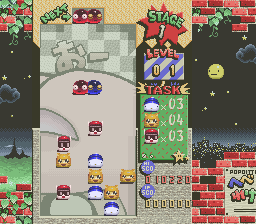
4: Number of Poroporos left
Game Rules
On the screen, you'll see a number of Poroporos that match the colors of the falling Popoons. Popoons fall down from the center entry point at the top of the screen. Move them so that they line up vertically or horizontally with other Popoons and Poroporos of the same color.
You win if you manage to get rid of all of the Poroporos on the screen. You lose if the screen fills up and the Popoon entry point is blocked. There are three rounds in each stage; winning two rounds allows you to move on to the next stage.
Types of Blocks
•
Popoons: These blocks fall from the top of the screen. There are eight different colors (matching the eight characters), with three colors appearing in each stage. Line up four or more Popoons of the same color vertically or horizontally to make them disappear.
•
Almighty / Joker / Powerful Popoons: These are flashing Popoons that can be used as any color.
•
Poroporos: These blocks feature character faces. There are eight different colors, with three matching colors appearing in each stage. Line up four or more Poroporos and Popoons of the same color vertically or horizontally to make them disappear. You can move Poroporos left and right.
Handicap Select Screen
You can set a handicap before playing in 2-Player Mode. There are five different levels. The higher the level, the more Poroporos there are on the screen and the harder the game is.
Versus Mode Game Screen
•
1: 1P play area / playfield
•
2: 2P play area / playfield
•
5: 1P Popoon entry point
•
6: 2P Popoon entry point
Versus Rules
The player who gets rid of all their Poroporos first wins the round. You lose the round if your play area fills up and the Popoon entry point is blocked. The first player to win two out of three rounds wins the game.
Continuing a Game
When the game ends, the scores are displayed and a countdown begins. Press the Start button before the countdown reaches zero to continue playing. The Handicap Select screen will then appear.
Master Color Combo Attacks
Once you have cleared a row of Popoons, the Popoons connected to the row in another direction will fall down when those underneath them disappear. If you use this function cleverly, you can make another row of Popoons of a different color disappear.
Color Combo attacks like these bring an avalanche of Popoons and Poroporos into your opponent's playing field.
•
Step 1: Arrange a row of Popoons of the same color and make them disappear.
•
Step 2: As they clear, a second row of a different color falls into place and disappears as well.
.png)


.png)

_1.png)

.png)


.png)
.png)




.png)




.png)