Getting Started
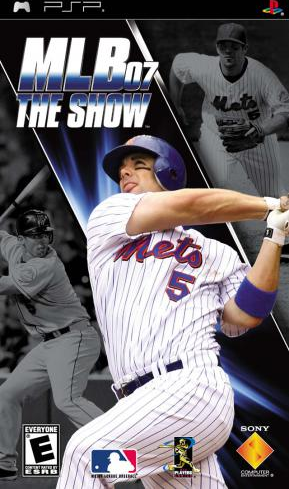
Set up your PSP® (PlayStation®Portable) system according to the instructions in the manual supplied with the system. The power indicator lights up in green and the home menu is displayed. Press the OPEN latch to open the disc cover. INSERT the MLB 07 The Show™ disc with the label facing the system rear, slide until fully inserted and close the disc cover.
From the PSP® system's home menu, select the Game icon and then the UMD™ icon. A thumbnail for the software is displayed. Select the thumbnail and press ⓧ of the PSP® system to start the software. Follow the on-screen instructions and refer to this manual for information on using the software. System Features
Memory Stick Duo™
Warning! Keep Memory Stick Duo media out of reach of small children, as the media could be swallowed by accident.
To save game settings and progress, insert a Memory Stick Duo™ or Memory Stick PRO Duo™ into the Memory Stick Duo™ slot of your PSP®. You can load saved game data from the same memory stick, or any Memory Stick Duo™ containing previously saved games. Note: A Memory Stick Duo™ or Memory Stick PRO Duo™ with at least 1072 KB of free space is required for a "Save Game" file.
Saving Profiles and Settings
Your profile and settings are automatically saved after changing settings and options and when you return to the Main Menu.
Auto Save
As you progress, a message will appear on screen indicating your profile and settings are being saved. While this message is on screen, DO NOT remove the Memory Stick Duo™ or Memory Stick PRO Duo™ or turn off your console.
Loading Saved Game Settings
Your saved game settings will automatically be loaded when first booting up MLB 07 The Show™. You can also choose to manually load saved data at the My Profile Menu by selecting MANAGEMENT and then choosing LOAD.
Main Menu
Once the game loads up, you are able to select from the following choices:
•
Game Modes: Choose from Exhibition, Manager Mode, Career, Season, Home Run Derby, and King of the Diamond.
•
Quick Play: A quick game between two teams. The default is the 2006 World Series Matchup (Tigers vs. Cardinals), but you can change teams just like an Exhibition game.
•
Historical Greats: Play against the true legends of the past.
•
Online: Head out to compete against players from around the world.
•
New In '07: See what's new in this year's MLB 07 The Show™. Learn about new game features including Profile System, Pitch Command System, Adaptive Pitching Intelligence, Swing Analysis, Throwing Meter, Baserunner Targeting, Umpire Personalities, and Road to the Show. Get details about new online features including Online Leagues, My Sliders, MLB Live Sportscast, and Online Player Card.
•
Features: Create Player Profiles, view game tips, move players to other teams, adjust rosters, and edit players.
•
Options: Adjust Gameplay, Audio, Jukebox, Game Tuning, and view Credits.
Online
MLB 07 The Show™ Online enables you to play games with other users online and so much more. There are a number of menu options from which to choose, including Play Ball, Leagues, MLB Community, and MLB.com Headline News. To go online, select ONLINE from the Main Menu and press ⓧ.
Creating a Network Connection
Note: If you have already created a valid network connection using the PSP® system software, skip this part and review the remaining sections. Before you can play MLB 07 The Show™ online, you must have created a valid network connection. To create a network connection, use the Network Settings application in the PSP® system software menu under Settings. Create an Account
To play MLB 07 The Show™ online, you will need to create an account, and then choose a unique screen name and password. You can save up to six accounts, including password with the MLB Account Manager.
You will be given the option to fill out your Online Profile Form. The Profile Form allows you to enter important personal information and notification settings. The notification settings are for Leagues and Promotions and you can decide how you want to receive them, either through email or text message.
Note: Use of the online portion of this game is subject to your acceptance of the terms and conditions under the User Agreement located within the game. A full copy of the User Agreement is shown on page 33 of this manual or available online at www.us.playstation.com/support/useragreements. Requires broadband internet service for online play. User responsible for all applicable internet fees.
Online Home
In the Online Home, you can navigate your way to any of the online menu options. Jump into a game right away with the new Play Now feature, which matches you up right away with the next opponent.
Press the ⓧ on Play Ball and you can choose between Play Now and entering a Game Room. Also in Online Home you can post messages on the message boards, send mail, join or create Leagues, view and edit your Player Card, and much more.
Game Rooms
Game challenges take place here. You can search for perfect match-ups or challenge other online players for a ranked or unranked game. You can also view all the players online within your selected Game Room.
**Selecting
.png)

 (v1.01).png)
 (v1.01).png)

.png)



.png)

.png)