Creating Your Character
Selecting New Game from the Game Menu begins the character creation process. Once you complete the process, the game begins with your character in his or her house inside the Village.
Start off by leaving the house, walking around the Village, and talking to people (press the X button).
Game Quests
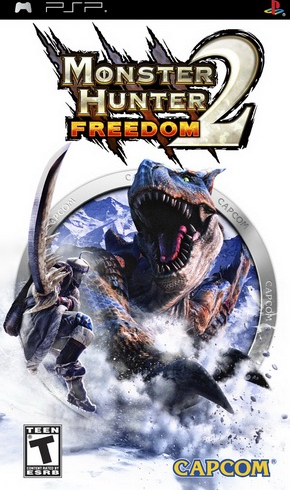
In MONSTER HUNTER FREEDOM 2, there is no set way to "beat" the game. Instead, there are a large number of goals called Quests. You must complete the Quests to progress through the game.
After you clear a Quest, you can replay it as many times as you want.
Selecting Quests
You can take on Quests in the Gathering Hall, where many Hunters gather, or in the Village in Single Play. Once you select a Quest, you set off to start hunting.
•
Start off with a simple Quest: Select a simple Quest at first to give yourself an easy challenge while getting acquainted with the game.
•
Complete a variety of Quests: There is truly a vast array of Quests that you can conquer. From hunting pesky monsters harassing the inhabitants of the Village, to hunting down valuable items and defending bases from attacks, there is plenty to challenge your skills and bravery.
•
Unlock even more Quests: For each Quest you successfully complete, you will receive a reward. There is also the possibility that new Quests will be waiting for you afterward, so be sure to check back in your Village. You can also download new Quests via Infrastructure Mode.
Game Menu
From the Title screen, press the START button to display the Game Menu. If a memory stick containing MONSTER HUNTER FREEDOM 2 save game data is already inserted in the memory stick slot, data will be automatically loaded.
•
NEW GAME: Create a new character and begin a new game. You can also import some of your MONSTER HUNTER FREEDOM game data.
•
CONTINUE: Pick up a saved game from where you left off. You must have a memory stick containing MONSTER HUNTER FREEDOM 2 save game data inserted in the memory stick slot in order to continue.
•
GALLERY: By fulfilling certain conditions, you can unlock various special movies. In the Gallery, highlight an item and press the X button to view it. Press the O button to return to the Game Menu.
•
OPTIONS: Adjust various game options.
•
DOWNLOAD: Connect using Infrastructure Mode to download the latest Quests and Bonus Items.
Options
Press the directional buttons △/▽ to select an option and ◁/▷ to change the option's setting.
•
SOUND: To enjoy surround sound, connect a surround sound-compatible stereo system (sold separately) to the PSP system's headphone/microphone jack and then select Surround System. Warning: Turn off the stereo system before connecting it to avoid possible damage. Refer to your stereo system manual for connection instructions. •
BGM LEVEL/FX LEVEL: Set the volume of the in-game music and sound effects. (Some music will still play even when volume is set to minimum.)
•
SCOPE TARGETING (in-game only): When using Gunner equipment, use the analog stick to control your aim through the scope. Targeting options are: Normal (moves in the same direction as the analog stick), Reverse 1 (moves up/down in the opposite direction of the analog stick), and Reverse 2 (moves up/down or left/right in opposite direction of the analog stick).
•
CAMERA TYPE (in-game only): Set the camera to move behind the character or remain in its position when you switch to the Gunner scope.
•
BACKGROUND LOADING: Begin loading the surrounding Quest areas before entering them, shortening loading times. It's recommended that you use the AC Adaptor with this option.
•
QUICK CONTINUE: Shorten the load time when continuing a game.
•
DEFAULT SETTINGS: Restore all options to their default settings.
•
EXIT: Return to the Game Menu.
Save Data
This game uses the following types of save data. You must have a memory stick inserted in the memory stick slot to save this data.
•
GAME DATA: Contains data on your customized character, the contents of your gallery, etc. The memory stick must have at least 800KB of free space to save data, and you must use the same memory stick to save your game. During the game, save data loaded from the memory stick can only be saved over itself. It cannot be saved over another save data. Warning: Do not remove the memory stick, reset the game or power down the system during saving or loading. Doing so may corrupt the game data.
Important Tips
MONSTER HUNTER FREEDOM 2 manages game data in a unique way. Make sure the memory stick is inserted in the memory stick slot at all times during play.
•
CONVERT DATA: If the inserted memory stick contains MONSTER HUNTER FREEDOM game data, you can import some of that character's settings and items for use in a new game of MONSTER HUNTER FREEDOM 2. The character's name will be the same as it was in MONSTER HUNTER FREEDOM.
•
SAVE UP TO 3 CHARACTERS IN A SAVE GAME FILE: One save game file can be saved per memory stick, and each file can hold up to 3 unique, customized characters. Saving more characters than this requires an additional memory stick.
•
SAVE CHARACTER DATA TO THE SAME LOCATION EACH TIME: Once you create a character and save it to a memory stick, it cannot be saved to any other memory stick. The memory stick used at the time you create your character will have to be
.png)

.png)
_1.png)
 (v1.01).png)
.png)





_1.png)




_1.png)



.png)

.png)


_1.png)