Loading
1. Set up your PlayStation® game console according to its instruction manual. 2. Make sure the power is OFF before inserting or removing a compact disc. Insert the Dave Mirra Freestyle BMX disc and close the disc cover.
3. If you wish to save your game, insert a MEMORY CARD (sold separately) into MEMORY CARD slot 1.
4. Insert game controllers and turn on the PlayStation® game console. 5. Follow on-screen instructions to start a game.
Note: Dave Mirra Freestyle BMX is for up to 2 players.
DUALSHOCK™ Analog Controller
Console
It's Tricky Like That
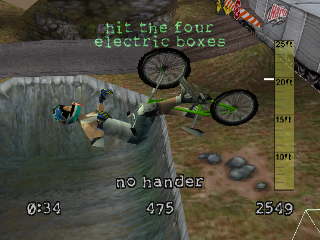
Welcome to Dave Mirra Freestyle BMX. This game features top riders, bikes, gear, and sponsors. There are over 1,300 amazing tricks, and you can create your own on the fly. Show your style in twelve beautifully rendered environments, with the freedom to go anywhere, anytime. Tons of cool objectives will test your nerve and skill.
Add in a churning soundtrack, and you've got yourself one hot game! It's the closest thing to getting out there and shredding on your bike. So grab a controller and get grinding. See you in the air!
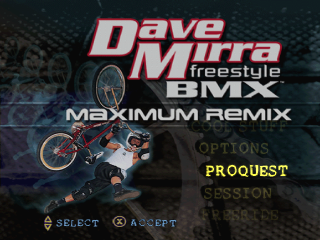
Main Menu
At the Main Menu, highlight the option you wish to select by pressing UP or DOWN on the DIRECTIONAL BUTTONS. Then press the BUTTON to select that option.
•
PROQUEST: Try a pro BMX career. Start as a rookie and wheel to the top.
•
SESSION: A timed run on any available level, without objectives.
•
FREE RIDE: Take a practice ride around to learn the level.
•
2 PLAYER: Take turns competing against your friends.
•
LOAD/SAVE: Save or load your current progress, records and settings.
•
COOL STUFF: View game objectives, high scores, movies and game credits.
•
OPTIONS: Set up the game to suit your style.
Options
CONTROLLER:
Set Vibration ON or OFF (when using the DUALSHOCK™ analog controller), and choose among various pre-set control schemes.
Default Controls
ACTION BUTTONS
GROUND MOVES
•
Bunnyhop (press, hold and release at edge of jump)
•
Grind + Direction on DIRECTIONAL BUTTONS at any angle other than 90°
•
Stalls + Direction on DIRECTIONAL BUTTONS at 90° angle "straight into ledge"
NOTE: Just the button (without directional) is a Double Peg Grind.
Getting Started
Once you choose a game mode, it's time to make your selections for that mode. In Session, Free Ride and 2-Player modes, you select from the available riders, bikes, styles and levels. More are unlocked as you progress through the Proquest portion of the game.
In Proquest, you ride on the levels in the order presented, and you have to earn the better bikes and styles. Press LEFT or RIGHT DIRECTIONAL BUTTONS to cycle through available selections. Press the BUTTON to select.
Once you make a selection, the highlight automatically goes to the next category. Press the BUTTON to cancel a selection and backup to a previous category.
Rider Select
Select any of the top BMX riders to control. To the right of each rider portrait is his ranking in five vital BMX skill categories. The more arrows, the better.
•
AIR: Determines jumping power and gravity-defying ability.
•
SPEED: Determines maximum top speed and acceleration (speed added per pedal).
•
SPINS: Determines base rotation speed, allowing for faster, more controllable spins and flips.
•
BALANCE: Determines ease of balance to hold grinds or stalls.
•
OVERALL: Determines the rider's overall rating considering the average of the attributes.
Bike Select
Bikes are rated in five performance categories. The bikes add on to a rider's attributes (as seen by the different color), boosting his performance in each category.
•
AIR: Determines jumping power and gravity-defying ability.
•
SPEED: Determines maximum top speed and acceleration (speed added per pedal).
•
SPINS: Determines base rotation speed, allowing for faster, more controllable spins.
•
BALANCE: Determines how long a rider can hold grinds or stalls without balancing.
•
OVERALL: Determines the bike's overall rating considering the average of the attributes.
You begin with a selection of default bikes. They're enough to get you started, but you'll want to earn the bike each rider prefers by completing the required level objectives. You earn a bike upgrade for completing various tasks throughout the game.
Style Select
Choose from five pre-set style configurations. You start off pretty plain, but once you attract sponsors, you'll be dressing for excess success, and wind up clad in a stylish competition jersey.
Level Select
There are 12 levels, including dirt, street and vert locales. The first six levels offer different challenges and trick objectives. At these levels, you're trying to prove you have what it takes for the Pro Tour.
Unlock bike upgrades and other goodies by meeting
.png)

.png)