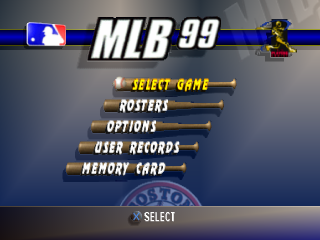
Memory Card
Only one save file can be stored at a time. If you don't have a Memory Card, all MLB '99 data will be lost after turning off your Sony PlayStation game console. Spring Training
MLB '99 introduces Spring Training, a 2 or 6 game season designed to add player development challenges. Spring Training offers the opportunity for you to create a minor leaguer, add him to a team roster, and compete towards earning a position on a Major League team for the start of the regular season.
During each spring training game, your player can earn ability points which will determine his strengths. Status points will be allocated based on your minor leaguer's game performance in two categories: hitting and defense. It takes 50 status points to make it to "The Show".
To keep track of your player's status, view the status bar at the bottom of the Status screen. Once your player reaches Major League on the status bar, spring training will end and you may begin a regular season. During the course of a season, accumulate enough ability points to earn a spot on the All-Star team.
Remember that even if your player is fortunate enough to make it to the majors, he must continue to perform at a Major League or All-Star level to keep his roster spot. If at any time during the season your player loses his major league status, he will be sent back down to the minors and your season will end.
Game Controls
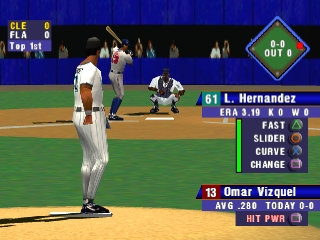
BATTING
•
Hit for Average/Hit for Power: SQUARE
•
Move Batter in Box: R2 + D-Pad
•
Open/Closed Stance: R2 + L1/L2
•
Center Bat Cursor (Veteran and All Star Levels): Select Button
•
Move Bat Cursor (Veteran and All Star Levels): D-Pad
Total Control Batting (Veteran and All Star levels of Simulation mode)
Before the ball is pitched:
•
Press L2 + D-Pad to guess a pitch location.
•
Press L2 + pitch icon button to guess a pitch type.
If you guess the pitch location, a flashing yellow and red Lock-on indicator will appear, giving you a better chance at making pure contact with the ball.
•
Use the D-Pad to direct the ball when you swing.
Note: When L2 is held, the batter and pitcher are unable to perform.
Guessing Pitch Outcomes
•
Pitch Type: Correct guess – Bigger batting cursor; Incorrect guess – Smaller batting cursor
•
Pitch Location: Correct guess – Yellow Lock-on indicator appears; Incorrect guess – Smaller batting cursor
•
Type + Location: Correct guess – Lock-on indicator appears ± extra power; Incorrect guess – Smallest batting cursor
Before a pitch is thrown, press and hold L2 to display the pitch locations, number of pitches, and pitch types previously thrown to the batter. Until the first pitch is thrown in a new at-bat, the Pitch History Box will display the pitches thrown during the last at-bat.
BASE RUNNING
•
Hit & Run/Steal lead runner: TRIANGLE
•
Steal Specific Runner: TRIANGLE + D-Pad
•
Lead Off (Back to Base): R1
•
Return Specific Runner: X + D-Pad
•
Head First Manual Slide: L1
•
Feet First Manual Slide: L2
FIELDING
•
Throw to 2nd/Jump: TRIANGLE
•
Throw to 1st/Speed Burst (without ball): CIRCLE
•
Throw to 3rd/Change Fielder (without ball): SQUARE
•
Special Throws & Catches: Press and hold L2
•
Throw from Knees/Dive catch: In the dive, press base button
•
Rob a Home Run: When near the wall, press R1
•
Throw to a Cut-Off Man/Cut-Off Man in a pickle: TRIANGLE
Note: When fielding in the pitcher's perspective, TRIANGLE is home, SQUARE is 1st base etc.
Total Control Fielding (All game modes)
Press and hold L2 when a hit ball approaches a fielder. Total Control Fielding will automatically cause your fielder to make a special catch (e.g., bare-handed grab) and throw the ball to the appropriate base.
HINT: Continually press and hold L2 while on defense to improve fielding.
PITCHING (Simulation mode)
•
Select Pitch Type/Pitch in pitcher's perspective: TRIANGLE
•
Select Pitch Type/Pitch in default view: X
•
Select Pitch Type: CIRCLE, SQUARE
•
Adjust Pitch Location: D-Pad
•
Adjust View: Select Button
HINT: Hold the pitch button longer for more pitch speed. Be aware that this will use up more of a pitcher's energy and stamina.
Pick Off
After selecting a pitch, pick off base runners using the following controls:
•
Pick Off to 1st, 2nd, 3rd: CIRCLE, TRIANGLE, SQUARE
•
Adjust Infielders, Outfielders: R1, R2
Setting Up The Game
SELECT GAME
Use this menu option to choose a game format.
EXHIBITION
Use Exhibition games to compete in a 1 or 2-player game. Prepare yourself for