STARTING the GAME
1. Set up your PlayStation game console according to its Instruction Manual. Make sure the power is OFF before inserting or removing a compact disc. 2. Insert the NASCAR 2000 disc and close the Disc Cover.
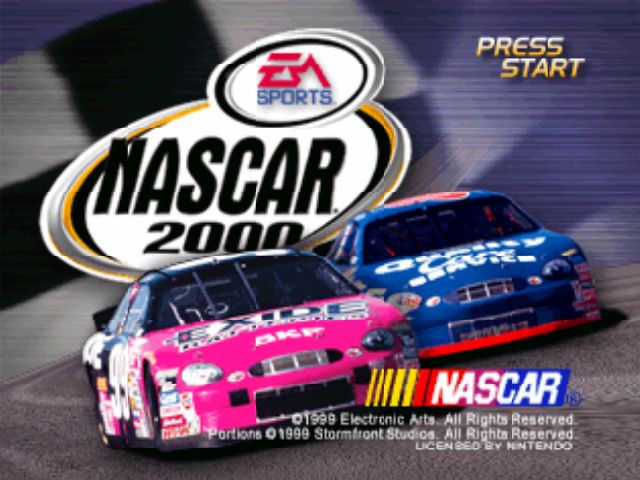
3. Insert game controllers and turn ON the PlayStation game console. 4. At the NASCAR 2000 title screen, press START to advance to the Main menu.
Console Features
MAIN MENU
•
QUICK RACE: Jump into a race with a randomly selected car at a randomly selected track. When you select this option, you start in the middle of the pack.
•
SINGLE RACE: Run a single race.
•
CHAMPIONSHIP SEASON: Enter a Championship Season.
•
RACE AGAINST THE KING: Race one-on-one against Richard Petty, NASCAR's all-time greatest driver. Select from 10 tracks that Petty competed on during his Hall of Fame career. It's just you against The King.
•
DRIVER & CAR INFO: View info from the 1998 NASCAR season.
•
OPTIONS: Set game settings, race options, and sound options.
•
TRACK RECORDS: View records for each track in NASCAR 2000.
•
ABOUT EA SPORTS: Check out EA SPORTS videos.
•
CREDITS: Roll the NASCAR 2000 credits.
SINGLE RACE MODE
Test your driving skill against NASCAR's best drivers. You can get down to the track quickly with your favorite driver, or take the time to practice and set up your car properly. This section helps you set up your car and run a single race. From the Main menu, choose SINGLE RACE. The Race Setup menu appears.
Race Setup Menu
Choose your car, the track and select race options. When you're ready to continue, choose GO TO TRACK. The Single Race Weekend menu appears.
NOTE: DEFAULT MENU ITEMS APPEAR IN BOLD THROUGHOUT THIS MANUAL.
•
PLAYER: Select the number of players in the race: ONE or TWO (split screen). You need two controllers to select the two-player option.
•
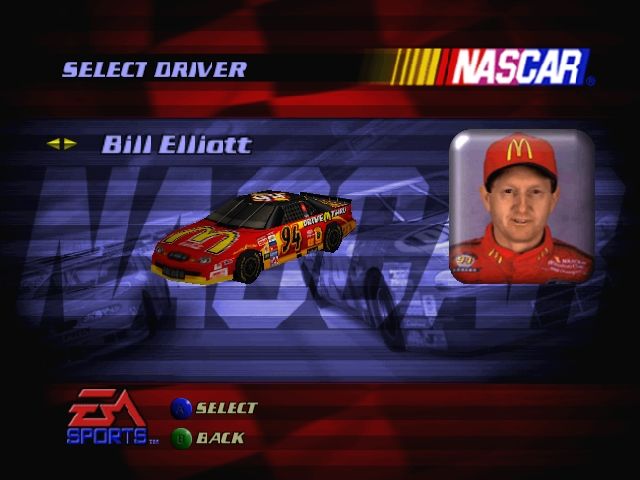
SELECT CAR: Choose your car and driver.
•
CREATE A DRIVER: Enter your name, choose your paint scheme, then return to the Race Setup screen. Now you can race with your name and earn a spot in the record books.
•
SELECT TRACK: Choose the track you want to race.
•
DISPLAY SETTINGS: Adjust options that affect the overall game environment.
•
NASCAR OPTIONS: Adjust options that affect the rules and realism of the race.
•
2-PLAYER OPTIONS: The 2-Player Options menu items appear only when you select a TWO PLAYER game.
•
SPEED COMP: Set OFF/ON (the trailing player's car gets a speed boost to catch up).
•
COMPUTER CARS: Set OFF (head-to-head) or ON (grid of eight total cars).
Single Race Weekend Menu
The Single Race Weekend menu contains all the features you need to spend a weekend at your favorite NASCAR track.
To get down to the track, select PRACTICE, QUALIFY, HAPPY HOUR, or RACE.
•
CAR SETUP: To win in NASCAR 2000, you have to tune your car for each track.
•
PRACTICE: If you want to improve your chance to win, take some solo practice laps to learn how to handle your car.
•
QUALIFY: Qualifying is a solo attempt to post your fastest single lap time. After your qualifying run, an overlay displays your time relative to the other drivers. If you don't qualify before a race, you automatically start from the back of the field.
•
HAPPY HOUR: Test your car against real competition before the race.
•
RACE: Takes you to the starting grid for the main event.
•
TO RACE SETUP: Return to the Race Setup menu.
CHAMPIONSHIP SEASON
Following NASCAR's official scoring system, Championship Season is a 19-race season (24 when Fantasy Tracks are ON) that establishes the top driver on the circuit. This section helps you get started on your championship bid.
NASCAR 2000 CHAMPIONSHIP POINTS SYSTEM
The winner of each race receives 175 points. For each subsequent finishing spot, the driver earns a lower point total. Also, each driver who leads the race for at least one lap receives five bonus points, and the driver who leads the most laps during a race receives five points. (Check the results screen after each race for exact point totals).
From the Main menu, choose CHAMPIONSHIP SEASON. The Season Load/Save menu appears.
Season Load/Save Menu
At the Season Load/Save menu you can begin a new season or save, load, or delete a season in progress.
•
To begin a new season, choose NEW SEASON from the Season Load/Save menu. The Season Setup menu appears.
•
To load, save, or delete a season in progress, see Load/Save on p. 10.
Season Setup Menu
Choose from the menu options to set up your Championship Season.
•
ONE PLAYER: Select ONE PLAYER or TWO PLAYER season.
•
2-PLAYER OPTIONS: The 2-Player Options menu items appear only when you select a TWO PLAYER game.
.png)

.png)

.png)
.png)
_1.png)
.png)
.png)
.png)