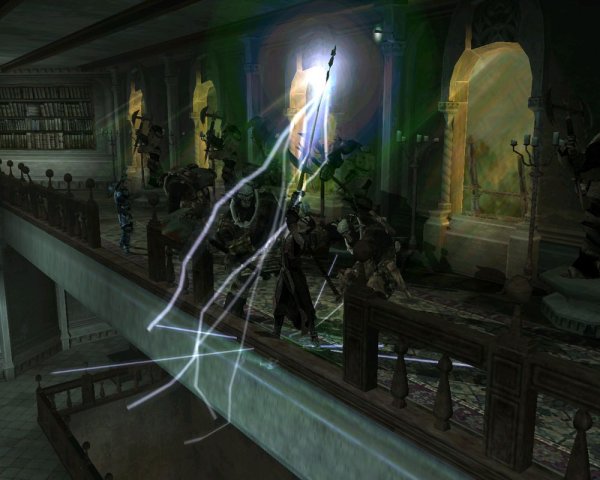
The Bead of Force causes massive damage to obstacles and objects, but less damage to enemies.
Team Attack
During combat, press the L2 button to summon the fighter, rogue or sorcerer to your aid.
Team Super Attack
Use the Team Super Attack to unleash an attack that inflicts massive damage to all opponents within a large radius.
Combo Moves
Each character begins the game with two basic combo moves. As you gain experience, you will have the opportunity to purchase upgrades and advanced combo moves as well as new spells.
Fighter Base Combos
•
O O: A quick, two-hit gauntlet (fists) combo.
•
X + X + X: A three-hit, wide-swinging combo. Effective against large groups of enemies.
Rogue Base Combos
•
O+O: A two-hit kicking combo designed to stun enemies.
•
X + X + X: A three-hit, wide-swinging combo. Effective against groups of enemies.
Sorcerer Base Combos
•
O O: A two-hit unarmed strike.
•
X + X + X: A three-hit, wide-swinging combo. Effective against groups of enemies.
Saving and Loading
The game save file requires 88KB of free space on a memory card (8MB) (for PlayStation®2). You can save up to five games per save file.
Saving a Game
At the end of each chapter, you can save your progress at the Character Status Screen:
1. Select Continue (after completing all level upgrades and item upgrades).
2. Select Yes at the prompt.
3. Select the MEMORY CARD slot containing the desired memory card.
4. Use the left analog stick or up and down directional buttons to highlight a saved game slot and then press the X button.
5. Select Yes to confirm and save the game.
Loading a Game
1. Select Load Game from the Main Menu.
2. Select a MEMORY CARD slot containing a memory card with a valid saved game file.
3. Use the left analog stick or up and down directional buttons to highlight the desired game and then press the X button.
Master Volume
Increase or decrease the master volume level. The master volume setting controls both the music and sound effects levels.
Subtitles
Turn on-screen text subtitles ON/OFF.
Vibration
Turn DUALSHOCK®2 analog controller vibration ON/OFF.
Credits
View a list of the game's creators.
Pause Menu
Press the START button at any time during gameplay to take a break from the action. Press the Δ button or START button, or select Resume, to return to the game. Resume
Return to gameplay.
Restart
Restart gameplay from the beginning of the current chapter. Select Yes to confirm.
Options
Access the Options Menu.
Quit
Stop playing the current chapter and return to the Chapter Summary Screen. Your progress will not be saved.
Playing The Game
Gameplay Screen
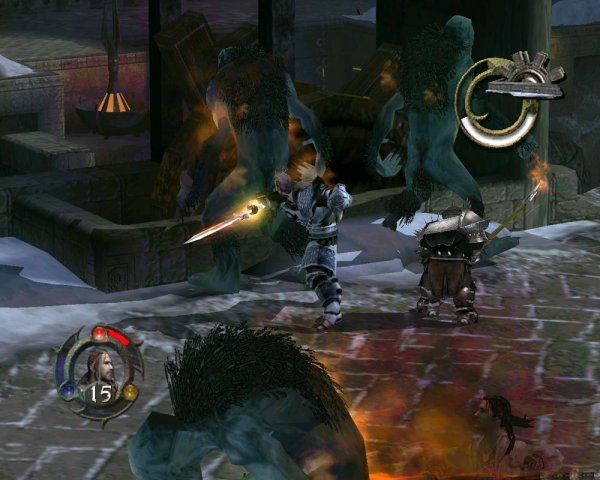
The gameplay screen HUD (Heads-Up Display) simultaneously displays vital information about all three of the characters in your party.
HUD Detail
Health Meter
Displays each character's health level. Pick up Health Potions and Scrolls to replenish health.
Hero Meter
Fill the selected character's Hero Meter by landing combos, using abilities, defeating enemies and casting spells.
Team Attack
If the selected character's Hero Meter is partially full, you can call a Team Attack, which summons the fighter, rogue or sorcerer to your aid. Performing a Team Attack slightly drains the character's Hero Meter.
Team Super Attack
You can launch a Team Super Attack once all three characters have filled their Hero Meters. Performing a Team Super Attack damages all opponents within a large radius and fully drains each character's Hero Meter.
Projectiles Remaining
Displays the quantity of throwing axes or daggers remaining for the selected character. There is a limit to the quantity of projectiles that the fighter and the rogue can carry. No limit applies to the sorcerer.
•
Fighter Projectile Limit: 12
•
Rogue Projectile Limit: 15
Chapter Summary Screen
Demon Stone™ is an adventure in ten chapters. Following the completion of each chapter, the Chapter Summary Screen appears and displays the stats listed below. When you are finished viewing the Chapter Summary Screen, press the X button to continue.
Chapter Summary
•
Kills: The number of enemies killed by each character.
•
Team Experience: The amount of XP gained by the party.
•
Team Gold: The quantity of gold found.
•
# of Team Supers: The XP bonus applied for each Team Super Attack used in combat.
Level Up Menu
At the end of each chapter, or after loading a saved game, the Level Up Menu appears. You can select from the following choices:
Character Status
Select Character Status to view details on each of the characters in your party. Use the L1 button and the R1 button to switch the characters, and use the left analog stick or left and right directional buttons to cycle through the following categories:
•
Base Stats: Displays the chapter just completed, XP stats and gold stats.
•
Current Skills: Displays a character's moves.
•
Current Items: Displays a character's armor and weapons inventory.
Level Upgrades