STARTUP INFORMATION
Console Top View
Console Front View
Setup your PlayStation game console according to its Instruction Manual. Make sure the power is off before inserting or removing a compact disc.
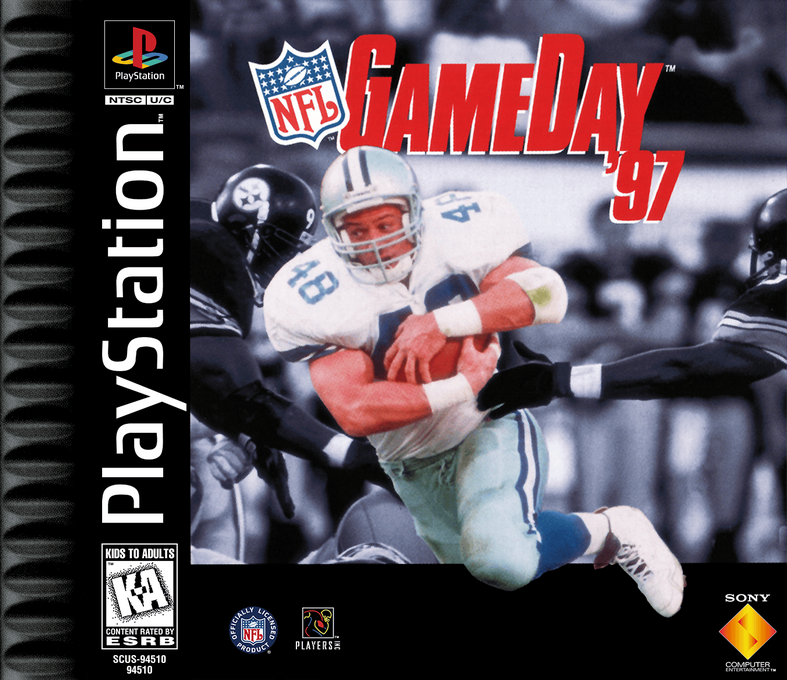
Insert the NFL GameDay '97 disc and close the CD door. Insert game controllers and turn on the PlayStation game console. Follow on-screen instructions to start a game.
MAIN MENU
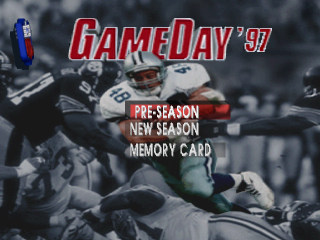
The Main Menu contains all the major areas of the game. Familiarize yourself with the available options to get the most out of the game.
Preseason
The Preseason option allows you to pit any two teams against each other. The result is not recorded in the standings, and statistics are not recorded.
New Season
The Season option lets you play an entire regular season using the 1996-97 NFL schedule. If you save your game, the season standings and statistics for the entire season will be stored on the memory card.
Memory Card
The Memory Card screen allows you to load and save seasons, reformat the card, delete files, and rename files on the selected card.
TEAM SELECT
After you select a game format, the Team Select screen appears.
Team Comparisons
Every team is rated numerically in twelve different categories, separated into three areas: Offense, Defense, and Special Teams.
•
To cycle through the different ratings areas, use D-Pad left/right.
Team Selection
The teams are represented by their helmets on the left and right sides of the screen.
•
To cycle through the teams, press L1/L2/R1/R2.
Controller Select
Each controller plugged into the PlayStation is in charge of selecting which team it is assigned to control. If a team is not assigned a controller, the computer takes charge of that team.
•
To assign the controller to one of the teams, press D-Pad left/right.
•
To go to the game screen for the coin toss, press X.
Roster
The Roster screens allow you to manage the team rosters in the same ways that NFL owners do.
Team Roster
The Team Roster screen breaks down the selected team rosters by position.
•
To cycle through the teams, press L1/L2.
•
To display the players at a desired position, highlight the position and then press X.
•
Use D-Pad left/right to show the individual positions (ex. ss, ws, cb).
Create Player
The Create Player screen allows you to create players from scratch. All created players go to the free-agent pool.
•
To name the player, select the name field (first or last) and then press X to bring up the alphanumeric menu.
•
Use the D-pad to cycle through the characters and the X button to select them.
•
When you've finished writing the name, press the START button.
•
To select the player's position, highlight the position field and then use D-Pad left/right to cycle through the different positions.
•
To change the skill ratings, highlight the skill category and then use D-Pad left/right.
Trade Player
The Trade screen allows you to trade players of like position on a one-to-one basis. The team on the left displays its entire roster. When you select the player to be traded from that roster, all the players of the same position on all the other teams become available.
•
To select the team on the left, press L1/L2.
•
To select the team on the right, press R1/R2.
•
To activate the roster of a selected team, press the D-Pad left/right.
•
To select a player on the activated roster, press the D-Pad up/down.
•
To execute the trade (swap the highlighted players) press X.
Draft Player
Players are drafted in six key positions: QB, RB, WR, LB, DB, and DL. The computer will draft for the teams not selected by the human players. Highlight and select items in the same way as you do on the Main Menu.
Options
The eight items on the Options menu allow you to customize your game.
•
To change an option, press the D-Pad up/down to highlight the option and then left/right to change the setting.
Controller Setup
Only the four symbol buttons can be customized. First you need to select which set of controls to customize - Offense or Defense.
•
With Configuration highlighted, press the D-Pad left/right to cycle through the available controller options.
Statistics
The Statistics screen contains team and player stats and ratings from the 1995 NFL Season.
Team Leaders
The Team Leaders screen ranks the teams in various statistical categories.
•
Select the category you'd like to access, and then press X.
•
Use the D-Pad to scroll up and down the rankings list.
Standings
The Standings menu offers the standings of the six NFL divisions.
•
Press the D-Pad to highlight the division you wish to view and then press X.
Players Stats
The Player Stats screen ranks all the NFL players in performance in a wide variety of statistical categories. First you need to select the position you wish to access. Each position has



.png)







.png)
.png)