Setting Up Your Console
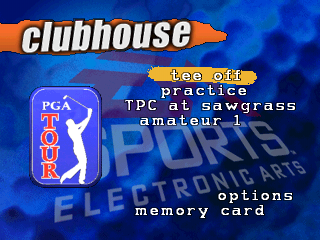
Set up your PlayStation game console according to its Instruction Manual. Make sure the power is OFF before inserting or removing a compact disc. Insert the PGA TOUR™ 97 disc and close the CD door. Insert game controllers and turn on the PlayStation game console. After the introductory title screens, you are taken to the Clubhouse to make your game selections. Press START to skip the title screens and go directly to the Clubhouse.
Note
In this manual, all default options are listed in bold.
•
To highlight an option, D-Button.
•
To select the highlighted option, press or START.
The Clubhouse screen displays your choices, once you've made them. To exit from an option screen and return to the Clubhouse, press.
Tee-Off
This takes you right to the course, so if you're ready to whack the little white ball around, select this option.
Game Mode
Select from five different types of play: Practice, Stroke, Shoot-out, Skins, and Tournament. See Game Modes on p. 25 for more information on each mode.
Course
Try stadium golf at its best at the TPC at Sawgrass, or go for something completely different with authentic links style golf on the stunning Links at Spanish Bay. See Courses on p. 28.
•
To toggle between the two courses, press * or D-Button in any direction.
•
To select a course and return to the Clubhouse, press START/.
Golfer
You can play "as" or "against" a PGA TOUR pro, or create your own amateur golfer. Select this option to choose from 14 featured pros, or enter up to 8 amateur players.
You can select the clubs you carry, determine the controller for each golfer and the way you look on the course. See Golfers on p. 22 for complete information.
Options
The Options menu lets you customize your game in a variety of ways.
•
To toggle a highlighted option ON/OFF, D-Button or press *.
•
To exit and return to the Clubhouse, press START/A.
Music
Toggle the music that plays during the menu screens ON/OFF.
Sound F/X
Toggle the sound effects on the course ON/OFF.
Ambient F/X
Does the sound of the waves and gulls distract you? Toggle ON/OFF those background sounds that add a little character to the course.
Commentary
With Commentary ON, you'll get feedback on your shot and tips to play a certain shot.
Wind
Determine the strength of the wind on the course. As any seasoned golfer knows, this can make a big difference on your final score. Cycle between CALM, BREEZY, or STRONG. You can turn the wind off from the Settings menu. (See p. 19.)
Credits
View credits for the game.
Memory Card
Select this option to access saved games and amateur golfer characteristics and statistics. Up to 7 games can be saved with each Memory card (PGA Tour 97 uses 2 blocks).
Note
You must have a Memory card inserted in Slot 1 or 2 to access saved games or existing amateur players.
Select SAVE DATA to save games in progress to the Memory card and to save created amateur golfer characteristics.
•
To cycle through the different saved games, D-Button.
•
Press to select the saved game you want.
After you have saved a game, the option DELETE A SAVED GAME appears on the Memory card. Select this option to delete a game if your game list is full.
Select GET DATA to retrieve saved games, amateur golfers, and statistics. This option comes in handy if you want to use someone else's game console, but want to continue updating statistics for an amateur golfer you've created.
You can also use GET DATA to retrieve an existing amateur golfer if you start the game console without the Memory card inserted. The amateur golfer appears automatically at the Golfers screen if the card is inserted when you turn on your system, but can only be retrieved by selecting GET DATA if you insert the card after you start the game console.
Playing a Round of Golf
As many a weary hacker knows, hitting the ball isn't difficult, it's hitting it well that takes some talent. Read on to learn the basics of playing a round of PGA TOUR 97.
To pause the game, press START. Press START again to resume the game.
Note
On the course, you can access an on-screen control summary by selecting CONTROLS from the Settings menu.
EA Tip
Try using backspin on the ball to get out of deep bunkers or from behind bushes. (See p. 14.)
On-Screen Elements
The Swing
The swing is divided into three parts: backswing, downswing, and contact. Each step is initiated by pressing *.
1. Press to begin the backswing.
2. Press again to stop the backswing and determine your shot power (distance of the shot).
3. Press a third time to strike the ball and determine the accuracy of the shot.
The power and accuracy of the swing are determined by and tracked on the Swing meter.
You need to understand the Swing meter before you can make accurate shots consistently. When you start your swing, a dark Power arc begins traveling up the
.png)


.png)
.png)







.png)
.png)