Console Instructions
Set up your PlayStation game console according to its Instruction Manual. Ensure the power is off before inserting or removing a compact disc. Insert the RC Helicopter™ disc and close the Disc Cover. Insert game controllers and turn on the PlayStation game console. Follow on-screen instructions to start a game. How to Play
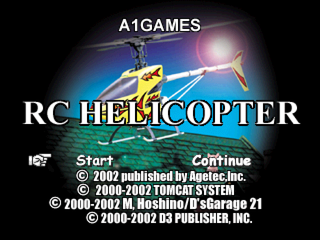
The Mode Select screen appears after pressing the START button. Choose START or CONTINUE.
•
START - leads to the Opening screen.
•
CONTINUE - leads to the Load screen.
Loading
Insert a MEMORY CARD into MEMORY CARD slot 1. Loading will not work if data is not saved on the MEMORY CARD, or if the MEMORY CARD is not inserted properly.
Use the directional button to select an item, and press the button to confirm your selection.
Main Menu Options
•
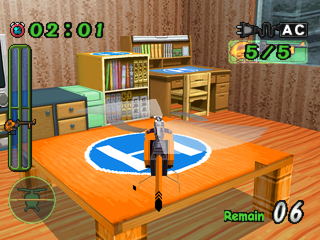
Training in room: First stage. The next stage will appear after clearing this stage.
Select Helicopter
A total of 3 types of Helicopters are available. Play with the 1st (original) Helicopter. The other two Helicopters can be purchased at a toy shop.
Replay
Replay the game just played.
Option
Appears the Option screen.
Save
There is no automatic saving system in this game. Be sure to insert the MEMORY CARD into MEMORY CARD slot 1.
Option Menu Items
The following items can be selected in the OPTION Menu.
•
Score: The shortest time of each stage appears.
•
Vibration: The controller's vibration function can be turned ON/OFF.
•
Conf: Select one operating instruction out of two types.
•
Sound: Adjust sound setting: Stereo or Mono.
•
Return: Go back to Main Menu.
View Angles
Some stages can change the viewing angles.
•
Player's operating view angle - 3rd person point of view.
•
Rotor point of view angle from behind of Helicopter.
•
Camera view angle, camera attached to the Helicopter - 1st person point of view.
Player's Operating View Angle
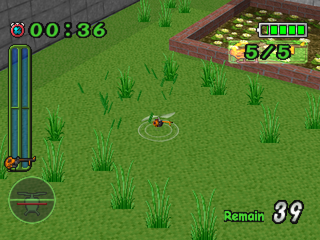
This is the standard mode, and all stages have this viewpoint. Some stages only have this mode. (Garden) (Station)
Some stages also have this mode. (My room) (Empty land) (Bakery) (Mark's home) (Pool) (Lab room) (Music room).
Press the L1 button to switch to this point of view.
Rotor Point of View Angle
Use this angle or Rotor point of view from behind of Helicopter for Hidden Stages.
Camera View Angle
IMPORTANT: Switch the mode to 1st person point of view when taking a camera shot.
.png)

.png)


.png)
.png)
.png)

.png)
 (Beta).png)

.png)
.png)
.png)
.png)



.png)
.png)

