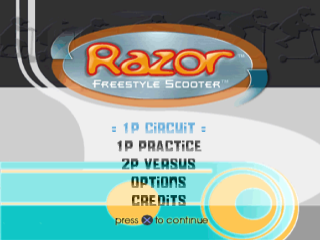
ONE PLAYER
CIRCUIT
Unlock more courses by completing objectives. You have to unlock levels before you can play them in practice or versus mode.
Completing an objective for all three levels unlocks a secret Sky Fortress level.
•
LEVEL CLEAR (earn 10,000, 15,000, and 20,000 pts. for levels 1, 2, and 3 respectively).
•
Grind XXX footage (grind 600, 700, and 800 feet for levels 1, 2, and 3 respectively).
•
Extreme Score (earn 30,000, 45,000, and 60,000 for levels 1, 2, and 3 respectively).
•
Pull a XXX point Combo (pull a 6,000, 7,000, and 8,000 pt. combo for levels 1, 2, and 3 respectively).
•
Get XXX wheels (get 30, 30, and 40 wheels for levels 1, 2, and 3 respectively).
PRACTICE
Play any unlocked course with no time limit. Points are not totalled, only the last trick or combo is displayed.
MULTI-PLAYER
VERSUS
One-on-One. Take turns playing any available track from Circuit Mode.
SETTINGS
OPTIONS
•
Press the Directional buttons UP/DOWN to select a setting.
•
Press the X button, or press LEFT/RIGHT to change or open a setting.
•
Press the ▲ button to exit the menu without activating changes.
•
Press Start button to exit and activate changes.
SOUND & MUSIC
VOLUME
•
Press the Directional buttons LEFT/RIGHT to change the sound or music volume.
VIBRATION
•
Press the X button to toggle the DUALSHOCK™ analog controller vibration setting ON/OFF.
RECORDS
Displays the top five scores for the regular levels in circuit mode.
THE PAUSE SCREEN
•
Continue: return to the action. •
Trick list: view the current player's tricks. •
View goals: list objectives and their current status in the level.
•
Restart Level: restarts the level.
•
End run: completes the run and goes to Results screen.
•
Quit Game: returns player to the main screen.
THE TRICK LIST
The Trick List shows all the moves a rider is able to perform during gameplay.
To see the Trick List during gameplay:
1. Press the Start button, highlight TRICK LIST and press the X button to open the list.
2. Press the Directional buttons or Left Analog Stick LEFT/RIGHT to select a trick category or UP/DOWN to scroll through the tricks. RESULTS SCREEN
•
Total points: Total points earned in current run.
•
Wheels Found: Total wheels found in current run.
•
Grind distance: Total grind distance in run.
•
Time bonus: Total bonus seconds earned by filling time bar.
•
Best Combo: Highest point combo performed.
•
Crash count: Number of bails during run.
•
Tricks landed: Total number of individual tricks successfully landed. •
Combos landed: Total number of combos successfully landed.
THE END LEVEL SUMMARY SCREENS
After each event the Results screen appears to give you a rundown on your progress.
The Results screen displays:
•
List of objectives and whether or not they have been completed.
And the menu options of:
TRICK LIST
Each character has his own unique combination of tricks! View them inside the game. MEMORY CARDS
To save game setting and progress, insert a MEMORY CARD into MEMORY CARD slot 1 of your PlayStation game console before starting play. SAVING AND LOADING GAME DATA
Saving Game Data
Can be saved manually in Options or Auto Save as enabled in Options menu. The Game Auto Saves when you Quit the game/Return to the level select screen.
Loading Game Data
Automatically loads on boot up or can be loaded in Options menu.
LEVEL NAMES
More levels exist but you will need to unlock them by completing objectives listed in the 3 main levels.
CHARACTER NAMES
Missing members of your razor crew. Can you find more members of your razor crew?
.png)






.png)

.png)

.png)

.png)