STARTING A GAME
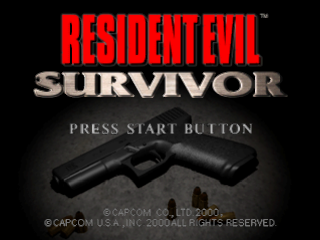
Press START during the opening demo sequence to display the Title screen. Use the Directional button/Left Analog Stick to select an option, and press the ▲ or X button to confirm.
NEW GAME
Start a new game. Choose a NORMAL or EASY difficulty level.
PLAY ON A SAVED GAME
Resume a previously saved game. Insert a Memory Card with saved data into your PlayStation game console and choose LOAD GAME. Choose a saved game data to restart. OPTION MENU
Select OPTION on the Title screen to display the Option Menu. Choose an option with the Directional button/Left Analog Stick, and press the ▲ or X button to display a submenu.
Use the Directional button/Left Analog Stick to change the setting, and then press the ▲ or X button to confirm your choice. Press the ■ button to cancel.
•
KEY CONFIG - Choose from three button configurations (Type A, B or C).
•
ADJUST SCREEN - Adjust the screen position.
•
VIBRATION - Turn the DUALSHOCK analog controller's vibration function ON/OFF.
•
SOUND - Toggle STEREO or MONAURAL and adjust the volume of background music and sound effects.
•
MONITOR TUNING - Adjust the screen brightness. (Your TV must have brightness adjustment capability.)
•
RESET - Reset all options to their default settings and return to the Title screen.
•
EXIT - Return to the previous screen.
STATUS SCREEN
Press START or the Right Analog Stick during gameplay to display the Status screen. This screen shows your character's condition and items he is carrying.
Use the Directional button/Left Analog Stick to highlight an item or function. Press the ▲ or X button to activate the options. To exit the Status screen, press START, the Right Analog Stick or the ■ button or highlight EXIT and press the ▲ or X button.
ITEM
To select any option or item, highlight it with the Directional button/Left Analog Stick, and press the ▲ or X button. Select ITEM to handle various items you acquire during your adventure. Then select the article or weapon you want to handle. Finally, select one of the following Item commands:
•
USE/EQUIP - USE puts an item to work. Some items take effect only when you use them in certain places. EQUIP readies a weapon for firing. You must equip a weapon before you can attack with it. You can equip only one weapon at a time.
•
CHECK - Shows further information about the selected item or weapon. Try to check every item to find helpful information.
•
COMBINE - Mixes two different items/weapons. Some items, especially weapons, become useful or have a special effect when combined with other items. Select your first item and then select COMBINE. Then select another item to combine it with. For example, combine Green Herb and Red Herb to completely restore your character's health. Try various combinations to discover new effects.
MAP
Select MAP to view a floor plan of the stage.
FILE
Select FILE to see a list of files you have acquired. Select a file to read it. You may find a hint that helps you proceed.
CONTINUE AND GAME OVER
Your character takes damage when attacked. His condition is displayed in the electrocardiogram at the bottom right of the gameplay screen. As your character takes damage, his health decreases from FINE to DANGER. When he takes the maximum amount of damage, he is defeated.
Then the Continue screen appears. You have a limited number of continues. If you don't (or can't) continue, your game is over. When this happens, you can save your items for your next game.
CONDITION
•
Fine - Zero or very little damage.
•
Poison - When poisoned, your character gradually loses vitality until cured or defeated.
.png)

.png)
.png)
.png)
.png)
