GETTING STARTED
Set up your PlayStation™ Game Console according to its Instruction Manual. Make sure the power is off before inserting or removing a compact disc. Insert the FINAL DOOM™ disc and close the CD door. Insert game controllers and turn on the PlayStation™ game console. Follow on-screen instructions to start a game. •
If playing Cooperative or Death Match, connect two PlayStation™ Game Consoles with the Link Cable™ before power is turned on. Front View
Top View
Use the Directional Pad or Mouse to move the Skull Icon up or down. Press Left or Right to modify. Press any of the four Icon Buttons to activate a selection.
Set your desired Game Mode, Episode or Difficulty. Select and activate Options to enter the Options Menu. Start the game by pressing "Start".
2 PLAYER MODES
DEATH MATCH MODE
Just you and your buddy - no monsters. Only skill and strategy will prevail. Grab weapons and hunt down your adversary.
Don't worry about being greedy, those weapons will reappear in 30 seconds. Every time you kill your opponent, that's one more frag for you. Kill yourself, you lose a frag.
If you die, press any Icon Button and you'll be randomly respawned somewhere in the level. The player with the most frags at the exit switch wins.
COOPERATIVE MODE
The levels are hard, the monsters tougher, but you and your buddy can rock 'n roll together. Once a weapon gets picked up, it's gone. Share those weapons and ammo, you'll both need 'em.
If you die, just press any Icon Button and you'll be respawned at the level entrance. You might have to backtrack to pick up those security keys again.
LINK CABLE SET-UP
Make sure the Link Cable™ is firmly connected to each PlayStation™ Game Console before power is turned on. The first player to select and activate Death Match or Cooperative Mode sets the level and difficulty of the competition. Your partner must also select and activate either Death Match or Cooperative Mode to begin the competition.
Each PlayStation™ Game Console will attempt to "look" for its partner. If you are experiencing problems, make sure the Link Cable™ is firmly attached to each PlayStation™ Game Console and reset each unit. OBJECT OF THE GAME
Welcome to FINAL DOOM™, a lightning fast virtual reality adventure, where you're the toughest Space Trooper ever to suck vacuum. Your mission is to shoot your way through a 30+ level, monster-infested Hell. The game play for FINAL DOOM™ is quite simple. This is not a cumbersome role-playing game, but an action-oriented slug-a-thon! You don't need super-human reflexes to win - using your wits is just as important. To escape FINAL DOOM™, you need both brains and the killer instinct. ON-SCREEN INFORMATION
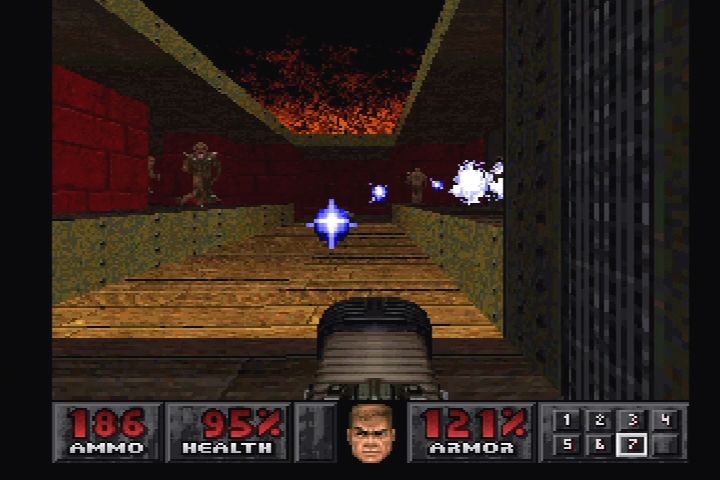
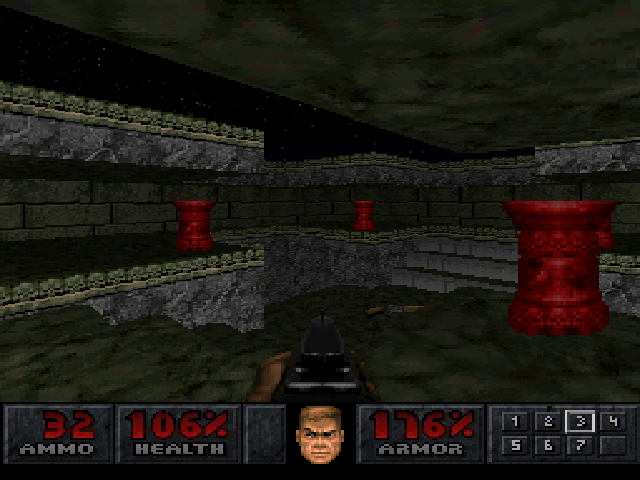
FINAL DOOM™ provides you with on-screen, up-to-the-minute information that you'll need to survive.
•
1. MAIN AMMO: In big fat numbers, you see the number of shots you've got left in the weapon you're currently using.
•
2. HEALTH: You start out at 100%, but you won't stay there long. At 0%, you're Toast. Try a little harder next time.
•
3. YOUR MUG: This portrait isn't just for looks. As you take damage you'll begin to look like raw hamburger. Also your eyes will look in the direction from which the damage came.
•
4. KEY CARDS: You can see any cards you possess right here. There are three key colors: Red, Yellow and Blue.
•
5. ARMS: Numbered boxes show which weapon you currently have readied and what weapons you possess.
•
6. ARMOR: Your armor helps you out as long as it lasts. Keep an eye on it, because when it goes, you might also. USING DOORS, ELEVATORS & SWITCHES
To open most doors and operate switches, stand directly in front of them and press the O Button. When you successfully operate a switch, it will change in some way - lights up, flips a handle, etc.
If a switch does not change after a couple of tries, it might not be a switch or you may have already flipped it. Some switches may be used repeatedly and some only once.
SECURITY CARDS
SKULL KEYS
HIDDEN DOORS
Some doors are hidden. Many can be opened by finding a switch. In some cases you just need to walk up to the wall and press the O Button. If you've found a secret door, it will open for you.
Look for the clues that will reveal a secret door: a wall that's shifted down or is a different color, a flashing light on the wall, etc.
ELEVATORS
You'll see platforms that raise and lower. Some platforms operate continuously, while others must be activated. Some of them sense your proximity and lower automatically. Others have a nearby switch.
Those without a switch can usually be operated by walking up
 (Rev 1).png)

 (Rev 1).png)
.png)
.png)

_1.jpg)

_1.png)





.png)


_1.png)

.png)