Console Instructions
Top View
Front View
Set up your PlayStation game console according to its Instruction Manual. Make sure the power is off before inserting or removing a compact disc.
Insert the SNOWBOARDING disc and close the disc cover. Insert game controllers and turn on the PlayStation game console. Follow on-screen instructions to start a game.
Starting the Game
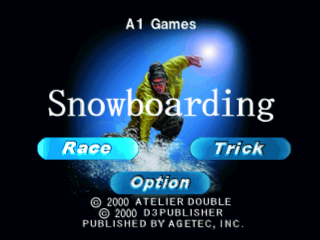
There are three selections on the title screen: Race, Trick, and Option.
If no buttons are pressed, after a few seconds, the DEMO screen or the Tutorial will start. When in these screens, simply press the START button to go back to the TITLE screen.
Race Mode
The racing mode is a timed race. If you reach the goal within the time limit, you clear the course, and a new course will appear.
There are 3 modes available: 1P, Race, and 2P Mode.
Trick Mode
In trick mode, your tricks are scored on the basis of height, complexity, amount of rotation, variety of tricks, and how well you land.
There are 3 modes available: 1P, Race, and 2P Mode.
Pause Mode
To pause the game, press the START button during the game.
Pause Menu
•
Title: Back to title screen
•
Sound: Set the sound to Stereo or Mono
•
Vibration: Switch vibration On or Off
•
Restart: Restart the game from the beginning of the course you are playing
Option Mode
•
Difficulty: You can set the intelligence of the CPU players by adjusting the difficulty. The higher the number, the more difficult the game becomes.
•
Course Guide: In Race mode, this determines whether or not the flags on the course will appear during the race. In Trick mode, this determines whether or not the trick point signs will appear on the course.
•
Sound: You can change the sound settings between Stereo or Mono.
•
Vibration: This determines whether or not analog controller vibration is active.
•
Handicap: Enables or disables the handicap.
•
Ranking: Ranking for all courses can be shown for both Race mode and Trick mode. Courses you have not played yet will not be shown.
Trick Mode
When the button icon located on the left bottom of the screen is flashing, you can pull a trick in mid-air! Try the Indy grab, Tail grab, and more to get a high score, and jump as high as you can and do cool tricks in mid-air!
Game Screen
Trick Mode Control
Turn the Board in Mid-Air
•
Forward Roll: Directional button + button
•
Back Roll: Directional button + button
•
Right Turn: Directional button + button
•
Left Turn: Directional button + button
Grab Tricks
Total Points
The total current points that you have acquired.
Time Limit
Similar to the time limit in race mode, each trick you perform increases the time limit. If the time limit gets to zero, the game is over.
Record
Current best points.
Course Guide
If you go to the options before the race and turn the course guide ON, arrows will appear on the course. These arrows will indicate where trick points are.
Speed
Blue flags on the right side of the screen indicate your speed. The more flags there are, the faster you are going. Maximum speed shows as 5 flags on the screen.
X Button Icon
When this icon is flashing, jump and pull a trick in mid-air.
2P Mode
Both Race and Trick mode have 2P modes. After you select a course, choose the 2P mode and select your favorite character.
Race Mode
Trick Mode
Note: In 2P mode, the course guide is not shown in the game screen.
.png)

_1.png)
_1.jpg)
_2.png)
.png)

 (En,Ja,Fr,De).png)

 (En,Ja).png)


.png)

_1.png)

.png)
.png)

.png)







.png)
.png)

_1.jpg)

 (En,Fr,De).png)
