On the Track
If you want to jump right into the action, your first order of business is to take one of these machines down to the track and begin pushing the performance envelope.
EA Tip
Don't overrev the engine before the race starts. If your tach is too high when your car locks into first gear, you'll burn your tires and lose valuable ground.
To Start a Race with Default Settings
•
At the Main menu, select ONE PLAYER.
•
From the One Player options, select ARCADE.
•
At the Arcade screen, select START. The race loads.
•
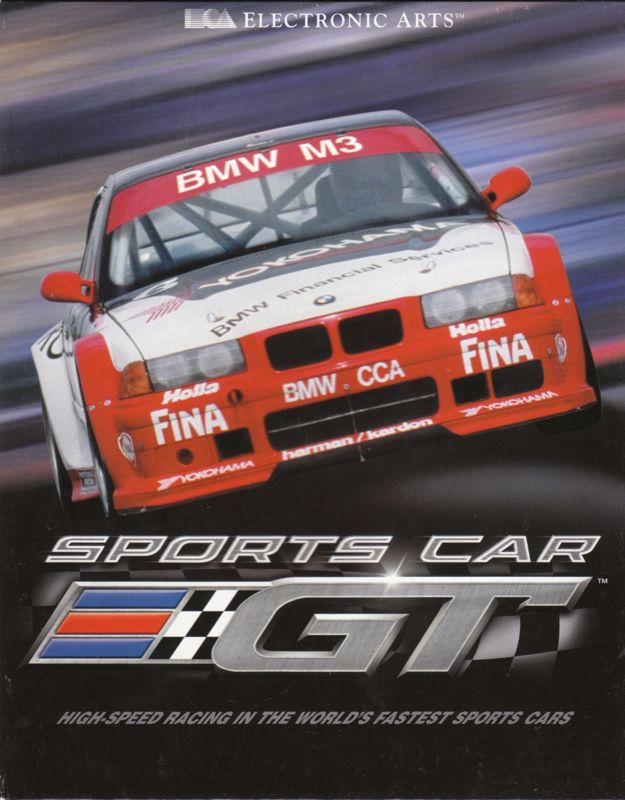
You'll start out driving a BMW M3 in a field of six cars. The race is a three-lap challenge in the GT-3 class at Mosport Park. In-Race Display
The Pause Menu
You can access the Pause menu at anytime to take a break or quit the race.
•
To pause a race, press START. The Pause menu appears.
Pause Menu Options
•
RESUME RACE: Get back to the racing action. •
EXIT RACE: Exit the current race.
•
VERTICAL/HORZ. SPLIT: Toggle between a vertically or horizontally split screen. (Two Player mode only.)
Setting Up a Race or Season
Menu Controls
•
D-Button: Highlight a menu item
•
D-Button: Cycle options and toggle choices
•
*: Select highlighted item or option
•
: Return to previous menu
Main Menu
This is where your Sports Car GT race setup begins. The Main menu offers the following five options:
•
ONE PLAYER: Race against highly-competitive computer-controlled cars in Season and Arcade modes or take on the clock and attempt to rewrite the record books in Time Trial mode.
•
TWO PLAYER: Challenge a friend in one of three different modes: Head to Head, Pace Car, or Pink Slip mode.
•
LOAD: Load a game featuring your customized car (and bankroll) and race it in any game mode.
•
OPTIONS: Adjust game options.
•
CREDITS: Roll the credits for a list of the speed demons who made this game.
Note
You must have previously saved a game to a memory card.
To Load a Game
•
Insert the memory card that contains the game you want to load.
•
At the Main menu, select LOAD. The Memory Card screen appears, displaying the stats of the currently saved game.
•
Select LOAD PLAYER, then choose YES from the prompt. The game loads.
•
Press to continue, then select EXIT to return to the Main menu.
Options Menu
Note
Default Options appear in BOLD type throughout the manual.
Options
•
CONTROLLER: YOU CANNOT ADJUST THESE CONTROLS. HIGHLIGHT A CONTROL, THEN PRESS THE BUTTON YOU WANT TO ASSIGN TO IT. SELECT TO ACCEPT CHANGES AND EXIT.
•
SFX VOLUME: Set the volume level for in-game and menu screen sound effects.
•
BGM VOLUME: Set the volume level for in-game and menu screen background music.
•
PLAY BGM: Listen to the background music tracks.
•
Default View: Sports Car GT features three driving views. Choose the one you want to begin each race with. •
CAR DAMAGE: Toggle ON/OFF. When ON, all cars sustain damage with each impact. Car performance deteriorates as damage increases.
•
CHASE ARROWS: Toggle ON/OFF. When ON, arrows indicate pursuing cars. Arrows change from green to red as distance decreases.
One Player
When you select ONE PLAYER from the Main menu, the One Player menu options appear.
Season
A Sports Car GT season consists of four rounds of GT racing. You begin in the qualifying class, and you must place in the top-three on each course to progress through the levels, culminating with the GT-1 class. Along the way, you'll win cash which you must use to upgrade your car and purchase better cars. You begin with $50,000 for the purchase of your first car. You can purchase an expensive car and hit the circuit, or purchase an inexpensive car and put the extra money toward upgrades right away.
Class Select Screen
When you choose SEASON from the One Player menu options, the Class Select screen appears. Choose the GT class you want to race. If you are beginning your first season, only the GTQ Class is available. More classes become available as you earn them by progressing through the season.
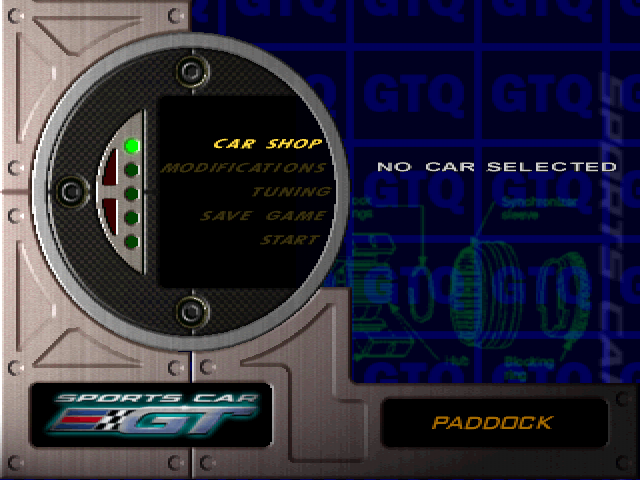
Paddock
When you choose the class you want, the Paddock screen appears. The Paddock is the garage area where you will maintain and upgrade your car. From the Paddock screen, you can also save your progress. If you are beginning your first season, your first order of business is purchasing a car. To do this, you must visit the Car Shop.
When you're ready to race, select START. The Race Preview screen appears.
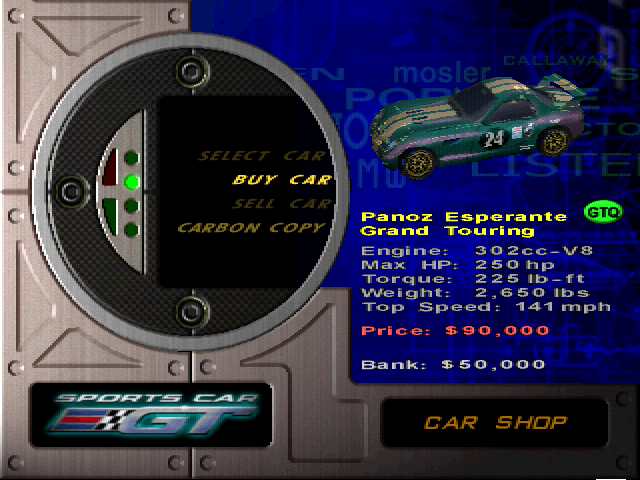
Car Shop
•
SELECT CAR: After you buy a car, choose SELECT CAR to return to the Paddock screen.
•
BUY CAR: Cycle to the car you want, then press to buy it. When the prompt appears, choose YES to confirm.
•
SELL CAR: If you own a car and want to buy a different one, but you need cash, you can sell your current car. The resale value appears on the screen.
.png)




_1.png)
.png)
.png)