Game Selection
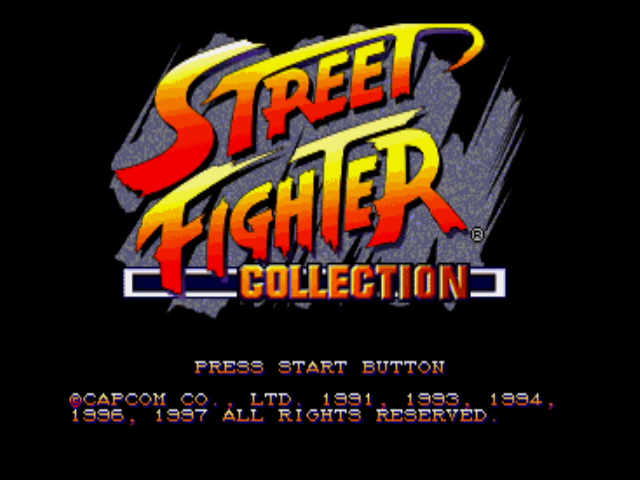
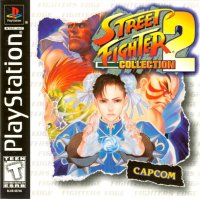
After loading Disc 1, from the STREET FIGHTER COLLECTION title screen, press Start or X to bring up the Game Select screen. Highlight either game and press Start or X to select it.
The intro sequence for the game will start. Press Start or X to bring up the game's title screen. Press Start or X again to bring up the Mode Select screen.
Exiting a Game
To exit one game and play the other, from the game's title screen press Start, Select, L1, L2, R1, and R2 simultaneously. This will return you to the Street Fighter Collection title screen.
Arcade Mode
After selecting this 1 player mode from the Mode Select screen of either game, highlight a character and press a button to select it. You can select character color depending on which button you use to select the character.
If SPEED is set to FREE in the OPTION MODE of Super Street Fighter II Turbo, choose between 3 levels of TURBO speed after selecting your character. You will battle each character in the Super Street Fighter tournament. If you are good enough, you may reach the finals.
To join in with a 2nd player and fight a single match, simply press the Start button on the Player 2 controller, then select a character.
VS. Mode
This mode allows you to have single 2-player matches. Select each character and color in the same manner as ARCADE MODE.
In Super Street Fighter II Turbo, choose between 3 levels of TURBO speed. After the match ends, you will be able to choose 2 new characters if you desire.
Option Mode (Super Street Fighter II Turbo)
The OPTION MODE for both games are identical, except for the SPEED option in Super Street Fighter II Turbo.
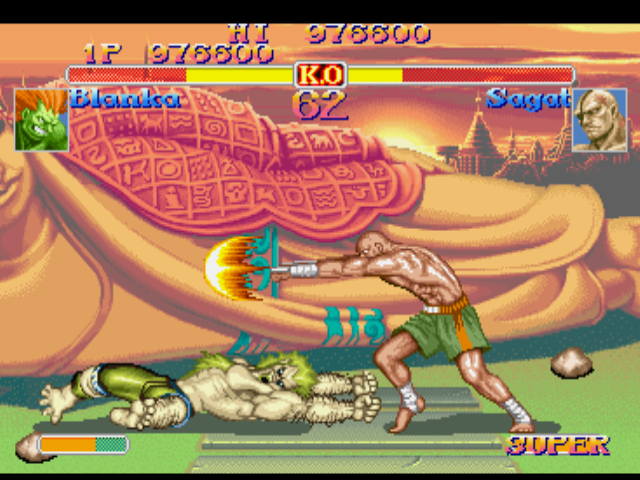
Adjust 8 levels of difficulty, with more stars being more difficult. Level 4 is default.
Turn the time limit on each round to ON or OFF.
(SSFII TURBO only) Choose between FREE (choose from 3 levels in game), TO (slow), T1, T2 or T3 (fast).
Select between ON or OFF. If you select ON, this is the quick start mode.
Choose between STEREO and MONAURAL, depending on your system.
Use the Directional button to change the number, then press the X button to hear the Background Music theme. Stop the theme with the O button.
Adjust your functions for gameplay.
Use the Directional button to adjust the location of the game on your monitor.
Resetting the Game
To reset the game from the Pause menu screen, select QUIT and press the X button to select it. Highlight YES to quit, or highlight NO to continue, then press the X button to select the option. This will return you to the current game's title screen.
Game Modes (Street Fighter Alpha 2 Gold)
There are 4 modes of play and 2 setup modes for Street Fighter Alpha 2 Gold. After a battle, the win/loss screen appears.
At the continue screen, press the Start button before the time reaches zero in order to continue. To bypass the continue screen and end the game, press any button other than the Start button.
Shortcut Option
Turning SHORTCUT to "on" in the OPTION MODE bypasses the Mode Select screen.
Adjusting Button Configuration During Gameplay
To adjust your button configuration during gameplay, press the Start button to pause the game. Then press the Select button.
Select BUTTON CONFIG from the menu to adjust your buttons, then EXIT when you are finished. Select QUIT to return to the Mode Select screen. When configuring your buttons, use the Directional button to highlight the function, then press the button you want to perform that function.
Arcade Mode (Street Fighter Alpha 2 Gold)
Select a Street Fighter character and fight your way through 8 other computer-controlled opponents. ARCADE is a one-player game, but a second player can join in at any time. Press the Start button on the opposite controller to join in. The character select screen will appear.
From the title screen, press the Start button to see the Mode Select screen. Use the Directional button to highlight this mode, then press the Start button to select it. You will then see the Character Select screen. Use the Directional button to highlight a character. When selecting a character, you may also change the color of your character depending on which button you press.
Manual Mode
You must perform all blocking functions, and Super Combos must be performed using the full instructions outlined in ALPHA WARRIORS.
Auto Mode
Auto mode offers 2 features:
You can execute Super Combos by simply pressing 2 buttons simultaneously. Press Light Punch and Light Kick simultaneously for Super Combo #1. Press Medium Punch and Medium Kick for Super Combo #2, and press Hard Punch and Hard Kick for Super Combo #3. If your character has only 2 Super Combos, #2 is executed even if you enter the command for #3. Only Level 1 Super Combos are available in AUTO mode.
Your character will block automatically unless you are attacking. The number of available auto guards is unlimited.
Note: Your opponent can block Super Combos in the air while you are in AUTO mode.
**V.S. Mode (Street
 (Disc 1) (Rev 1).png)

 (Disc 2).png)
 [NTSC-U] [SLUS-00423].png)
 (Disc 1) (Rev 1).png)







.png)
.png)



.png)




.png)