STARTING THE GAME
1. Set up your PlayStation™ console according to the instructions in its Instruction Manual. Make sure the power is OFF before inserting or removing a compact disc. 2. Insert the TEN PIN ALLEY™ disc and close the Disc cover.
3. Insert game controllers and turn on the PlayStation™ console. 4. Follow on-screen instructions to start the game.
Console Features
Controller Features
Memory Card
TEN PIN ALLEY™ utilizes a Memory card. Up to 6 players can supply their own Memory card and their own respective saved players.
WARNING: Do not insert or remove a Memory card during the Load/Save operations.
INTRODUCTION
America's most popular indoor participation sport has come home and it's even more outrageous than the real thing! Actual pin physics give you a pro-caliber bowling experience. Colorful characters bring home all the variety, laughs and action of bowling at your local alley. It's bowling the way you want it - without those funky rental shoes.
Enter a Tournament or just play for fun. Bowl the ball straight or with a wicked curve. Listen to lounge music or jam to rock 'n' roll. Wear your bowling shoes or play in your bare feet! Either way, get ready for an outrageously awesome bowling experience.
WELCOME TO TEN PIN ALLEY™
MAIN MENU
•
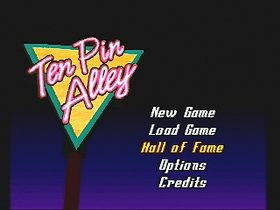
New Game: Starts a new game and brings up the Game Selection Menu.
•
Load Game: Loads a previously saved Tournament and saved players. Note: To access this feature your PlayStation™ requires the PlayStation™ Memory card. •
Hall of Fame: View a film about the Bowling Hall of Fame and Museum® in St. Louis, Missouri.
•
Jukebox Music: Lounge/Rock/None
•
Lane Dressing Drying: On/Off
GAME SELECTION MENU
Use the Directional buttons to move to selections and then use the button to select.
Scoring
•
Standard: Conventional ten pin scoring.
•
No Tap: If the first ball in a frame knocks down either 9 or 10 pins, it is scored as a strike.
Alley
•
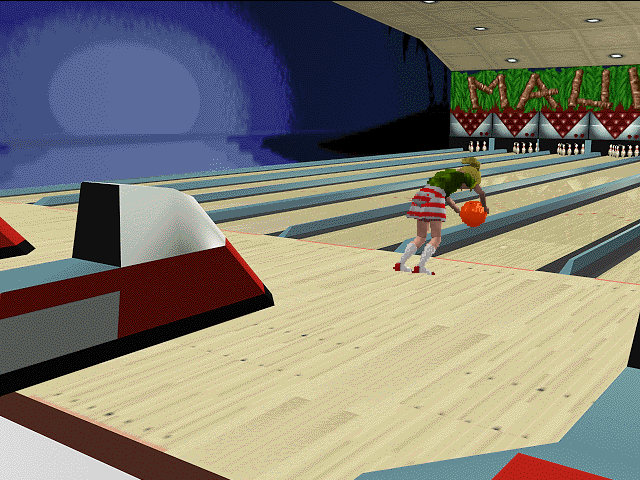
Maui Bowl: A retro bowling center.
•
Ten Pin Alley: A modern bowling center.
•
Conga Bowl: A midnight bowling center.
Play Style
•
Open Play: Play one on one against a friend or computer bowler. Up to six can play or simply play solo.
•
Team Play: Bowl as a team of 2 or 3. Teams can consist of any combination of human or computer bowlers.
•
Tournament: The TPA Tour is a series of single elimination multi-level Tournaments, each consisting of 64 total players. Up to 6 people may enter the Tournament, while the remaining Tournament participants will be computer controlled. The draw of contestants is set by the computer at the start of the Tournament. The screen will indicate other Tournament matches that are going on at the same time that you are playing your match. Your match is referred to as the "T.V. Match" since that is the game you are actually playing and watching. In case of a tie, there will be a "roll-off" until the tie is broken.
First select either Amateur or Pro. In the Amateur mode, the opponents will be less challenging and the virtual cash awards will be smaller. Once you have selected your Play Style, move to one of the six player slots on the screen. When you begin, the slots are blank except slot #1 which says "Player 1".
To play a quick game without player or game setup, move to the BOWL! button and press. The computer will select a character type for you and you may begin bowling a solo game.
NOTE: You may save your match after each Tournament round, using your PlayStation™ Memory card. Lifetime Tournament and Career Statistics
Individual statistics such as lifetime average, TPA Tour earnings, etc. are compiled on an ongoing basis (this requires a Memory card).
Player Registration
Player Registration Screen - Select from 12 outrageous character types. Input a name. Choose the outfit, hair and skin tone, skill level, ball type and weight.
To select and create your own character, move to the slot that says "Player 1" by using the Directional buttons and press *. A subscreen will allow you to create your own player (select the Edit Player option), load a previously created player and use their lifetime statistics (Memory card required) or change to one of the computer controlled bowlers. The Directional buttons move you around the menu. Adjustments or changes can be made by pressing. When your choices are complete, go to OK and then press to finalize your choice.
Note: For additional players, move to each of the other slots using the directional buttons.
Pause Menus
To pause a game press START
.png)


.png)
