Setting Up
Set up your PlayStation® game console according to its Instruction Manual. Make sure the power is off before inserting or removing a compact disc. Insert THE MISADVENTURES OF TRON BONNE disc and close the Disc Cover. Insert a game controller and turn on the PlayStation game console. Follow on-screen instructions to start a game. Memory Cards
To save game settings and results, and continue play on previously saved games, insert a Memory Card into Memory Card Slot 1 of the PlayStation game console BEFORE starting play. If you do not have a Memory Card, the game will allow you to play without saving game settings and results.
Playing The Legends 2 Game
Insert Disc 2 into the PlayStation game console and turn the power ON. Press START at the Title screen, then select a mission from the following: •
Roll's Secret Training: Roll will teach you the game controls.
•
Capture Pigs: Capture little pigs running loose on the field.
•
Underground Dungeon: Explore an underground dungeon and fight enemies.
•
Yakuto Kurabe's Assault: Rescue Roll!
Note: Stay tuned for the complete MegaMan Legends™ 2 release in the fall of 2000.
Starting a Game
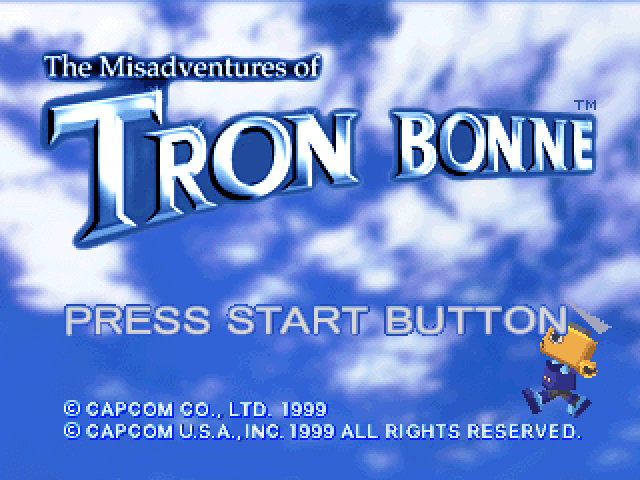
At the Title screen, press START to open the Mode Select menu. Use the Left Analog Stick/Directional buttons to choose from 3 options, and press the X button.
•
NEW GAME: Start a new game.
•
CONTINUE: Resume a previously saved game by selecting a slot containing a Memory Card with saved data, and then selecting the data to load. Use the Left Analog Stick/Directional buttons to choose, and press the X button after each selection.
•
OPTIONS: Adjust various game settings. Use the Left Analog Stick/Directional buttons to choose an option and change its setting, and press the X button after each selection.
•
CONTROLLER: Change control types and button assignments.
•
SOUND: Choose STEREO or MONAURAL depending on your speakers.
•
VIBRATION: Turn the vibration function ON/OFF (DUALSHOCK™ analog controller only).
•
DEFAULTS: Return all options to default settings.
Starting Other Missions
On the Gesellschaft screen, choose START MISSION to open the Mission Select screen. Select a mission and press the X button.
Some missions are not available at first. They are unlocked when you complete other missions. Selecting a mission opens the Mission Meeting screen, where you can choose an option.
•
MISSION: Start the mission.
•
DETAILS: Check the mission objective.
•
ROBOT: Check your robot.
•
SERVBOTS: Select Servbots to take with you. Follow-Up Meeting
When you complete or fail a mission, the Follow-Up Meeting screen will open. Here, Servbots report the amount of money you've earned, the items you have acquired and other information. Saving Your Game
On the Gesellschaft screen, choose SYSTEM and then choose SAVE. The Save screen will appear. Choose the data you want to save. You can save up to 5 games.
Tip: To save games, you must be using an optional Memory Card with at least 1 free block. Do not remove the Memory Card while saving (or loading) data; doing so could damage game data.
Cafe
Servbots gather here to kick back and relax. Storage
If you want to check some of your items here, talk to the Servbot in charge.
Torture Room
Some Servbots may try to loaf on the job. In that case, you might want to punish them. If you succeed, they will pay more attention and work harder at their tasks. Torture Room Controls
•
☐ button: Spike punishment
•
O button: Fire punishment
•
X button: Weight punishment
Gym
In Gym 1, throw bombs at the target. Make the target score to win the stage. Win several stages in succession and increase your Servbots' attack strength. In Gym 2, serve all the dishes in the Cafe within the time limit. Winning several stages in succession increases your Servbots' agility. Gym Controls
•
Left Analog Stick/Directional buttons: Move Servbot
•
or A button: Pick up/Throw bomb
Rob the Containers 1
Objective: Load 4 containers onto Gesellschaft.
The number of times you can lift a container is limited (the number is shown in the bottom left corner of the screen), and you can only walk 10 steps when carrying a container.
Additional Controls
•
Press the button/button to lift/drop objects.
•
Press the L2 button to undo an action. Tips
•
You can carry wooden boxes as long as you want.
•
Iron containers are too heavy to carry, but you can move them.
•
Put obstacles in the water to create shortcuts.
•
Loading the bonus container earns extra money.
Dig Out Treasure
Objective: Use Finkel and the Servbots to locate and excavate hidden treasure. Additional Controls
•
Press the ☐ button for a body crush.
•
Press the △ button to make a weird noise.
•
Press the L2 button to lock-on to a target.
Tips
•
Shoot a person with the Beacon Bomb to collect information.
•
Find the switches to disarm traps.
•
Shoot the treasure box to collect Card Keys (open locked boxes), Gate Keys (open locked doors), and E.