GETTING STARTED
Top View
Front View
TRAPAG ACTION
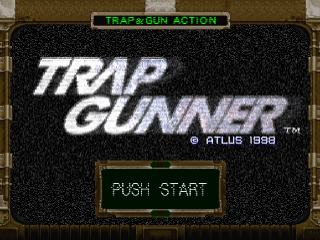
Set up your PlayStation game console according to the instructions in its Instruction Manual. Make sure the power is off before inserting or removing a compact disc. Insert the TRAP GUNNER disc and close the disc cover. Insert game controllers and turn on the PlayStation game console. After a certain time, you will see the Opening Demo followed by a Title Screen. If you already inserted a Memory Card with game data, it will automatically load the data. In this game, you can record the stages you cleared and keep battle records on to a Memory Card. You will need 1 block per record.
HOW TO PLAY
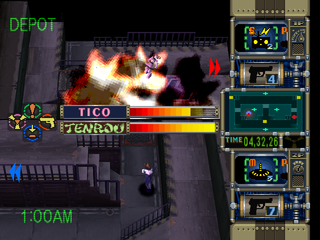
The player can set traps or use projectile weapons on a 3D battlefield to kill the enemy. The player has to come up with his own strategy to succeed. However, the other player is also attempting to do the same.
Each character has a variety of weapons at his/her disposal to reduce their opponent's Healer to 0 within the time limit. You can do damage by kicking or punching or attacking with projectile weapons. The player can also collect items and power-ups that appear in the P.O.D.S. (Power Object Delivery System). The power-ups can recover health, add bombs, detonators, and traps. (For details look on page 24.) SETTING TRAPS
The O button can set the trap which is highlighted in the trap selection box. You can scroll through your available traps by using the L1 or R1 button. When you are holding down the O button while you are setting a bomb trap, the range of the explosion will be highlighted in red. Once the trap is used, it will return to your trap inventory after a certain amount of time. For the details of trap effects, see page 23.
PLACES WHERE YOU CANNOT SET TRAPS
•
P.O.D.S. (Power Object Delivery System)
•
Place where another trap is already set.
CAUTION MODE: TO DISCOVER A TRAP THE ENEMY HAS SET
Hold down the Button to go into Caution Mode. This is also known as the Trap Search Mode. If an enemy's trap is within the range of the Caution Mode (the blocks highlighted in blue), a marker will appear where the enemy's trap is located.
If you want to move while in Caution Mode, keep the Button held down and use the Directional Buttons to move around.
DISARM AN ENEMY'S TRAP
To disarm an enemy's trap, you must first touch the trap while in Caution Mode. This will cancel the trap. After doing this, a screen will pop up prompting you to enter a particular button sequence. This is the Disarming Code.
If you exceed the disarm time limit (it will show O on the screen) or enter the wrong Disarming Code, the trap will detonate or activate. Also, if you are hit with a projectile or direct attack, the trap will automatically detonate or activate. When you successfully disarm a trap, the enemy will lose the trap and your Healer will go up a little. RETRIEVE A TRAP YOU HAVE SET
When you touch your own trap while in Caution Mode, you can retrieve it. You will be asked if you want to retrieve the trap or not. Press the button to place the trap back in your stock. If you want to cancel the command, press the button.
DIRECT ATTACK
Characters can attack the enemy directly.
1. PROJECTILE ATTACKS
When the enemy is at a distance, you will attack him/her by using the characters' projectile weapon. When the ammo counter reaches 0, the character will need to reload their weapon. Be careful, as you are vulnerable while you are reloading your weapon. There is no limitation on how many times you can reload.
2. HAND-TO-HAND ATTACK
When the enemy is in close proximity to your own character, you can attack your opponent by either kicking or punching. A hit from any character will knock down the enemy. Meaning, if your opponent has a unit in his possession when you knock them down, you will break their "Unit". Also, if you knock the enemy down, you can use the "Unit" weapon to inflict massive damage to your downed opponent. (For more details look on page 25. Even if the damage is minimal, don't hesitate to give a direct attack.) EXPLANATION OF THE DIFFERENT MODES
When you press the Start button on the Title Screen, you can select from 6 different modes. Use the Directional Buttons to scroll through the list and press the X Button or the Start Button to select it.
1. TUTORIAL (INSTRUCTIONAL MOVIE)
This is a Tutorial Demo which will tell you the Game Rules and Controls. If this is your first time playing the game, please go through this Tutorial Demo first.
2. STORY (STORY MODE)
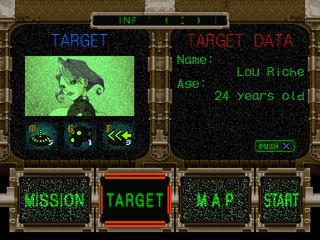
FOR DETAILS LOOK ON PAGE 18. This is the mode where you will discover the fate of one of the 6 characters. You will go through each of the missions
.png)

.png)

.png)
_1.png)

.png)


_1.png)
_1.jpg)