STARTING THE GAME
1. Set up your PlayStation game console according to the instructions in its Instruction Manual. Make sure the power is OFF before inserting or removing a compact disc. 2. Insert the Triple Play 97 disc and close the CD door. 3. Insert game controllers and turn on the PlayStation game console. 4. Follow on-screen instructions to start a game.
INTRODUCTION
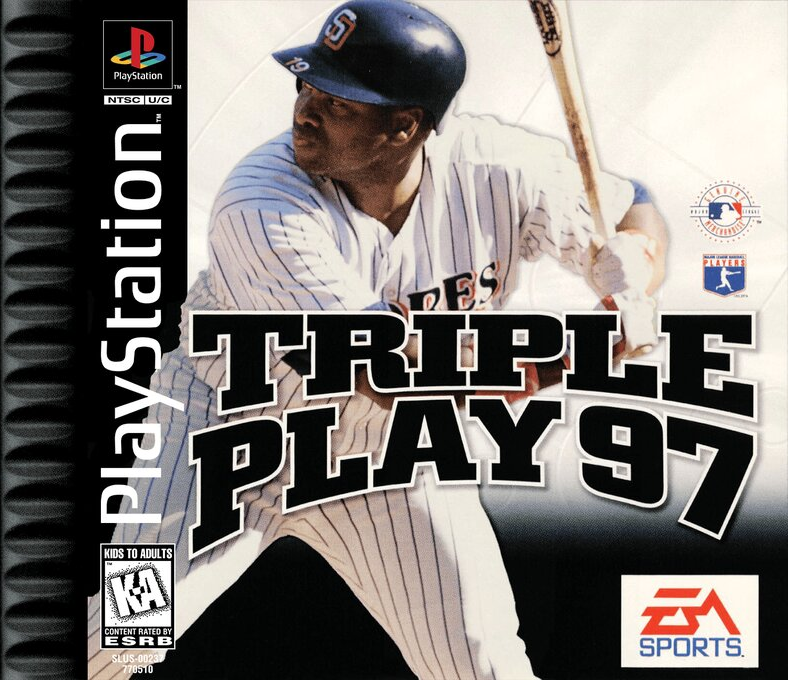
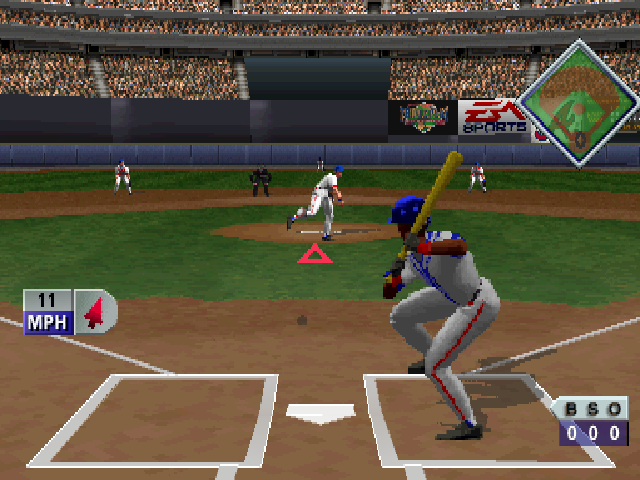
Welcome to Triple Play 97, the game that captures the excitement of a homer over the center field fence, the strategy of a hit and run play, and the atmosphere of a warm summer afternoon at the ballpark. Triple Play 97 delivers realistic graphics and sound. With multiplayer support and more control options than ever before, it's in a league of its own. SETTING UP THE GAME
GAME SETUP MENU
From this menu, you can select the type of game you want to play, customize your game, or go to the Manager screen. Throughout this manual, default options are listed in bold.
•
Press START to select highlighted item.
•
D-Button to move highlight.
•
Always check the Help menu for quick instructions by pressing A.
•
To Quick Start a game from the Game Setup menu, press START + D-Button ↑.
•
Triple Play 97 contains in-game Help menus for every menu in the game. From any menu, press to display the Help menu. EXHIBITION
Play an Exhibition game between any two teams, including All-Star teams.
HOME RUN DERBY
Get in some batting practice and set home run records.
SEASON
Start a new or continue a saved Season. You can control up to six teams. If you have a season saved, an overlay window appears asking if you wish to continue with the saved season, or begin a new season.
PLAYOFFS
Start a new or continue a saved league Playoff series.
SERIES
Start a new or continue a saved Series.
ALL-STAR GAME
Play an exhibition game between the American and National All-Stars.
MANAGER
Go to the Manager menu to set team options.
OPTIONS
Customize your game with the following options:
•
FIELDING AID: Toggle ON/OFF. When ON, circles appear on the field, indicating where a fly ball will land.
•
ERRORS: Toggle ON/OFF. Turning this option OFF ensures that fielders don't drop the ball once they've caught it.
•
RADAR GUN: Toggle ON/OFF.
•
WIND: Toggle ON/OFF. The wind can affect ball drift, distance, etc. In domed stadiums, the wind is not a factor.
•
SKY: Set the appearance to CLEAR, OVERCAST, or RANDOM.
•
TIME OF DAY: Select AFTERNOON, NIGHT, or RANDOM.
•
DH RULE: Set the application of the designated hitter rule (where the pitcher doesn't bat). The choices are ON, AL ONLY (major league standard), or OFF.
•
BASERUNNER WINDOW: Toggle ON/OFF.
MEMORY CARD
Select this option to manage your saved game files.
CREDITS
Select this option to view the credits.
SOUND
Go to the Sound sub-menu. From this menu, you can set the MENU MUSIC, SFX, CROWD, and ANNOUNCER VOLUME (set the bar all the way to the left to turn sound for the highlighted option all the way off) and select a ROCK, ACIDJAZZ, or ROOTS MUSIC STYLE.
MANAGER MENU
The Manager menu contains options that let you act as general manager for all the teams in Triple Play 97—from reviewing stats to creating, signing, releasing, and trading players. PLAYER STATS
To manage a team effectively, knowledge is key. Check out those crucial stats for every player.
•
To highlight a particular player, D-Button ↑↓.
•
To cycle through the different teams, press L1/R1.
•
To display the stats for a highlighted player, press ✖. The Player Stats screen appears.
•
To toggle between '95 and in-game season stats, press ■.
TEAM INFO
Everything you ever wanted to know about each team: Franchise Established Date, World Series Titles, Division Titles, Last Pennant, and Stadium.
•
To cycle through the different teams, D-Button ←→.
LEAGUE LEADERS
Can't remember who led the league in stolen bases in '95? Select this option to display the League Leaders menu. Check out the top ten players in the following categories: Home runs, stolen bases, batting average, RBI's, slugging pct., pitching ERA, and winning pitcher %.
•
To toggle between '95 and in-game season stats, press.
•
To toggle between AL and NL stats, press.
•
Press START to exit and return to the Manager menu.
CUSTOM PLAYERS
Go to the Custom Player screen to create a player from scratch. Each player you create (up to 25 players can be created) is added to the Free Agents pool and may be signed by any team.
The Custom Player screen has a slot to enter the name of your created player and six characteristics to modify.
To enter a name:
1. D-Button ↑ to select a letter. Press to select a letter, and press * to enter the letter. Press to delete a letter.
2. Press START to go to the Custom Player screen.
EXPERIENCE
D












.png)
.png)




_1.png)