The Main Menu
This is the starting point for any Powerboat race. From here you can start a race, view your statistics, or go to other screens where you can set various game options.
•
Use the Up/Down Directional buttons to highlight a menu item and press the X button to select it.
Single Player
This takes you to all of the available Single Player games. Not all of the games will be available initially. You must complete certain types of races before moving on to others.
Multi Player
This takes you to all of the available Multi Player games. Multi Player games use an external split-screen view which can be divided horizontally or vertically. The split-screen style can be changed via the Pause Menu.
Password
This is where you can enter the passwords that you have collected after completing various game modes. Passwords are saved via the Statistics option.
Options
This is where you can customize various game options.
Statistics
This is where you can view all of the lap records set in various game modes. Times will only be preserved if they are stored on a Memory card, which you can do from here.
Note
If you do not make a choice, the game will enter the demo mode. If the game enters demo mode, you can press the X or Start buttons to return to the main menu.
Options Menu
This is where you select which options you wish to customize. This menu is accessed from the Main Menu.
Audio
Select the Audio option to control the Sound Effects volume, Engine Noise and CD music settings.
Control
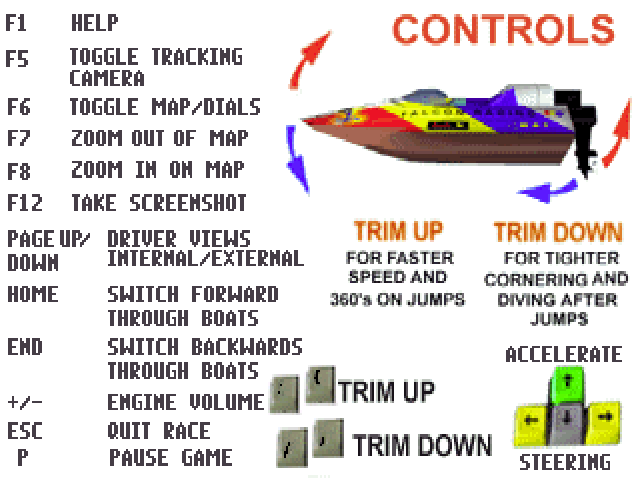
The Control option is where you go to select your control configuration. This can be done by pressing the Left or Right Directional buttons on the control pad.
In order to calibrate an analog device, press the START button and follow the on-screen instructions.
Game
This is where you set the Overlays and Camera Swing.
Screen Adjust
If the game is offset on the TV screen, use this option to center it. To move the screen use the Directional buttons and then press the START or X buttons.
Game Options
This is where you set various in-game preferences. This menu is accessed from the Options Menu.
Overlays
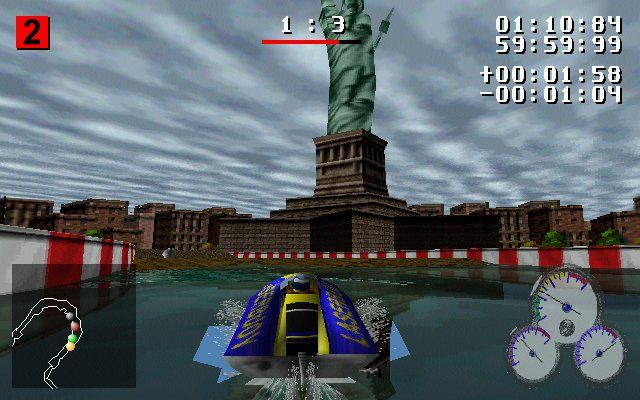
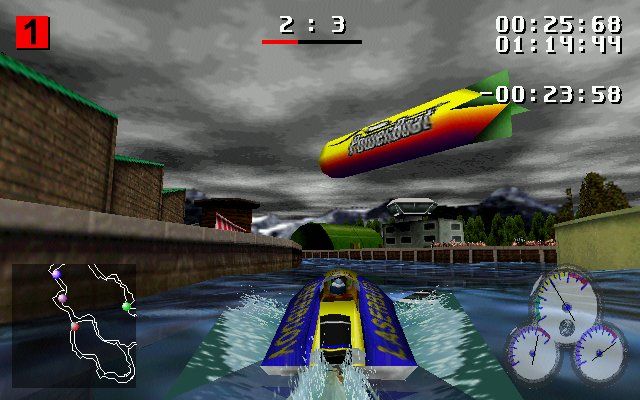
Toggles the in-game overlays (the map and rev counters) on or off.
Camera Swing
Defines the amount of swing the viewing camera has behind the powerboat. When set to low, the camera remains more rigidly behind the boat. When set to high, the camera will swing out farther when cornering.
Camera Swing is down to personal preference, so experiment to see what level suits you best. The default value is Low (recommended for beginners).
Race Selection: Single Player
When you select the Single Player option from the Main menu you will be given the following race modes to try:
Arcade
Start the race and try to win it. If you're a Minnow, you'll need to place in the top 3. If you're a Pike, then the top 2, and if you're one of those mean Barracuda class racers, you have to win - period.
If you want to keep racing, you have to keep winning. And if you keep winning, you will be given passwords that will reveal secret boats and modes. Shoot Out
"There can be only one!" Whoever is last at the end of the lap gets kicked out. This continues until there is only one boat left (hopefully your own).
Challenge
Where true professionals fight for the best lap times - only the Barracuda class of boats are allowed to enter Challenge. The challenger must race two laps of the track, the starting lap and the flying lap, against the current champion.
If you have the quickest time over the two laps, you win the challenge. Should you want to save the time and Shadow Boat for your lap record to a Memory card and pass it on to a friend to see if they can beat it.
Note
Because of the large amount of data saved this will take up FOUR Memory card blocks as opposed to the ONE memory card block used by other game modes.
Time Trial
This option allows you to race two laps and then race again against a Shadow Boat which mimics your driving from the previous two laps. This is primarily a training exercise to improve one's skills for the races ahead. Practice
Use this mode to try out the different boats and how they handle. It's also a great opportunity to inspect the layout of each track so you can learn where the turns are in order to shave those seconds off your lap time.
Race Selection: Password Enabled
As you complete the various arcade races, you will be given passwords which will unlock the game modes below. To activate, enter the password in the password option on the main menu then return to the Single Player or Multi Player Menus and select the race. Multi Player
When you select the Multi Player option from the Main menu you will be given the following race modes to try. The Multi Player option only appears if 2 controllers are plugged in.
Head To Head
This is raced over 1 track, with either 3, 4, or 5 laps depending on the class of boat being raced.
Shootout
This is the same as the Single Player version except that it is over after 1 lap.
Championship
In a Championship you must complete a set number of tracks in a season. When competing in a Championship, you may want to save and load your position onto a memory card after each race.
.png)

.png)
