Getting Started
Set up your PlayStation®2 computer entertainment system according to the instructions supplied with your system. Check that the system is turned on (the on/standby indicator is green).
Press the OPEN button to open the disc cover. Place the Harley-Davidson® disc with the label side facing up in the disc holder, and then close the disc cover. Attach game controllers and other peripherals as appropriate.
Memory Card
To save game settings and progress, insert a memory card (8MB)(for PlayStation®2) into MEMORY CARD slot 1 of your PlayStation®2 system. You can load saved game data from the same memory card or any memory card (8MB)(for PlayStation®2) containing previously saved games.
PlayStation®2 Components
Game Modes
Tour
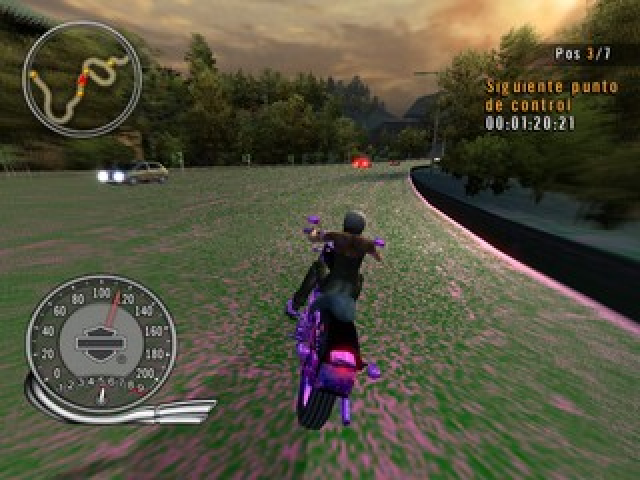
Main mode of gameplay. Select your character and bike and race a series of cross-country tracks against rival bikers for the best time and position.
Quick Race
Players select a rider and bike, and race a single race. In this mode, players can jump into their favorite track for fun or practice without much menu navigation. Tracks become available in Quick Race after the player has unlocked it in Tour Mode. In quick race you race against your opponents, but you can't unlock new content. This is just for practice.
Time Trial
Players pick a rider and bike, and race a single race. In this mode, players race against the clock for the quickest time and, unlike Quick Race, there are no opponents. Tracks become available in Time Trial after the player has ranked in the top 3 position in Tour Mode. The game will save the top 10 fastest times on the track. Again, you will not be able to win, or unlock any new content.
Reverse Track
There will be a mirror version of all tracks. The mirror version will be identical to the original version, except the player will race starting from the back of the course to the front.
Upgrades
You can customize your Harley bikes with 100's of combinations of authentic Harley upgrade parts. These upgrades increase the performance of the bikes in-game and affect weight, handling, and acceleration. You can also choose the color of the bike!
Upgradeable Parts
Upgradeable parts include Sport, Custom, and Racing versions of:
•
Wheels (alloy, racing alloy, and racing carbine fiber)
•
Exhaust (performance, custom, and racing)
•
Tires (wide, extra wide, and racing)
•
Seat (thin, solid, and racing)
•
Carburetor (fuel injected, port fuel injection, and racing)
•
Camshaft (1/2 cam, racing cam, full cam)
•
Suspension (touring, heavy duty, and racing)
Objectives
In each race your primary objective is to win the race. You will have to reach checkpoints before time runs out to continue. There will be secondary objectives given to you in each race to earn you additional reputation points and boost.
Reputation Points
Reputation points are what will allow you to buy new Harley-Davidson bikes and upgrade those new bikes with custom parts.
•
There are 20 different Harley bikes within this game.
•
There are 31 different upgrade parts for each bike.
How to Get Boost & Reputation Points
In this game, you gain boost and reputation points by driving dangerously. Performing certain events will gain you boost that will allow you to drive even faster and reputation points to buy and customize your bikes.
•
Near miss: Drive extremely close by swerving in front of traffic and other bikers without crashing and watch your boost meter fill and your reputation points accumulate.
•
Drifting: Slide your back end around a corner for maximum speed by tapping the break while accelerating around a corner.
•
Wheelie: Press the L1 button to get your bike up on one wheel. See how long you can keep that wheelie going!
•
Jump: If you can hit and land a jump you will gain boost as well as reputation points.
•
Oncoming: Drive head on into oncoming traffic for a rush that will give you what you are looking for.
•
Take down: You can actually cause other bikers to crash by bumping and ramming them.
•
Kick: If you find yourself too close to another rider you can take them down by kicking them.
.png)

.png)
.png)
.png)
