GETTING STARTED
Set up your PlayStation®2 computer entertainment system according to the instructions in its Instruction Manual. Make sure the MAIN POWER switch (located on the back of the console) is turned on.
Press the RESET button. When the power indicator lights up, press the open button and the disc tray will open. Place the Aggressive Inline disc on the disc tray with the label side facing up. Press the open button again and the disc tray will close.
Attach game controllers and other peripherals, as appropriate. Follow on-screen instructions and refer to this manual for information on using the software.
Memory Card
AKA™ Aggressive Inline supports MEMORY CARD slot 1 and MEMORY CARD slot 2. To save game settings and progression, insert a memory card into MEMORY CARD slot 1 or MEMORY CARD slot 2.
Insertion or removal of the memory card after switching the console on may cause data to be overwritten or lost. AKA™ Aggressive Inline supports manual save and load of game data.
Controllers
AKA™ Aggressive Inline is a one or two-player game that is played using the DUALSHOCK®2 analog controller. Connect the controller to be used to controller port 1.
In a two-player game connect controllers to controller port 1 and controller port 2.
INTRODUCTION
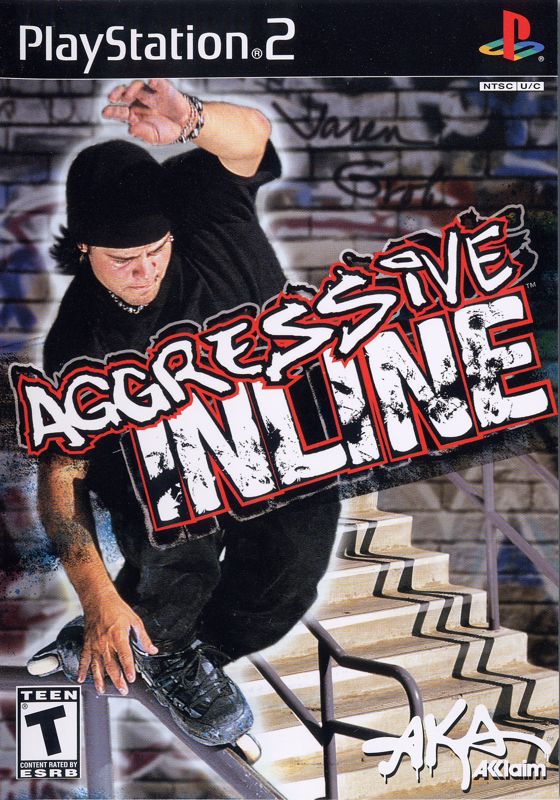
Welcome to AKA™ Aggressive Inline, a showplace of skating, skill and speed. This is the place where daring moves and dizzying modes make the difference.
In the Tutorial level, you'll have a chance to learn all the skating skills you need. Mastering them is another matter, and there are lots of tough levels that will test your abilities like never before.
Once you get the hang of it, you'll be chaining insane tricks together for big scores like a pro before you know it. You can take on an entire career's worth of play, completing progressively more difficult levels until you beat them all. Creativity and fun come together when you create your own skate park levels to test your skills on. You can play through all kinds of tough tests against a friend in split-screen Multiplayer mode. So put on those skates and get rolling!
MAIN MENU
You will advance to the main menu. Press the directional buttons/left analog stick to highlight a choice and press the button to select it or the button to cancel.
•
CAREER: Compete on a variety of levels completing challenges to advance. See page 21 for details.
•
FREESKATE: Skate on any unlocked level with no juice meter to worry about. See page 22 for details.
•
TIMED RUN: Compete against the clock for the best score. See page 22 for details.
•
MULTIPLAYER: Compete against a friend for frantic split-screen skating action. See page 22 for details.
•
PARK EDITOR: Create your own levels to skate on. See page 24 for details.
OPTIONS
Adjust these option settings:
•
SAVE/LOAD: Access your memory card to save and load game data.
•
SOUND: Adjust sound effects, music and speech volumes. Press ⬅ on the directional buttons/left analog stick to decrease volume, or ➡ to increase volume.
•
CONTROLLER: View default controls and change control configurations. There are three pre-set control schemes to choose from.
•
MEDIA VIEWER: This is where various videos can be viewed once opened in Career mode.
•
CREDITS: View the team behind AKA™ Aggressive Inline.
•
CHEATS: Input any cheats you've unlocked. Warning: By inputting a cheat your player will be branded a Cheater.
TRICKS
Tricks are the soul of AKA™ Aggressive Inline. They are performed anywhere, but perhaps most impressively in the air. The Trick control allows you to modify tricks by pressing a different directional control while pressing the trick button. In addition, a series of button presses while a trick is in progress will allow you to flow from one trick into another and another. The idea is to combine a number of tricks consecutively into a spectacular chain that demonstrates both creativity and skating mastery (and earns you max points, too). •
TO CESS-SLIDE (REVERT): Press the R2 button to perform a Cess Slide. Use this move to switch to and from Fakie or when landing on a Vert Ramp to continue your combo chain.
•
FREELOOK: At any time, you have the ability to look around the surrounding areas by maneuvering the right analog stick ↑, ↓, ← and ➡.
•
GRAB TRICKS: While in the air, press the directional button or left analog stick in any direction, then tap the button. Ex. ↓ + button = Rocket Grab. •
FLIP/SPIN TRICKS: While in the air, press the directional button or left analog stick in two directions, then tap the button. Ex. ↓, ↑ + button = Bio Flip. •
MODIFIED FLIP/SPIN TRICKS: While in the air, press the directional button or left analog stick in three directions, then tap the button. Ex. ←, ➡, ← + button = Method Flatspin. •
WALLRIDES: While in the air, you can perform a Wall Ride by holding ↓ on the directional button or left analog stick, then pressing and holding the
.png)


.png)

.png)