GETTING STARTED
Set up your PlayStation®2 computer entertainment system according to its Instruction Manual. Ensure the MAIN POWER switch (on the back of the console) is ON.
Press the RESET button. When the power indicator lights up, press the OPEN button to open the disc tray. Place the Marc Eckō's Getting Up™: Contents Under Pressure disc label-side up. Press the OPEN button again to close the disc tray.
Attach game controllers and other peripherals as appropriate. Follow on-screen instructions and refer to this manual for software information.
Memory Card (8MB)(for PlayStation®2)
To save game settings and progress, insert a memory card (8MB)(for PlayStation®2) into MEMORY CARD slot 1 of your PlayStation®2 system.
You can load saved game data from the same memory card or any memory card (8MB)(for PlayStation®2) containing previously saved games.
DISCLOSURE
Defacing or vandalizing public, commercial or private property is a crime in most jurisdictions. This game and its instruction manual, strategy guide, and marketing materials are provided for entertainment purposes only.
Atari, Inc., Ecko Unltd. Games, and The Collective do not encourage or condone defacing, destroying, or vandalizing public or private property. This game is intended only to provide a fictional environment where players can view a depiction of graffiti culture and act virtually without breaking laws or adversely affecting the rights of others.
DEDICATED TO ALL THE GRAF WRITERS WHOSE ART WAS DISMISSED AS FILTH.
KIOSK MACHINE - CREATE OR LOAD A GAME
Use the Kiosk Machine to create a new game, enter a code, or load a previously saved game.
New Game
To create a new profile, press the directional buttons to highlight a save slot and press the X button. You will continue to the Game Information Menu.
Press the button to go back to the previous menu.
Load Game
To load a game, you must have a memory card in MEMORY CARD slot 1. Select a saved profile and press the X button to continue to the Game Information Menu.
Press the A button to return to the previous menu.
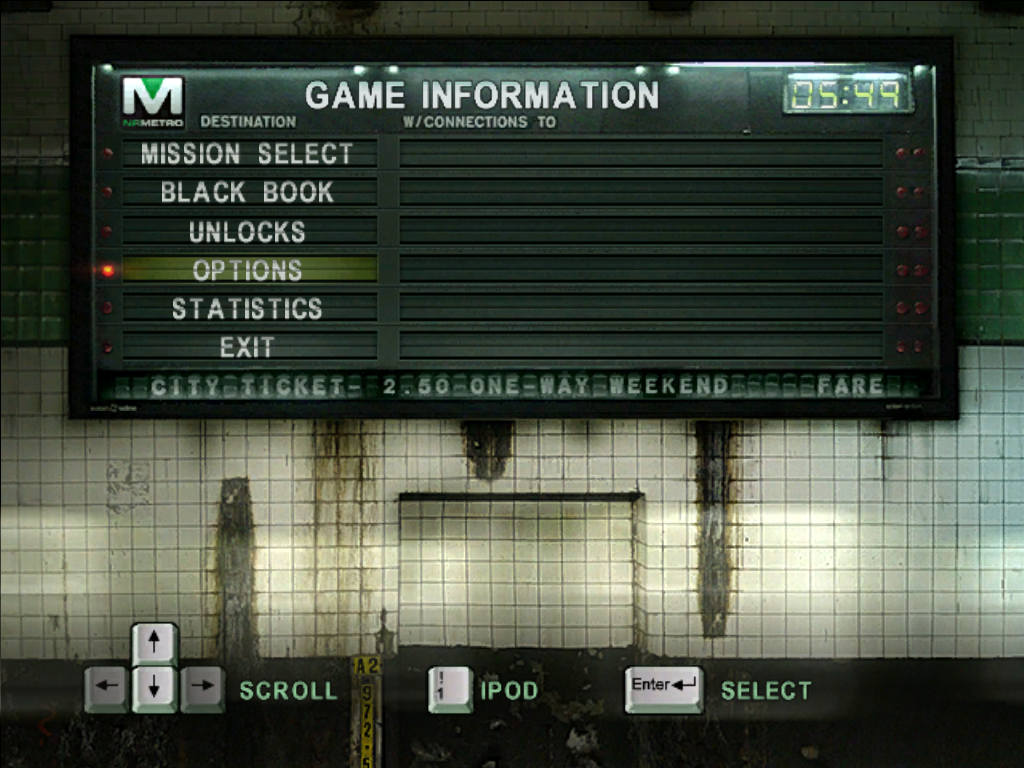
GAME INFORMATION MENU
At the Game Information Menu, you can select a mission, change option settings, view current statistics, read your Black Book, and access unlocked material.
MISSION SELECT
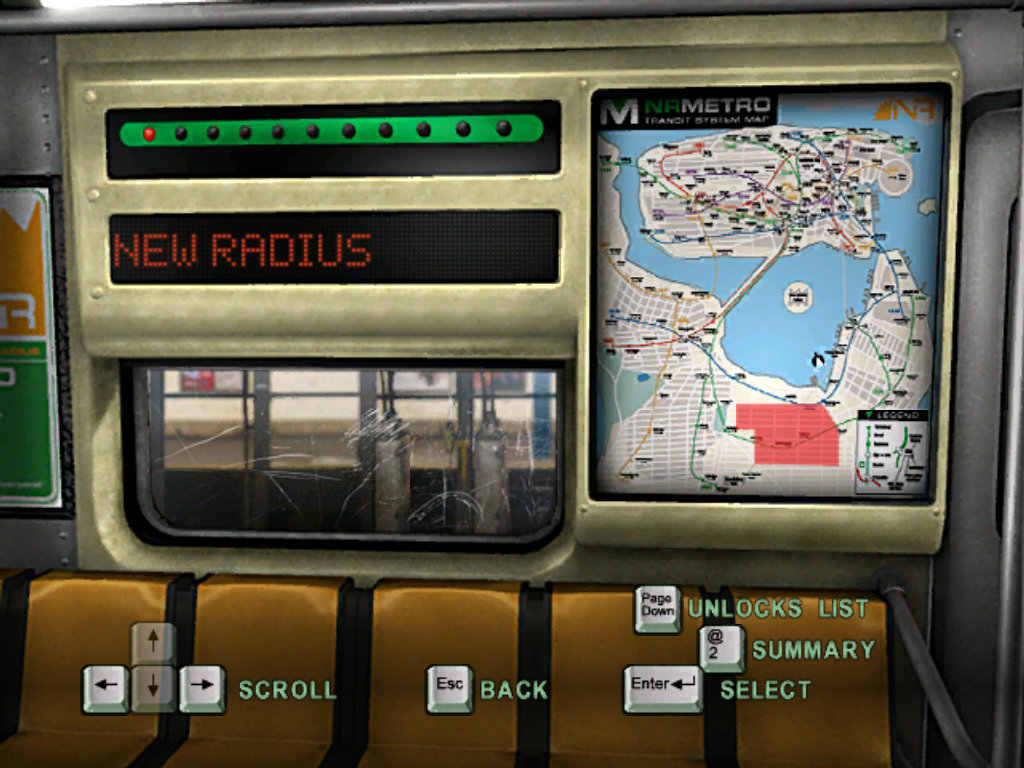
Head toward the Subway Car where you can select your destination.
BLACK BOOK
Select the pieces and tags for your next mission, browse Graffiti Legends art and info, and view game credits.
UNLOCKS
Once you've earned enough Rep, check this area for concept art, movies, and Beat Down content.
OPTIONS
Adjust game options.
STATISTICS
View the statistics for the current profile, including Rep, completed Graffiti Bonus objectives, Freeform Challenges completed, Legend Photos taken, and Secrets found.
Press the button to return to the Game Information Menu.
EXIT
Quit the current game and return to the Main Menu.
Apple® iPod
Press the O button at the Game Information Menu to open your Apple® iPod, where you can select the music you want to hear. Press the up and down directional buttons to select a song and press the X button to play it.
Press the △ button to return to the Game Information Menu. Only a few songs are available in the Apple® iPod when you start the game.
Keep a lookout for Apple® iPods scattered throughout the game to increase Trane's playlist and gain access to exclusive Getting Up music.
OPTIONS MENU
Controls
Choose among 4 controller configurations.
Camera
Invert the vertical or horizontal camera controls.
Audio
Adjust music, sound effects, and voice volume.
Gameplay
Toggle autosave ON/OFF, turn subtitles ON/OFF, and turn Vibration ON/OFF.
Codes
Enter cheat codes.
Restore Defaults
Return all options to default settings.
SUBWAY CAR - LEVEL SELECT
Press the left or right directional button to select a map area and press the X button to display any unlocked missions in that area. Press the left or right directional button to select an unlocked mission and press the X button again to play that mission.
As you earn new graffiti, you can revisit older levels and place new pieces of graf art.
Press the O button to open Trane's Black Book. You can only do this at the level select after you have selected a chapter. This is where you select the graffiti that Trane will use on the upcoming mission. If you do not choose graffiti, Trane will enter the level with the default graf pieces.
Press the □ button to view a mission summary for any unlocked level. The summary includes Trane's total earnings for Rep, Primary Bonus Graffiti, Freeform Challenges, Legend Photos, and Secrets found.
Press the △ button to go back to the Game Information Menu.
Press the R1 button to view the Rep unlocks list.
When you finish a level, you return to the Subway Car, where you can see a list of all the content you unlocked during that level.
PAUSE MENU
Press the START button while playing to pause the game and display the following:
Resume
Resume gameplay. You can also press the START button again to resume.
**Objectives
.png)

.png)

.png)

.png)
_1.png)
.png)


_1.png)





.png)

.png)
