PlayStation® 2 Computer Entertainment System
System Setup
1. Set up your PlayStation®2 computer entertainment system according to the instructions in its Instruction Manual.
2. Make sure the MAIN POWER switch (located on the back of the console) is turned on.
3. Press the RESET button. When the power indicator lights up, press the open button and the disc tray will open.
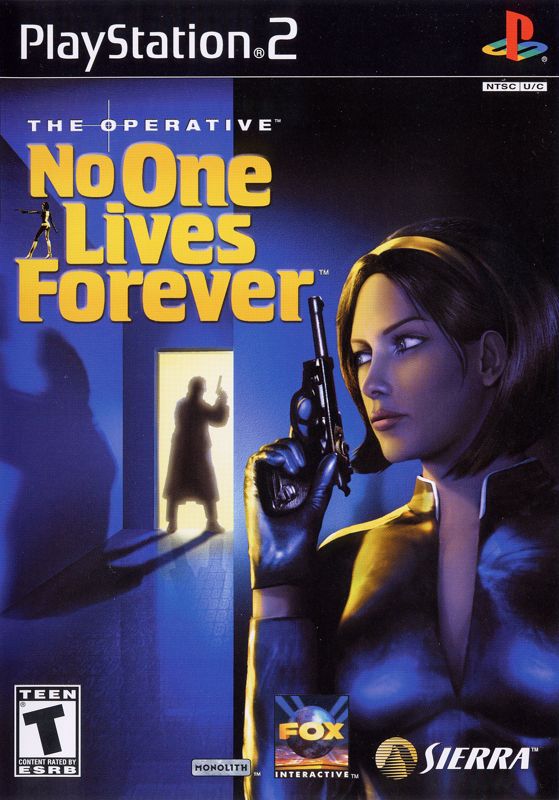
4. Place the No One Lives Forever disc on the disc tray with the label side facing up. Press the OPEN button again and the disc tray will close.
5. Attach game controllers and other peripherals, as appropriate.
6. Follow on-screen instructions and refer to this manual for information on using the software.
Menu and Interface System
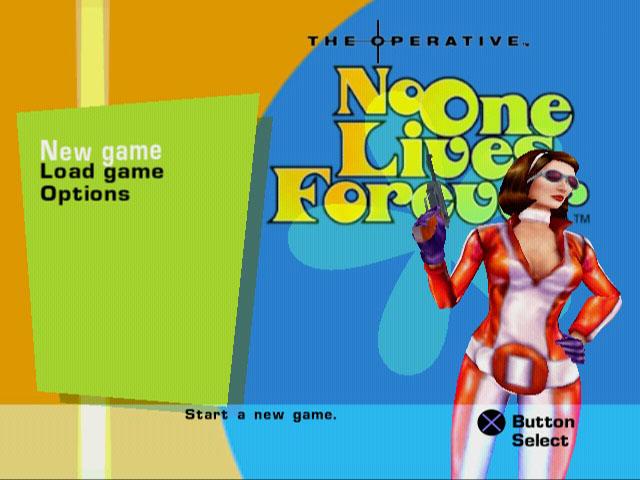
NEW GAME
Selecting this will take you to the Difficulty selection screen before beginning a new game.
Difficulty
There are four difficulty settings in No One Lives Forever: Easy, Normal, Hard, and Superspy. The difficulty setting primarily affects enemies in the game, making them more or less accurate or responsive to external stimuli (footsteps, weapon fire, etc.). The player also takes more damage on higher difficulty settings.
Mission Briefing
Displays an overview of the upcoming mission. Select the button to continue or use the button to return to the previous Difficulty screen.
Mission Objectives
Displays the list of tasks you must complete as you begin your mission. More objectives may be added during the mission. All objectives must be completed to successfully conclude the mission.
NOTE: You may view these objectives during the game by pressing the START button.
LOAD GAME
Allows you to restart any scene where you have previously saved a game.
Select Scene
•
Load Scene: Begins the mission from the start of the last saved scene.
•
Replay Mission: Takes you to the Select Mission screen.
Select Mission
This menu will display all of the missions that are currently available to you. When starting a new game, only one mission will be available. As you progress through the game and save your progress to the Memory Card (8MB) (for PlayStation®2), each mission you visit will be added in this menu for you to play again later. To begin, just select the name of the mission you want to play. You will then be given a Mission Briefing.
IN-GAME MENU
The following options are available by pressing the SELECT button during the game.
•
Resume Mission: Resumes the game in progress.
•
Restart Scene: Allows user to restart current scene.
•
Save Progress: Allows you to save your game to the memory card anywhere in a scene, but the load will always start the user at the beginning of the scene.
•
Options: Takes you to the Options Menu.
•
Intelligence Gallery: Allows you to see all of the intelligence items you have acquired.
•
Abort Mission: Ends the current mission and returns the player to the Main Menu.
Save Game Menu
You will be presented with a list of slots in which to save your game data. No One Lives Forever supports saving up to 10 unique records of your progress in the game on a memory card. Use the DIRECTIONAL buttons to choose a MEMORY CARD SLOT in which to save your game and press the button. Press L1 button or R1 button to select a different memory card on which to save your progress.
Options
•
Auto-targeting (On/Off): Toggles having your weapon snap to the nearest enemy.
•
Head Bob (Slider): Sets the intensity of the simulated head movement while walking.
•
Weapon Sway (Slider): Sets the intensity of the simulated weapon movement while walking.
HEADS-UP DISPLAY (HUD)
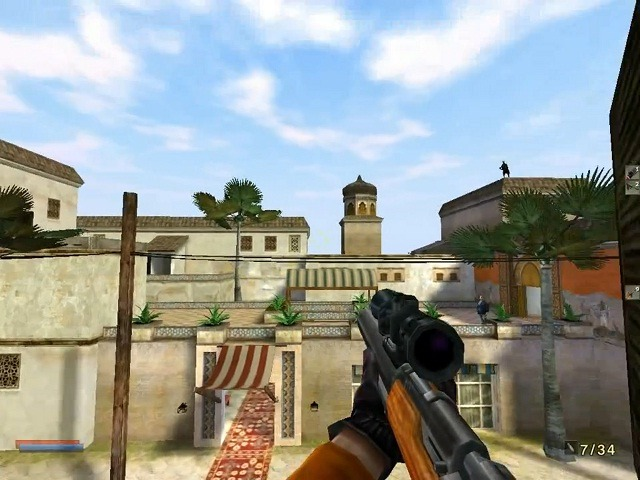
The HUD is organized so you can quickly and easily check your status in the middle of the wildest firefights.
Current Weapon/Gadget (Center)
The weapon/gadget you are currently holding appears here. When you press the fire button, you will use the item in your hands.
Health/Armor Meter (Bottom left)
The red meter indicates how much health you have. The blue meter indicates armor. Body armor will completely absorb most types of damage. Once it is depleted, your health will deteriorate rapidly. You will not have the opportunity to heal on a mission, so you must rely on armor for protection. If your health runs out, you will die. Your health will be restored at the start of each new mission.
Ammo (Bottom right)
The meters in the ammo section display the amount of ammo available for the currently selected weapon. The red meter represents the rounds remaining in the magazine. Once that reaches zero, you will automatically reload. You may also manually reload at any time. The blue meter display the total amount of ammo that you are carrying for that gun. Be warned that certain weapons may share ammo.
CROSSHAIR SYSTEM
No One Lives Forever features a dynamic crosshair system to alert you to special objects or characters.
UNARMED CROSSHAIR
A small dot will appear in the middle of the screen to signify that you are unarmed.
ACTIVATE CROSSHAIR
When your crosshair moves over an item or person that you may activate in some way, this green crosshair will appear. Pressing the Use Object button will then activate the item. For example, you may open a door or trigger a conversation with a bystander.
**GADGET CROSSHAIR





_1.png)

_1.png)