System Setup
Set up your PlayStation®2 computer entertainment system according to its Instruction Manual. Ensure the MAIN POWER switch (on the back of the console) is ON.
•
When the power indicator lights up, press the OPEN button to open the disc tray.
•
Place the Suikoden® V disc on the disc tray with the label side facing up.
•
Press the OPEN button again to close the disc tray.
•
Attach game controllers and other peripherals as appropriate.
•
Follow on-screen instructions and refer to this manual for software information.
Memory Card
To save game settings and progress, insert a memory card (8MB) (for PlayStation®2) into MEMORY CARD slot 1. You can load saved game data from the same memory card or any memory card (8MB) (for PlayStation®2) containing previously saved games.
Controller
This game requires a DUALSHOCK®2 analog controller. Connect a DUALSHOCK®2 analog controller to controller port 1.
The ANALOG mode button is always on (mode indicator: red). It is not possible to turn the ANALOG mode button off. However, the vibration function can be turned on or off at the beginning of the game in the Option settings, or by selecting Options from the Main Menu.
Starting the Game
Starting the game plays the opening movie. You can skip this movie and go straight to the title screen by pressing the START button, button, button, L1 button, or L2 button.
NEW GAME
Start a new game from the very beginning.
•
Select NEW GAME with either the directional buttons, left analog stick, or SELECT button.
•
Confirm your selection with either the button, L1 button, or START button. The Hero name input screen will appear.
Name Input Screen
Enter a name for your Hero.
•
Input the name and press the START button to display the confirmation screen.
•
Select Yes to proceed to the Options screen.
Name Input Controls
•
Select letter: directional buttons/left analog stick
Options
Here you can change various game settings.
•
Select an item with the directional buttons or by moving the left analog stick up and down.
•
Change the item's setting with the directional buttons or by moving the left analog stick left and right.
•
To start the game, select Start Game and press either the button or the L1 button.
Customizable Options
•
Message Spd: Changes the speed at which messages are displayed.
•
Sound Output: Switches between Stereo and Monaural output.
•
BGM Volume: Changes the volume of the music.
•
SFX Volume: Changes the volume of the sound effects.
•
Voice Volume: Changes the volume of the character voices.
•
Vibration: Turns the vibration function on or off.
•
Auto Battle: Changes what characters do when Auto is selected during battle.
•
"Individual" causes characters to select enemies randomly.
•
"Low HP" causes characters to attack enemies with low HP first.
•
"High HP" causes characters to attack enemies with high HP first.
•
Hero's Voice: Choose between Voice A, Voice B, or Off for Hero's Voice.
•
Adjust Scrn: Selecting this item displays the setting screen, which can be used to adjust the screen position.
CONTINUE
If you have Suikoden V game data saved on a memory card (8MB) (for PlayStation 2), you can continue playing where you left off. •
Select the MEMORY CARD slot and the data to be loaded.
•
Confirm your selection with either the button or the L1 button.
Saving Data
Data can be saved at the Journey Orbs on the Field Map, or inns. Insert a memory card (8MB) (for PlayStation 2) with at least 113KB of free space in either MEMORY CARD slot 1 or MEMORY CARD slot 2 before starting the game. Please note that if you overwrite data, this will erase the previous data.
Playing the Game
Use Hero to speak with townsfolk, fight enemies, and advance the story. This section explains the relationships between the screens.
Map Screen
This is the main screen you will use throughout your adventure. If you encounter enemies in transit, a battle will start.
World Map
Towns, dungeons, and other such features dot the World Map, which is used to move from town to town and search for destinations.
Main Menu
Use this screen to check your companions' attributes, change equipment, or use items.
Field Map
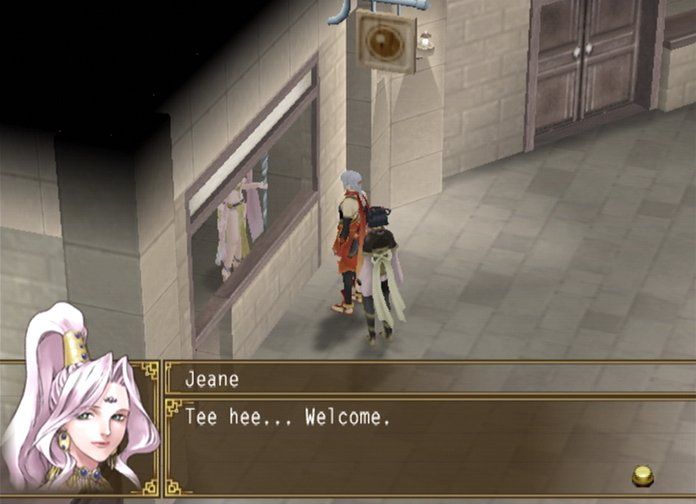
Use the Field Map to speak with townsfolk and go shopping in towns, or to explore dungeons.
Fighting Enemies
There are three types of combat with enemies: Battle, One-on-One Duel, and War. Fighting will occur when you encounter an enemy on the Map Screen, or as the result of an event.
Event One-on-One Duel
Fight against an enemy one-on-one. Predict their actions based on what they say, and counterattack with superior strategy.
Enemy Encounter or Event Battle
The combat system is turn-based. Each turn ends after every allied and enemy character has acted, and turns are repeated until one side or the other has been completely destroyed.
Event War
Command multiple units and fight against opposing units. Control your allied units and lead your army to victory.
.png)

.png)