GETTING STARTED
PlayStation 2 Setup
Set up your PlayStation®2 computer entertainment system according to the instructions in its Instruction Manual. Make sure the MAIN POWER switch (located on the back of the console) is turned ON.
Press the RESET button. When the power indicator lights up, press the OPEN button and the display will open. Place the Castle 2 Shikigami disc on the disc tray with the label side facing up. Press the OPEN button again and the disc tray will close.
Attach game controllers and other peripherals, as appropriate. Follow on-screen instructions and refer to this manual for information on using the software.
Note
Illustration may not match all PlayStation 2 console types. For owners of SCPH-70000 series PlayStation 2 systems, refer to the setup instructions supplied with your system. MAIN MENU
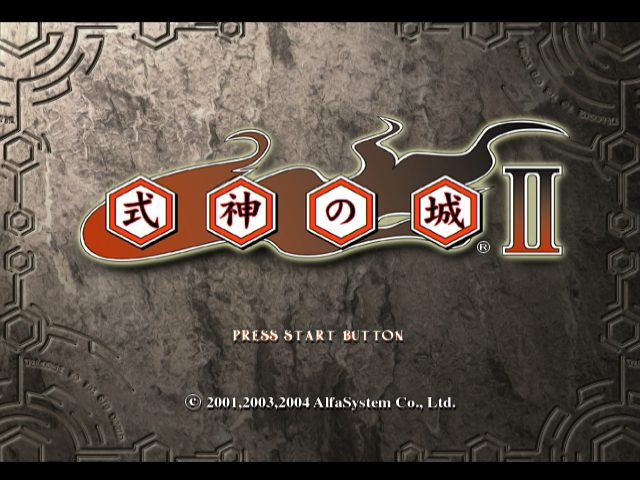
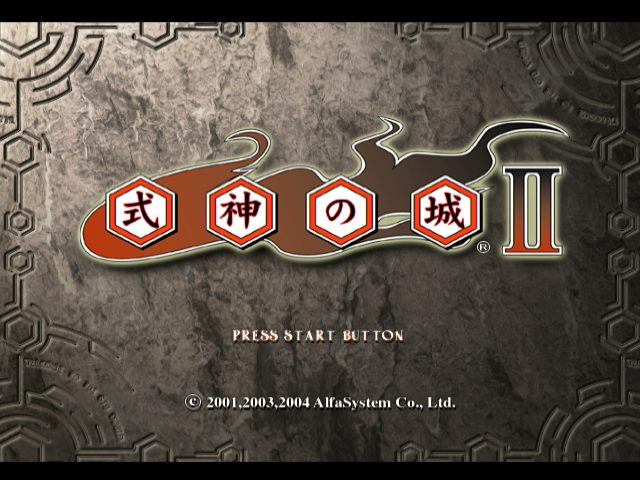
If you press the START button in the title screen you will see the bottom screen. Choose the different mode or the OPTION button.
ARCADE MODE
Normal game play.
PRACTICE MODE
Choose and practice any stage. Practice mode is unlocked as a selectable character completes a particular stage(s) of game play. To unlock all stages for a character, that character must complete every stage before it becomes available to them in practice mode.
BOSS ATTACK
This is a mode for enjoying to battle with only bosses.
STORY RECOLLECT
Here you are able to replay the interactions with all of the defeated bosses in ARCADE MODE. GALLERY MODE
Here you can view the illustrations of Castle Shikigami 2.
OPTION
Change difficulty, BGM volume, key assign, life recovery, auto save, vibration, etc.
PAUSE MENU
If you press the START button during game play, you will get the Pause Menu.
WAIT ON
If you turn it on, the movement speed will vary like in the arcade mode. If you turn it off, the speed will not change. MAIN MENU
Returns the player to the title screen.
EXIT GAME
Ends the game and returns the game to demo mode.
RESUME
Resume game play.
SPECIAL ATTACK
If you press the button, a bomb will be dropped. You will start with 3 bombs, and up to 5 bombs can be stocked. During this attack, you can not be damaged.
GAME START
This will start the game. Choose between NORMAL and EXTREME Game. Once selected choose the character you would like to play. It will then explain the controls. If you want to skip the explanation, press the Start button.
EXIT
Return to the Menu.
CONTINUE
Press the START button during the countdown to continue from where you finished. You have 4 credits to continue. If you continue, the time and score will be reset.
STAGE CLEAR RESULTS
Clear bonus is calculated with how you finished the game.
•
GET ITEMS = The number of item you get 5000pts
•
X8ACTION = The number of destroyed enemies at maximum rate as well as the item you received x2000pts
GAME RESULTS
After the game is over you will see a grade screen. If you get a high score, you can enter your name up to 4 letters. Use the directional buttons left/right to select the letter and the X button to select. Press the START button to return to the main menu.
2 PLAYER SIMULTANEOUS
You can play 2 players at the same time. During normal game play, press the START button on the players 2 controller to join the game. Select the character with the directional buttons and push any button to join.
OPTION
SCREEN MODE
You can change the position that displays score or life.
PICTURE
You can adjust the picture quality from HARD or SOFT.
GAME DIFFICULTY
The game has 5 levels of difficulty to choose from.
LIFE RECOVERY
You can set the score option to when the player's life will be recovered.
WAIT
If you set ON, you can enjoy the game at the same speed as the ARCADE version. AUTO SAVE
You can set yes or no, automatic saving will activate when each menu is changed or the game is over.
VIBRATION
If you set to ON, when you are damaged the analog controller will vibrate.
KEY ASSIGN
You can change key configuration. If you press ✖ button, setting screen will appear. You can move cursor on the point that you want to change and press the button that you want to set. If you select "EXIT", the game will return to the option screen.
SYSTEM LOAD
You can load the game data of "Castle Shikigami2" from the MEMORY CARD (8MB) for PlayStation® 2 MEMORY CARD slot 1 only.
SYSTEM SAVE
You can save the game data of "Castle Shikigami2" from the MEMORY CARD (8MB) for PlayStation® 2 MEMORY CARD slot 1 only.
SOUND
You can adjust the output of sound to stereo or monaural.
BGM volume
You can adjust the BGM volume. You can adjust
.png)

.png)