GETTING STARTED
Set up your PlayStation®2 computer entertainment system according to the instructions supplied with your system. Check that the system is turned on (the on/standby indicator is green).
Insert the Super Pickups™ disc in the system with the label side facing up. Attach game controllers and other peripherals as appropriate. Follow the on-screen instructions and refer to this manual for information on using the software.
Memory Card (8MB) (for PlayStation®2)
To save game settings and progress, insert a memory card (8MB) (for PlayStation®2) into MEMORY CARD slot 1 of your PlayStation®2 system.
You can load saved game data from the same memory card or any memory card (8MB) (for PlayStation®2) containing previously saved games.
FIRST START-UP
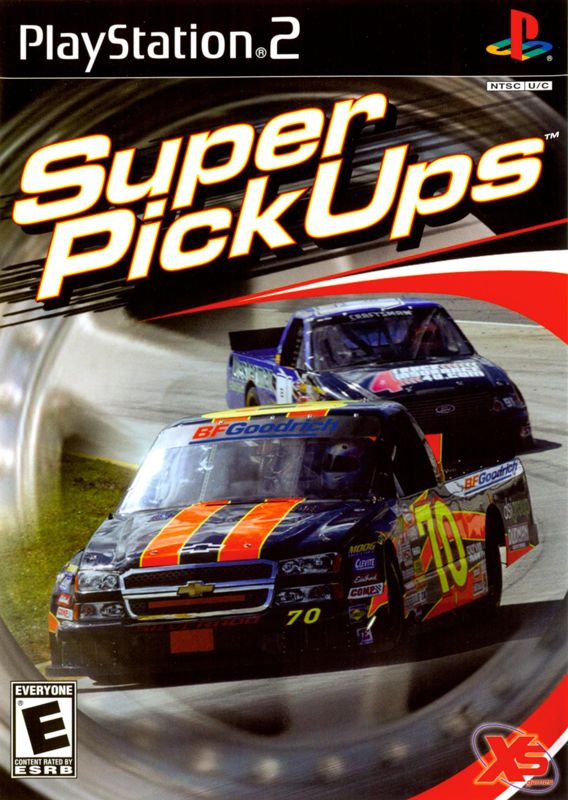
After having inserted your Super Pickups™ game disc into your console, Super Pickups™ initial screen will be displayed.
IN-GAME MENU NAVIGATION
The navigation within the Super Pickups™ Menu is pretty simple and intuitive. By utilizing your analog controller (DUALSHOCK®2) directional buttons you can move upwards and downwards (and, where possible, to the right and to the left) among the various menu items.
The button is used to confirm your selection and the button cancels your selection.
OPTIONS
CONTROLLER SETUP
Here you find several Controller configurations and settings to choose from.
•
Controller port: Identify the controller you want to set up
•
Vibration: turn the vibration function on/off
•
Controller layout: choose from different profiles for the most suitable controller configuration
DRIVING AIDS
AUDIO
Here you can manage the following options:
VIDEO
Here you can center the viewing area for your TV if necessary.
CREDITS
You can check the game credits in this mode.
DRIVER SELECTION
Here you can select, create, edit, or delete driver profiles. In the beginning of the game when no profiles are stored in the memory card (8MB) (for PlayStation®2), you will only be able to create a New Driver profile.
NEW DRIVER
Use the on-screen keyboard to choose Driver name. Use the left analog stick to move through the virtual keyboard.
Press the button to confirm a character. When you're done with the name, press the button on the analog controller (DUALSHOCK®2) to proceed.
DELETE DRIVER
Here you can select the profile to delete.
SAVE DRIVER
Here you can save your current Driver profile. Select a slot and then confirm your choice pressing the button.
UNLOCKING VEHICLES
You can unlock vehicles by winning specific races and completing seasons in the Career Mode.
RECOMMENDATION
In order to increase your proficiency playing Super Pickups™, it is advisable to play all the challenges first in order to become accustomed to the pace and challenges that the game will present.
MEET THE SPONSORS
When starting a new career, you will be asked to select a Sponsor for your vehicle. Sponsors will reward you if you race in a style that they feel best reflects their brand.
Be careful, as you want to ensure that you select a sponsor that will reward your style of racing. TEAM SELECTION
BFGoodrich Sponsor Rewards
•
Come in first place: Make sure you finish the race in first place for an added bonus.
•
Set a Race Record: Each race has a best time. Your job is to beat it. Doing so will result in a cash reward.
•
Set a Lap Record: Each track has a record for completing a lap. Beat that record for some extra cash.
Sea Ray Sponsor Rewards
•
1st Place: Make sure you finish the race in first place for an added bonus.
•
Lap Records: Each track has a record for completing a lap. Beat that record for some extra cash.
•
Overtakes: The more cars you pass in a race, the more money you'll make!
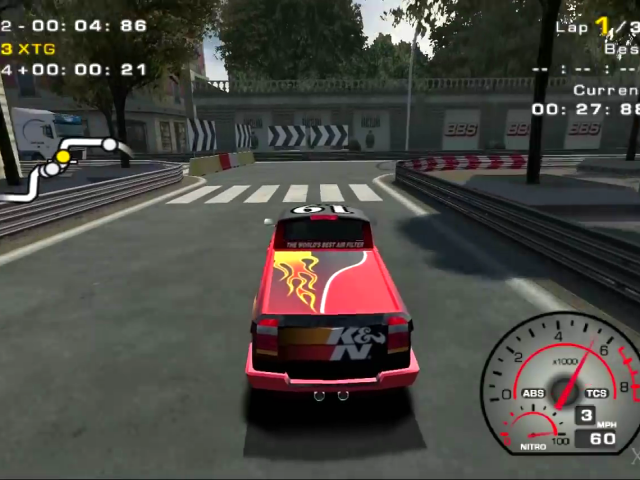
K&N Sponsor Rewards
•
Clean Race: Make sure you complete the race without hitting another racer. Doing so will earn you a cash bonus. •
Clean Lap: Complete a lap without hitting anyone, and earn some bonus cash.
XS Games Sponsor Rewards
•
Cunning Overtakes: Use a draft to come up behind an opponent's vehicle before passing him with no contact. Doing so will yield a bonus.
•
Drafting: The more you draft (drive directly behind an opponent vehicle's bumper at high speed) an opponent's vehicle, the more money you'll get.
•
Nitro: Use your nitro boost as often as possible to earn bonus money.
BBS Sponsor Rewards
•
Car Condition: Try to take as little damage as possible during a race. Take no damage for the best possible bonus.
•
No Nitro: Keep your finger off the nitro for some extra cash.
•
Clean Lap: Complete a lap without hitting anyone, and earn some bonus cash.
MAIN MENU
The Main Menu allows you to choose among different modes.
.png)

.png)

.png)
.png)
_1.png)
.png)

_1.jpg)












.png)


.png)

