GETTING STARTED
Set up your PlayStation®2 computer entertainment system according to the instructions in its Instruction Manual. Make sure the MAIN POWER switch (located on the back of the console) is turned ON.
Press the RESET button. When the power indicator lights up, press the OPEN button and the disc tray will open. Place the Whiteout™ disc on the disc tray with the label side facing up. Press the OPEN button again and the disc tray will close.
Attach game controllers and other peripherals as appropriate. Follow the on-screen instructions and refer to this manual for information on using the software.
MEMORY CARDS
To save game settings and progress, insert a Memory Card (8MB) (for PlayStation®2) into the MEMORY CARD slot 1 of your PlayStation®2 computer entertainment system. You can load saved game data from the same card or any memory card containing previously saved games.
STUNTS
•
If you crash or bail on landing, you lose the points from that stunt.
•
Pull off stunt combos and get a multiplier for massive points! An example of a stunt combo is doing a no-hander while jumping through a hoop and clearing a gap before sticking the landing. Each additional stunt adds a multiplier to the stunt total.
•
Your driver's agility lets you do tricks faster and complete more combos. Your rider will be rewarded with more agility as you progress in Career and Arcade Mode.
HEALTH
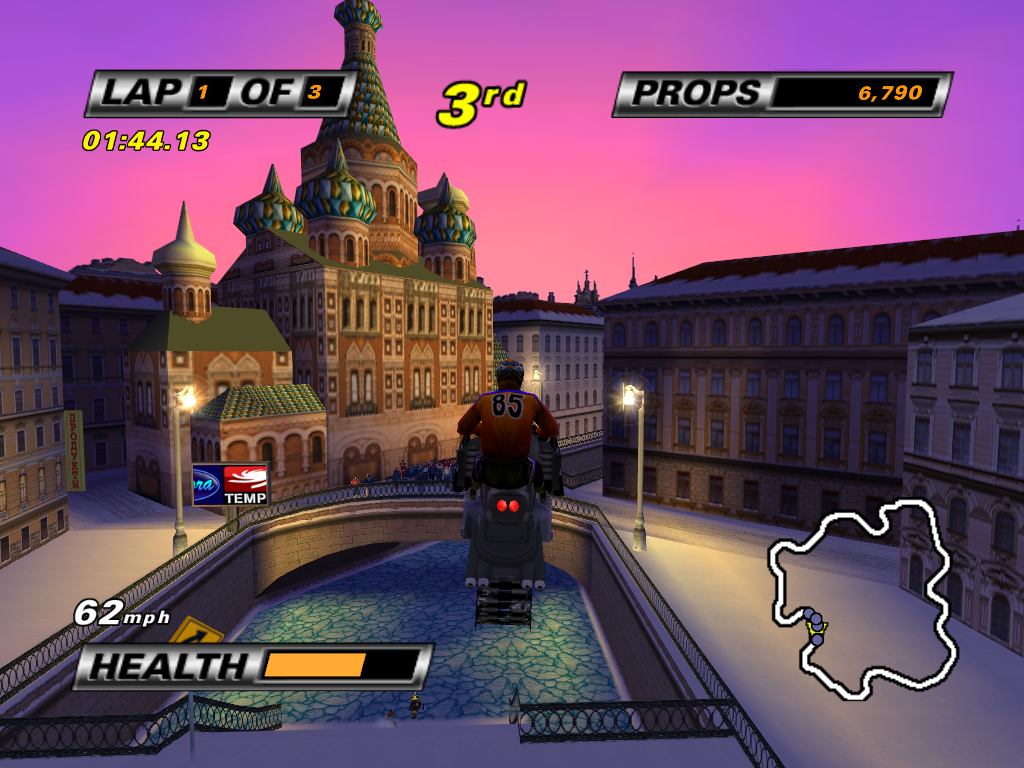
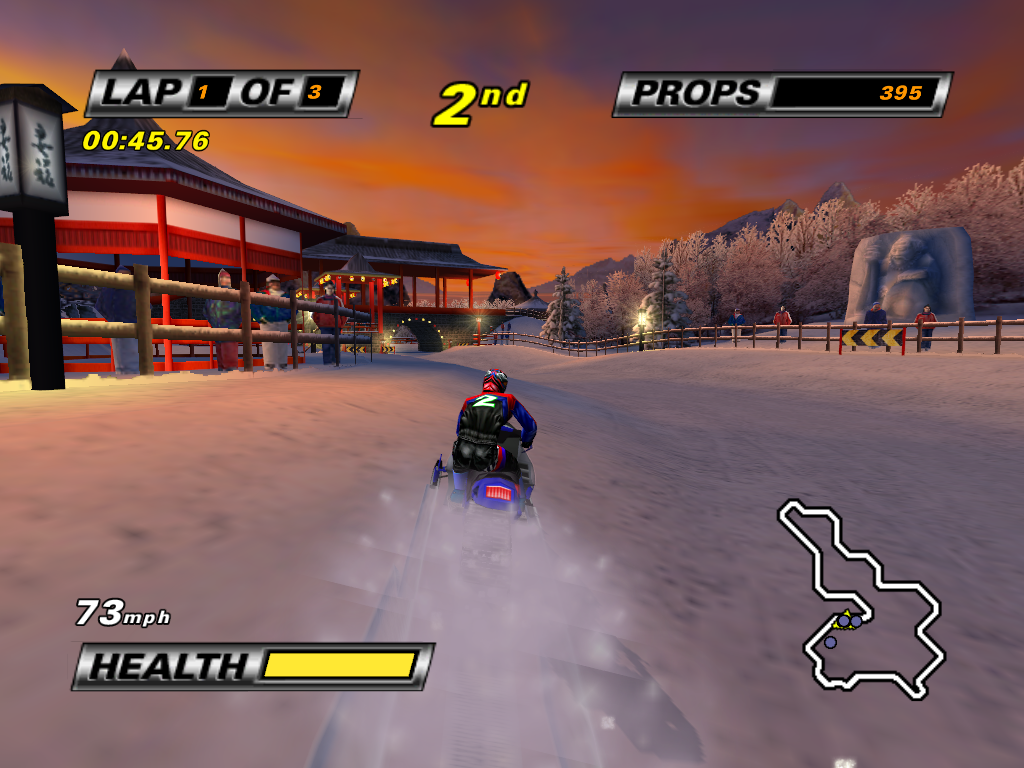
You'll have to closely monitor your rider's health while racing. The health bar shows the present level of the rider's health. Health is lowered by any of the following events: •
Colliding with another rider
•
Striking a breakable object
•
Colliding with barriers set around the track
By driving carefully without additional health loss, health will automatically be restored. The Health Power-up (a blue shield) gives your rider temporary invulnerability against health loss from collisions.
NITRO BOOSTS
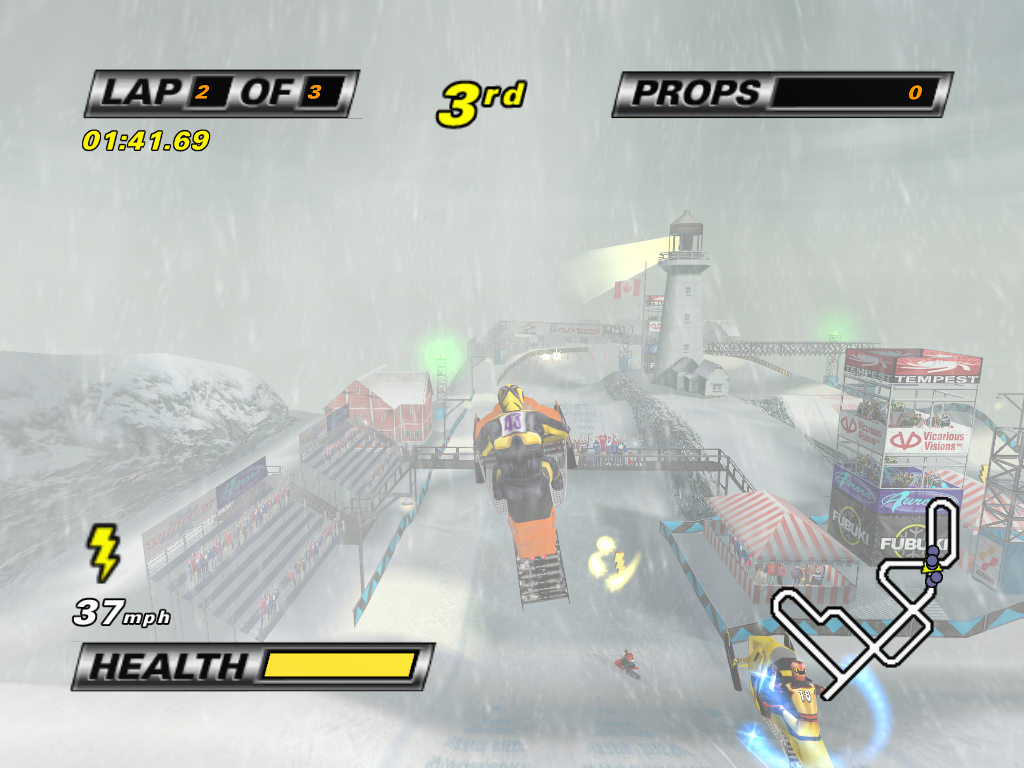
One way to beat the competition on the track is to use speed bursts. Bursts show up on the play screen as lightning bolts.
Every racer starts with one burst, but more can be earned by doing tricks or by collecting them on the track. Boosts are activated with either the button or the R3 button on the controller. Be sure to use your boosts as soon as possible because if you crash you lose them all! THE MAIN MENU
Press the directional button ▲/▼ to select a menu item and press the ✖ button to accept the selection.
CAREER
This is a 1-Player career for serious Whiteout™ competitors. Fight your way from the lower level Starter Circuit all the way up to the bright lights and big air of the Professional Circuit on your way to the Tundra Dome Championship!
Earn cash for sled part upgrades and new sleds as you square off against the toughest racers in the world.
ARCADE
Snocross goes insane with arcade objectives, sick tricks and dangerous detours. Arcade is a 1-Player based game featuring an extreme cast of characters. This mode is less about part and sled upgrades and more about racing and exploration. QUICK RACE
Quick Race is a great way to learn the snocross sport and a quick way to practice or shoot for the high scores. You can compete on any tracks you have unlocked in the Career or Arcade Modes. Quick Race is a 1-Player game.
•
On the Main Menu press the directional button ▼ to select QUICK RACE and press the ✖ button.
•
Press the directional button ◄/► to select a driver and press the ✖ button.
•
Press the directional button ◄/► to select a sled and press the ✖ button.
•
Press the directional button ◄/► to select an available track.
•
Press the directional button ▲/▼ to select LAPS and press the ✖ button to begin racing. •
The track overlay will give you an idea of the course layout.
TIME TRIAL
A less structured racing experience: race indefinitely against the track record, yourself, or just for the fun of it. Compete to get the best lap time, racing against a ghost opponent representing either the record lap time, your best lap time for that time trial session, or your previous lap time. 2-PLAYER
Head-to-head racing action with a friend. OPTIONS
Set game options here.
SOUND
Press the directional button ◄/► to adjust the volume of SLED (engine noise), ANNOUNCER, MUSIC, SOUND EFFECTS.
CONTROLLER
Set controller options.
•
Press the directional button ▲/▼ to select PLAYER 1 or PLAYER 2 controller and press the ✖ button.
•
Press the directional button ◄/► to select controller SETUP A, B, C or D.
•
Press the directional button ▼ to select VIBRATION and ◄/► to toggle the vibration function ON/OFF.
•
Press the directional button ▼ to select ANALOG BUTTONS and ◄/► to toggle analog button ON/OFF.
•
Press the △ button to close the Controller screen and select YES when prompted to save your option changes.
CREDITS
See the people that brought you Whiteout™.
BEFORE YOU RACE
At the beginning of any game mode, you will be prompted to select both your rider and sled.
.png)

.png)
