GROUND RULES
Each player begins the fight with two life bars. The first player to eliminate the opponent's life bars within 100 seconds wins the fight. At the end of 100 seconds, the player with the most energy remaining in his or her life bar wins.
FIGHT ON!
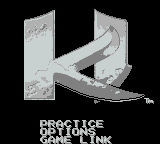
Start Game
Selecting this option will take you to the character selection screen. From here you can select your character and battle the computer in the Killer Instinct Tournament. If you are using the Super Game Boy®, a second player can join-in at any time by pressing START on his or her controller.
Options
Selecting this allows you to access the OPTIONS screen and customize the game. Use left and right on the Control Pad to change your options.
Selects the difficulty level of the computer opponent.
Changes the screen display between LIGHT and NORMAL. The LIGHT option makes the characters easier to see on the Game Boy.
Turns the music ON or OFF.
Allows player 1 to change his or her punch and kick buttons.
Allows player 2 to change his or her punch and kick buttons.
Practice
This mode allows you to practice moves on a defenseless computer opponent that cannot be defeated. Press START to exit PRACTICE mode and return to the main menu screen.
Game Link
This mode allows two players to play against each other using the Game Boy Game Link cable. This mode will only work if your Game Boy is connected to another Game Boy via a Game Boy Game Link cable.
Once both players have highlighted the Game Link option, the first player to press START will be Player 1. FIGHT ON!
Special Moves
Each character has his or her own set of Special Moves. Special Moves are more effective than normal punches and kicks, but are harder to execute.
Charge Moves
Require holding a direction on the control pad for one or two seconds then pressing the opposite direction on the control pad with a button.
Roll Moves
Rolls are done by performing a rolling motion on the control pad and then pressing a button. The instructions under the Character Profiles indicate the key directional points you must hit during the rolling motion, but you should try to hit all points in between.
Combos
Combos are basically a combination of buttons and moves that, when strung together properly, award the player with extra hits. The best way to start a combo is by performing an "Opener."
Jump-In attacks, as well as some of the Special Moves (as described in Character Profiles), can act as "Openers." To open with a Jump-In attack, jump into your opponent with a jump punch or jump kick, and immediately follow it up with the opposite button to receive an Auto-Double.
An Auto-Double produces multiple hits and can be performed by pressing the correct button after successfully hitting your opponent with an "Opener." Even more moves can be added to a combo after the Auto-Double to get 20 or more hits!
Combo Breakers
There is nothing worse than being on the wrong end of a big combo. But if you have what it takes, you can stop them cold with a Combo Breaker.
Each character has a Special Move they use as a Combo Breaker (see Character Profiles for Combo Breakers). The Combo Breaker can be executed between the "Opener" and the "Auto-Double," as well as the extended hits of a combo.
If you are getting hit with a kick (Auto-Double or Special Move) in a combo, use the punch button with your character's Combo Breaker move. However, if you are getting hit with a punch (Auto-Double or Special Move) in a combo, use the kick button with your character's Combo Breaker move.
Ultra Combos
The Ultra Combo requires a specific ending move on the end of a combo. The move depends on the character being used (see Character Profiles), and can only be done when the opponent's life bar is flashing. An extremely humbling experience, a victim can only watch as his or her character is beaten mercilessly.
Super Game Boy® Adapter
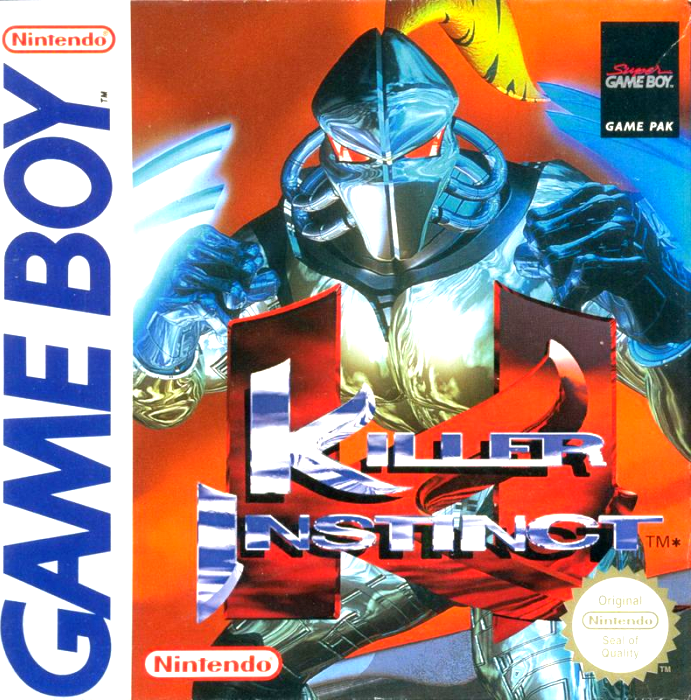
If you have a Super Game Boy® adapter, you can play Killer Instinct on your TV through your Super Nintendo Entertainment System. Not only will this make it easier to see the details of the fully rendered graphics of the game, you will also get a more varied color selection, and a fully rendered screen border! Please see your Super Game Boy instruction manual for more details on how to use your Super Game Boy.
.png)


 (SGB Enhanced).png)





.png)


_1.png)