Loading the Game
1. Make sure the power switch is OFF.
2. Insert the BATMAN™ FOREVER Game Pak as described in your NINTENDO GAME BOY® instruction manual.
3. Turn the power switch ON.
Starting the Game
When the BATMAN™ FOREVER title screen appears, press the START BUTTON. You may then set the difficulty level. Choose between Easy, Medium and Hard play skill levels.
Once you've chosen a skill level, press any button. You will then see the gadgets select screen. After selecting your gadgets, press the START BUTTON to begin game play.
Screen Elements
•
DOT MATRIS WITH STEREO SOUND
Enemy Energy Bars
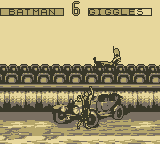
The health of the last enemy hit by a player is displayed in an energy bar at the top right of the screen. This allows a player to see how much damage an enemy has taken, and how great a threat he still poses.
When an enemy's health is completely depleted, that enemy is finished and the energy bar will go to empty. If a player strikes several enemies in a row, only the last one hit will have his or her energy displayed.
Lives
Players begin the game with a number of lives in which to complete BATMAN™ FOREVER. Earn extra lives by picking up Two-Face coins on their proper side.
Once a player has sustained enough damage to lose a life, the player may elect to continue play by using one of six Continues.
Scoring/Level Statistics
At the end of each level, percentages are given for the amount of pickups a player has recovered, the number of villains subdued, and for the percentage of secret areas a player has managed to uncover in the level.
If you get 100% in any level, you will earn a significant bonus.
Gadgets
For Gadget Controls, please see the Gadgets Chart on pages 15-18.
Standard Gadgets
Batman has three default gadgets. These gadgets do not need to be selected by a player before entering a level. Optional Gadgets
At the beginning of each level, a player may choose to swap in one of the Optional gadgets displayed in the Batcomputer. Different gadgets are available at different levels.
To select an Optional Gadget, follow the instructions under Selecting Gadgets.
Blueprints
In each level of the game, Batman must search for pieces of gadget blueprints stolen from the Batcave by The Riddler. If Batman succeeds in finding all four blueprints to a particular gadget, that gadget will be added to a player's Optional Gadgets lists in the Batcomputer at the end of the level. Try to find and collect these spectacular prototype gadgets!
Selecting Gadgets
There are many gadgets available in BATMAN™ FOREVER, but only five gadgets can be carried at one time. The supply of gadgets is unlimited, allowing them to be used as often as needed.
A player chooses gadgets at the beginning of each level. When you get to the Gadgets Select screen on the Batcomputer, you will see three default gadget icons displayed, along with two optional gadgets.
The first three gadgets are always available, while any one of the remaining two gadgets may be swapped in from the Optional Gadgets list. To swap in an optional gadget, first highlight it with the Control Pad, then press the B BUTTON. That gadget will now appear among your available gadget.
Once a player has chosen gadgets for a particular level, pressing the START BUTTON will bring the player right into the next level.
.png)


.png)
