Game Modes
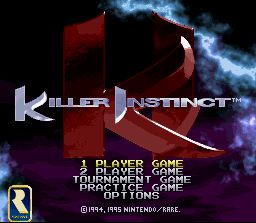
On the main title screen, you will have the choice of playing a one player or two player game.
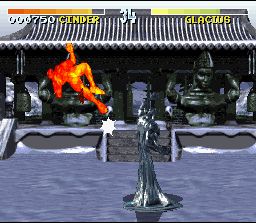
In the one player game, you choose a character and use him or her to fight against the other characters in the tournament, who are controlled by the computer. Your ultimate goal is a showdown with Eyedol.
In the two player game, you play against another human player. You can play either a single game at a time, or set up a Tournament.
Tournament Set-Up
In the tournament mode, you can enter the names of up to eight different players. The computer will then set up the matches between players and keep track of each player's win-loss record.
The computer will also make sure everyone takes turns, just like in the arcade, where the loser goes to the end of the line.
Practice Mode
In this mode, you fight a defenseless character who simply stands there and takes whatever you can dish out.
Top Attack Auto-Double
Top Attacks are also Openers.
Linkers
You can extend your combo tally using moves known as Linkers. After you have successfully hit your opponent with an Auto-Double, you can continue to combo them by following the last hit of the Auto-Double with a Linker move and another Auto-Double button.
End Specials
The best way to finish a combo is an end special, which can be added after any Auto-Double or Linker. End Specials are listed in each character's profile.
An example of a complete combo sequence would be:
Fighter Profiles
Each of the character biographies details the fighter's special moves. There are three general categories of Special Moves: Charge Moves, Roll Moves and Tap Moves.
Charge Moves
Charge Moves involve holding the Control Pad cross in the indicated direction for about two seconds (it can help to count 1-2), then pressing in the opposite direction with an attack button.
Roll Moves
Roll Moves are done by performing a rolling motion on the Control Pad cross, and then pressing an attack button. The instructions indicate the key directional points you must hit during the rolling motion, but you should always try to hit all points in-between. A smooth, even rolling motion is best; you don't have to do it super fast.
Tap Moves
Tap Moves are performed by tapping the control pad cross in the indicated direction and then pressing an attack button immediately afterward.
Practice Tips
As you practice these moves, they will become second nature. When you first do the moves, try to do them slowly and deliberately for maximum accuracy. Once you're proficient, you'll be able to pull them off second nature.
Symbol Key
•
Mp = Medium Punch Button
•
Fp = Fierce Punch Button
•
← = Press Control Pad cross away from opponent
•
→ = Press Control Pad cross towards opponent
•
+ = A sequence of buttons
•
"Move Name" "Button" = Do the move using the indicated button
 (Rev 1).png)

.png)