USING THE SUPER GAME BOY ADAPTER
Correctly insert the Game Boy Game Pak into the Super Game Boy. Next, insert the Super Game Boy into the Super NES and move the power switch on the Super NES to the ON position.
For further operation information, please consult your Super Game Boy and Super NES instruction manuals.
START/OPTIONS SELECT
At the main title screen, press the START Button to go to the Start/Options Screen. Press the Control Pad Up or Down, then press any button to select one of these two options:
•
START - When you select this option, you'll go to the Game Type Screen that consists of the following options:
•
1P(layer) Game - This option takes you to the Dino Select Screen. You'll then select one of the six available dinosaurs to fight for Urth domination. You'll face each of the other 5 dinosaurs in their home territory.
•
1P(layer) Training - Select this option if you want to practice the game's various bone-crushing moves and dinosaur fighting tactics. You'll go to the Dino Select Screen, and select the dinosaur you want to train with. You'll also select the opponent you wish to face. •
OPTIONS - Select this option to go to the Options Screen, and make various changes to your gameplay. At the Options Screen, press the Control Pad Up or Down to move the flashing arrow next to the option you want to change. Press Left or Right to cycle through the choices.
OPTIONS
•
Credits - This option allows you to set the game to allow from 1 to 10 game credits (continues). As you get better at Primal Rage, you can set this option to a lower setting, and create an even greater challenge. •
Round Time - Each bout has a set time in which the winner must be determined. You can set the game's bout time to challenge your opponent to get a quick kill. The options may be set in 5 second increments from 30 to 80 seconds. As you improve your fighting and accomplish quicker kills, set this option lower to put the pressure on you and your opponent. •
Difficulty - You can set the game's difficulty level from 1 (easiest) to 8 (most difficult). As you improve your fighting skills, you can set the difficulty level to a higher setting. DINO SELECT
After you've selected your game type, you'll need to select your character. Press the Control Pad Up, Down, Left or Right to highlight the one you want, then press any button to select.
A Dino matchup screen will appear for a moment, then you'll begin the Rage.
GAMEPLAY
•
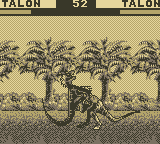
beep. This is your warning that the match is about to end. If time runs out before a dino is beaten, the earth will lift both combatants into the air. The dino with the most life remaining will win the rage. All bouts are best two out of three.
•
Win Icon - Each time you win a bout, an icon will appear on the winner's side under the timer. The winner of the rage will have two icons.
•
Hit Combos - During each rage, dinos can inflict heavier damage to their opponent with multiple hit combos. The more hit combination moves you connect on, the heavier the damage you'll inflict. When you put a nice hit combo together, it will appear on your side of the screen. (Right hand side for Player 2, Left hand side for Player 1).
DOMINATION OF THE URTH
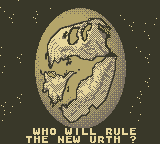
Each time you win a rage in Game mode, the Urth Screen appears and tells you what portion of the world you have conquered. Continue to win your rage bouts until you have conquered all lands.
Once you have conquered the Urth, your chosen dino will take on all other dinos one at a time in The Final Battle Ground. There is no timer and your Life Bar is not reset, so you'll have to dispose of your enemy as quickly as you can.
If you have set the game to allow continues, you may choose to continue the game if your dino is beaten.
TWO PLAYER LINKING
With 2 Game Boy units, 2 cartridges and a Game Link™, you can play head-to-head against a friend. Refer to your Game Boy manual for Game Link instructions.
When linked, both Game Boys must be turned on at the same time. All menus will switch to the 2 Player mode.
Two Player Handicap Option
This option is found at the Game Type menu. It lets you adjust your Life Bar to any amount you want. The strategy is to give a less experienced player more life to compete longer against an experienced player. Experienced players should set a lower Life Bar, and beginners should set their Life Bars high.
HIGH SCORES
If you're good enough to make the top three scorers, the High Score Screen will appear. Press the Control Pad Left or Right to scroll through the available letters, then press the A or B Button to select the letter.
When you have selected your third letter, the name will automatically be entered.
.png)

.png)
