Starting the Game
1. Turn OFF the power switch on your Nintendo® Game Boy® Advance. Never insert or remove a Game Pak when the power is ON.
2. Insert the James Bond 007™: Everything or Nothing™ Game Pak into the slot on the Game Boy® Advance. To lock the Game Pak in place, press firmly. 3. Turn ON the power switch. The Language select screen appears.
4. Choose between ENGLISH, FRENCH, or GERMAN and press the A Button. The Legal screen appears.
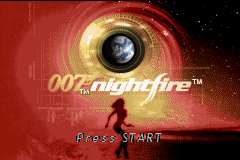
5. Press the A Button to advance to the Title screen.
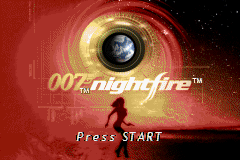
6. When the Title screen appears, press START to advance to the Main menu.
Main Menu
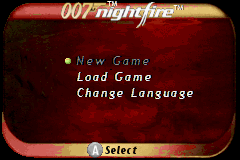
From the Main menu, start a new game, load a saved game, engage in multiplayer battles, adjust options, or connect your copy of James Bond 007: Everything or Nothing to a Nintendo GameCube™. •
New Game: Begin a new adventure as 007.
•
Load Game: Resume a previously saved game.
•
Multiplayer: Compete with friends to see who's the best agent.
•
Options: Adjust audio, gameplay, and language settings.
•
Nintendo GameCube™ Link: Connect your Game Boy® Advance to a Nintendo GameCube™.
Starting a New Game
1. Select NEW GAME in the Main menu and press the A Button. The New Game screen appears.
2. Select to save your new game to BOND ONE, BOND TWO, or BOND THREE and press the A Button. The Sahara Desert mission begins.
Options
Adjust volume, gameplay, and language settings from the Options menu.
•
Sound Volume: Adjust sound effects volume.
•
Music Volume: Make the background music louder or softer.
•
Difficulty: Set the difficulty level to EASY, NORMAL, or HARD.
•
Language: Choose between FRANCAIS (French), ENGLISH, or DEUTSCH (German).
•
Credits: View the game credits.
•
Blackjack: If you have obtained 2500 style points, you can play blackjack against a CPU dealer.
Basic Moves
A stealthy entrance, a quick attack, and accurate aim are hallmarks of a 00 agent.
Targeting
•
Auto Aim: Automatic aim is your default. Use the +Control Pad to point Bond toward the nearest enemy. When the crosshairs appear, press the A Button to fire. Press the +Control Pad to switch targeted enemies.
•
Manual Aim: Use this to accurately target a specific foe.
To Use Manual Aim:
1. Hold down the R Button. The crosshairs appear.
2. Press the +Control Pad to move the crosshairs onto your target.
3. Press the A Button to fire.
Stealth
To avoid detection, tap the R Button to crouch. To stand up, tap the R Button again. If you use the Control Pad to move while crouched, you are less likely to be detected. To take an opponent by surprise, approach the enemy from behind and press the B Button to execute a chokehold.
Hand-to-Hand Combat
To defeat an opponent swiftly, use the B Button to confront him physically. The enemy is punched, kicked, and eventually thrown down. To take cover in a firefight, crouch by tapping the R Button.
Connecting to Nintendo GameCube
If you own both the Game Boy® Advance and Nintendo GameCube™ versions of James Bond 007: Everything or Nothing, you can use a Nintendo GameCube™ - Game Boy® Advance cable to connect your Game Boy® Advance system to a Nintendo GameCube™. Refer to the respective manuals for detailed connection instructions. Saving and Loading
James Bond 007: Everything or Nothing features an auto-save function which saves your game automatically whenever you exit a map. Exiting a map is the only way to save a game. To Load a Saved Game:
1. Select LOAD GAME from the title screen and press the A Button. The Load Game screen appears.
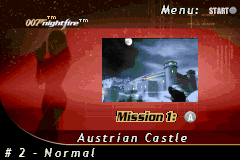
2. Select a previously saved game by pressing the +Control Pad up/down and pressing the A Button. The Mission screen appears.
3. Select the mission you wish to play by using the +Control Pad to navigate between the choices and press the A Button to confirm. The Briefing screen appears.
4. Use the +Control Pad up/down to read the briefing text and press the A Button when you are done. The Primary Objectives screen appears.
5. Read the mission's primary objectives and then press the A Button. Gameplay begins.
Q's Lab
Q's lab contains a wide variety of armors, modified weapons and equipment. You access Q's lab after each successful mission. To benefit from these items, you must earn style points. You earn style points when you complete primary and secondary objectives and perform Bond-style maneuvers.
•
Highlight an item with the +D-pad to view its description and price.
•
Press the A button to purchase an item.
•
Highlight QUIT with the +D-pad and press the A button to leave.
Pause Menu
To pause the game, press START.
•
Continue: Resume the game where you left off.
•
Inventory: Display items purchased from Q's lab.
•
Objectives: Review the mission objectives.
•
Orders: View the mission plan.
•
Options: Adjust the volume of sound effects and