Game Start and Mode Selection
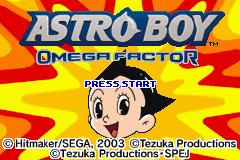
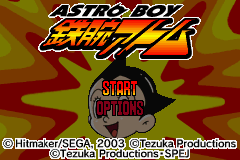
Press START at the Title Screen to display the Mode Select Screen. Use the Control Pad to highlight a mode and press the A Button to select it.
•
START: Play as Astro in the main storyline of the game.
•
OPTION: Check out a variety of options used in this game. See P24 for more details.
The game data is saved automatically, when clearing a stage, or when a higher score is recorded. When ending the game, return to the Title Screen and turn off the power to avoid data corruption.
Data Management
By choosing Game Start on the Mode Select Screen, the Data Select Screen appears. You can save up to 3 data files. Select one saved data file and press the A Button to begin. Use the menu at the bottom of the screen to copy or delete data.
•
COPY: Choose the source data and the destination slot, then press the A Button. Note that only one saved data can be copied into any given slot.
•
DELETE: Select the data to delete and press the A Button on the confirmation screen. Deleted data cannot be restored.
The game will not save or delete data until after you exit the Data Select Screen.
Screen Interface
1. Life Bar: If this drops to zero, Astro is knocked unconscious.
2. EX Gauge: Fills by hitting opponents. When full, Astro's EX Points increase.
3. EX Points: These decrease when you use EX attacks.
4. Score: Increases as you defeat opponents.
5. Time: Displays time elapsed from the beginning of the stage.
6. Opponent's Life Bar: Defeat opponents by depleting this bar.
Pressing START during gameplay pauses the game and displays the Pause Screen. Highlight a selection and press START or the A Button to confirm.
•
CONTINUE: Returns to the game.
•
RETRY: Restarts from the point where the game was previously saved.
•
EXIT: Returns to the Title Screen.
Game Flow and Tezuka Characters
You will encounter characters from Osamu Tezuka, the creator of the Astro Boy comic and cartoon. Collecting these characters allows Astro to evolve. Explore the game fully to find all characters, and replay stages to unlock new ones after completion.
•
Amazing Three: Bokko, Pukko, and Nokko disguise themselves as a rabbit, duck, and horse. They travel in a tire-shaped vehicle called Big Rolly, bringing peace wherever they go.
Omega Factor System
The Omega Factor acts like a human heart within Astro's electronic brain. It develops as Astro meets new people. Discovering hidden Tezuka characters switches the screen to the Omega Factor Screen, where discovered characters appear in hexagonal boxes.
•
Collection: Astro's level of understanding and sensor strength determine if a character is displayed.
•
Access: Press SELECT anytime during the game to view the Omega Factor Screen.
Tezuka characters are categorized into four types: TENDERNESS, BRAVENESS, JUSTICE, and EVIL. Their placement on the screen indicates their perceived qualities relative to Astro.
•
Top Left: Indicates a character is tender with a strong sense of justice.
•
Bottom Right: Describes a character as evil and brave.
Astro's Power Ups
Astro has six special skills that can be strengthened by encountering Tezuka characters. Navigate the Power Up Screen by pressing the L/R Button on the Omega Factor Screen, then press the A Button to select a skill.
•
Life: Increases Astro's number of lives.
•
Punch: Increases melee attack power.
•
Laser: Increases Arm Cannon and Finger Laser strength.
•
Shot: Increases Shot Weapon power.
•
Jet: Increases the number of times the Jet can be used.
•
Sensor: Sharpens Astro's sensitivity, helping detect subtle changes and unseen characters.
Continue and Game Over
If Astro loses all his life bar, you are given the option to continue or quit.
•
CONTINUE: Retry the game from the point of defeat. You can retry this as many times as you like.
•
EXIT: Press the A Button to return to the Title Screen.
•
Big X: An invulnerable superhero strong enough to deflect bullets or catch a plane by hand. Following V3, he infiltrated Cruciform Island to battle a horrifying combat robot.
Options Menu
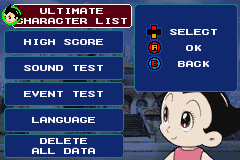
Information on Tezuka characters and score data can be viewed here. Use the Control Pad (♢♡) to select an item and press the A Button to view details. Press the B Button to quit or return.
•
Tezuka Characters: View details on characters met during the game.
•
High Score: Check the high score and play time record.
•
Delete All Data: Deletes all previously saved game data. This action is irreversible. Clearing certain conditions may unlock additional options.
Stage Introductions
•
Metro City: A futuristic city where humans and robots once coexisted peacefully. Robots went out of control, attacking humans and kidnapping Astro's tutor, Ms. Wato. Astro must rescue her and uncover the mastermind. •
Cruciform Island: Mysterious objects are knocking planes out of the sky. Astro, the only one who can withstand the heat, investigates and finds Cruciform Island, a hideout for Kinsankaku. Astro must uncover the mystery of this island.


 (En,Ja,Fr,De,Es,It).png)
 (En,Ja,Fr,De,Es,It).png)




 (En,Fr,De,Es).png)

.png)
