PLAY BALL!
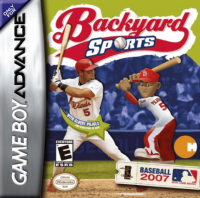
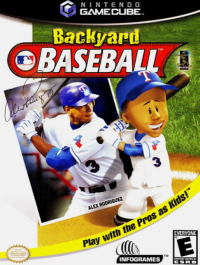
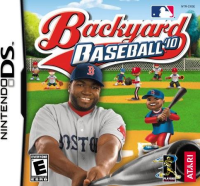
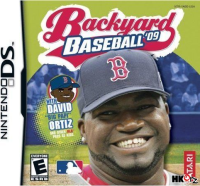
Create the baseball team of your dreams! It's great baseball action with the Backyard Kids and real pro players as kids. Pick your team, logos and playing fields. Play single games, an entire season or Home Run Derby™. It's the chance of a lifetime to play with the pros right in your own backyard!
GETTING STARTED
1. Turn OFF the POWER switch on the Nintendo® Game Boy® Advance system. Never insert or remove a Game Pak when the power is ON.
2. Insert the Backyard Baseball™ Game Pak into the slot on the Game Boy Advance. To lock the Game Pak in place, press firmly. 3. Turn ON the POWER switch.
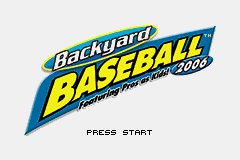
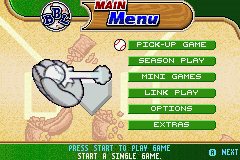
4. When the title screen appears, press START to proceed to the Main Menu.
HOME RUN DERBY™
Challenge your prowess at bat, or get in some batting practice. Choose if you want to play against a computer-generated opponent. Also, choose from several types of play:
SINGLE GAME
Choose this mode to play a pick-up game as the coach; pick your team and pick your players. To set up a Single Game, choose a Field, Difficulty Level, Number of Innings, and Home vs. Away team. Also, toggle Swing Spot and Pitch Locator On and Off.
SEASON PLAY
Choose this mode to play through a season in which you sign-in as the coach, choose a home field, set the game options, pick your team and pick your players. Certain game, team and player statistics will be tracked as you advance through the season. The winner advances to the playoffs.
Saving (Season Play Only)
When you quit a season game, the game will prompt you to save. Your season will be saved from that point under the coach name you registered with at the start of that season.
Loading (Season Play Only)
When starting a game in Season Play, you can load a previous season by selecting Load.
MULTIPLAYER
Two Backyard Baseball Game Paks, two Nintendo® Game Boy® Advance systems and a Game Boy® Advance Game Link® Cable are required for multiplayer games. Head to Head
Play against a human opponent on another Nintendo® Game Boy® Advance system via the Game Link® Cable. From the Main Menu, both players must select the Multiplayer option. Note: The person connected to the gray end of the Link® Cable is always the host.
Trading
Give and/or receive custom players. Once your custom player selection and your opponent's selection are displayed, press the A Button to confirm the trade. Note: If one person changes the player selection while the opponent is waiting, the opponent's system will automatically cancel the trade and return to the trade screen.
Home Run Derby™
Challenge a human opponent to a batting contest.
OPTIONS
Toggle Sound, Music, Pitch Locator and Swing Spot game settings On and Off. You can also view the Credits list.
CARDS
View the individual player cards, which list each player's skills and background information.
CUSTOM PLAYERS
Create up to three custom players before you pick your team. Select Cards from the Main Menu. Scroll to Custom and press the A Button to go to the Custom Player Cards screen. Scroll to New and press the A Button to go to the Custom Player screen.
Choose the name and physical attributes of each custom player. Distribute the total skill points across the skill options. Each custom player gains experience as he/she plays more games. At certain milestones, the custom player earns more skill points to add to the individual skill options of your choice.
Choose your swing from the icons on the right side of the screen with the + Control Pad ▲ and ▼. Choose your stance from the three selections under home plate with the + Control Pad ▶ and ◀.
Check the background color in the Batting Box picture, which indicates the type of batting day the batter is having:
Also, check the Batting Box for your current Strike, Ball and Out counts. The batter is able to earn special hits based on performance during the inning.
BATTING GAME CONTROLS
•
+ Control Pad ▲▼: Select a swing
•
+ Control Pad ◀▶: Select batting stance
•
R Button and + Control Pad: Set up steal



.png)
_2.png)
.png)




.png)

.png)
.png)
.png)



 (En,Fr,De,Es,It).png)

_1.png)
.png)

.png)
.png)