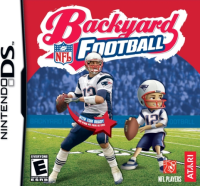
Create the football team of your dreams! It's great football action with the Backyard Kids and real pros as kids. Pick your team, logo, and playing field. Play single games or an entire season. It's the chance of a lifetime to play with the pros right in your own backyard!
Getting Started
•
Switch the Nintendo® Game Boy® Advance system OFF. Never insert or remove a Game Pak while the Game Boy Advance is ON.
•
Insert the Backyard Football® 2006 Game Pak into the slot on the Game Boy Advance. Press firmly to ensure the Game Pak is correctly inserted. •
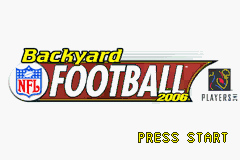
Switch the Game Boy Advance ON. The title screen should appear. If the title screen fails to appear, return to step 1.
•
When the title screen appears, press START to proceed to the Main Menu.
Main Menu
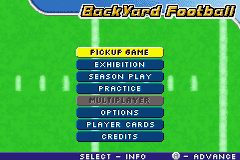
From the Main Menu, you can select from the following:
Gameplay Modes
Pickup Game
Choose this mode to jump right into a pickup game with a pre-selected team name, players, and opponent.
Exhibition
Choose this mode to play a pickup game as the coach. Pick your team, field, weather conditions, and players. If you do not want to hand-pick each player individually, press START to have random players chosen for you.
Season Play
Choose this mode to play through an entire season. Certain game, team, and player statistics will be tracked as you advance through the season. The winner advances to the playoffs!
Once you have signed in as the coach and set the difficulty level, home field, team, and players, the Season Menu appears. From there you can select from the following:
•
Begin Season/Next Game: Brings you directly into the next game of the season.
•
League Standings: Show your team's ranking against the rest of the league.
•
Team Statistics: Show your team's records.
•
Team Strategy: Brings you to the Time Out Options menu.
•
Options: Same as those accessed from the Main Menu.
•
Quit Game: To Quit and save, or just Quit without saving.
Saving
When you quit a season game, the game will prompt you to save. Your season will be saved from that point.
Loading
When starting a season game, you can load your saved game by selecting Continue Season.
Practice
Choose this mode to test your football skills and brush up on the basics of the game.
Multiplayer (Two Player)
Two Backyard Football 2006 Game Paks, two Nintendo® Game Boy® Advance systems, and a Game Boy® Advance Game Link® Cable are required for linked games. Two-player Multiplayer is the only configuration supported. Choose this mode to play against a human opponent on another Nintendo® Game Boy® Advance system via the Game Link® Cable. From the Main Menu, both players must select the Multiplayer option. Note: The person connected to the purple connector on the Game Link® Cable serves as the host. This mode can be played with 1, 2, or 3 minute quarters to make the game length of your choice.
Options
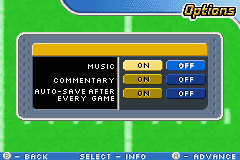
Choose this to toggle ON/OFF the options for Music, Commentary, and Auto-Save After Every Game.
Player Cards
View the individual player cards, which list each player's skills and background information. Use the L Button or R Button to scroll through the players.
Custom Player
Create a custom player for your team. When on the Player Select screen, choose the icon at the bottom of the list that has a question mark on it. Then press the A Button to go to the Custom Player Card screen. Choose the nickname and physical attributes of the custom player.
Distribute the total skills points across the skill options. Your custom player gains experience as he or she plays more games. At certain milestones, the custom player earns more skill points to add to the individual skill options of your choice.
•
Player Cards: Example player Dmitri Petrovich.
•
Custom Player: Example nickname "BIG DOG".
InfoChuck™
Press SELECT to bring up Chuck Downfield as your source of information and further explanation. Press SELECT again when you're done reading the tip.
Difficulty Level
The following settings are pre-set depending on what difficulty level you choose, but can be toggled independently.
Setting Descriptions:
•
Power-Ups: Teams earn special “power plays” by accomplishing certain tasks.
•
Fatigue: Players tire over course of the game.
•
Turnovers: Offense cannot fumble ball or throw interceptions (Defense drops passes instead).
Difficulty Defaults:
•
Easy: Power-Ups ON, Fatigue OFF, Turnovers OFF
•
Medium: Power-Ups ON, Fatigue OFF, Turnovers ON
•
Hard: Power-Ups OFF, Fatigue OFF, Turnovers ON
Leather or Laces
In Exhibition and Multiplayer mode, you will play Leather or Laces to see whether you or your opponent chooses a team first. A Backyard Kid spins the football around and stops with one hand covering the bottom. Now it's your turn to guess what's on top: just leather, or the laces of the football. If you guess correctly, you get to


.png)



 (En,Fr,De,Es,It).png)
.png)

_1.png)
.png)

.png)






.png)

.png)