Managing Your Lives
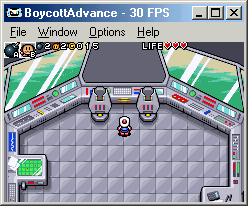
Your health is depicted by the heart-shaped icons at the top of the screen. You start out with three full hearts. As you take damage from bomb blasts and enemy attacks, your hearts will drain away. If all of your hearts run empty, the game is over.
When the Game Over screen appears, you can select "Continue" to start over from wherever you last saved the game. Pick up medicine dropped by enemy characters to get back lost health, or buy medicine from a store. Each Boss you defeat earns you one extra heart.
Saving and Loading Games
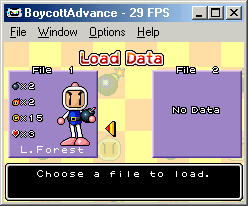
If you save a game before quitting, you can start a game from the last place you saved. During normal gameplay, press Select to bring up the Save Data Screen and follow the on-screen directions. After saving, you can choose to continue playing or quit.
Selecting "Continue" from the Title Screen will begin a game from your previously saved data.
The In-Game Menus
Pressing the R Button during gameplay will bring up the in-game menus. Here you can select bombs, choose a different Karabon, use an item, or check your item inventory. Use Left and Right on the Control Pad to flip through the different menu screens. Use Up and Down on the Control Pad to scroll through menu items. To return to the game, press the R Button or the B Button.
•
Select: Use this menu to choose different gear, check your item inventory, and use items. Select the desired item with the A Button.
•
Select Bomb: Highlight the bomb you want to use, and select it with the A Button. You'll be able to create different kinds of bombs as you progress through the game.
•
Select Karabon: Highlight which Karabon you want to use, and set the Karabon with the A Button. Pressing the B Button during gameplay will activate the set Karabon's special ability. Any Karabon panel you find on your quest will only affect the currently set Karabon.
The Colosseum
In the Colosseum, you pit your Karabon against other Karabons. This can be a good way to earn gold... If your Karabon is a good fighter.
The Rules of Combat
A Karabon battle consists of a one-on-one match lasting three rounds where you get to select the fighting strategy. A Karabon with 0 hit points will forfeit. The Karabon with the most hit points at the end of the match will win. If the Karabons are tied for hit points, the match is a draw.
Strategy
Strategies are made up from the three different types of Karabon commands that can be given. Each strategy will last an entire round.
Commands
•
Punch! Launch a normal attack.
•
Block! Defend against the enemy's attack.
•
Special! Launch a Special Attack.
Karabon Types
In Quest Mode, you can find Karabons while exploring areas, or after certain events. With a Karabon set, one can activate the Karabon's special powers with the B Button. There are some places you won't be able to get past without the help of a Karabon.
You can also enter Karabons in battles to earn gold. Additionally, it's possible to create a new Karabon by fusing together two other Karabons. See page 13 for more information on Karabon battles, and page 12 for information on fusing new Karabons.
About Karabons
There are four types of Karabons: Earth, Fire, Water, and Electric. A Karabon "Special Attack" is a very powerful attack related to the type of Karabon it is! The amount of damage inflicted depends on the type of Karabons fighting and their individual statistics.
Karabon Fusing
In the first four bases, you will find SID, a machine that lets you fuse a new Karabon from two existing Karabons. You must use SID to create a Karabon with the ability to open the door into the Boss' room.
The Fusing Process
First, acquire fusible Karabons, then go use SID. To create a new Karabon, simply confirm the two selected Karabons that will be used. When the fusing process is complete, you will have a new Karabon in your inventory, and the two Karabons used in the fusing process.
Find the Old Karabon Trainer
Somewhere in the first four bases is an old Karabon Trainer. Find him to receive the Karabon needed for creating a new Karabon with the ability to open the Boss' door.
Checking Karabon Statistics
Use the Select Karabon menu to check your Karabons' stats.
•
Level: Lv refers to the all-around level of your Karabon.
•
Offensive Power: Comes into play during Karabon battles.
•
Defensive Power: Comes into play during Karabon battles.
•
Special Attack Power: Comes into play during Karabon battles.
•
Name: Description of the Karabon's special ability.
A Karabon's Special Ability comes in two varieties: passively, which works as long as the Karabon is set, and actively, which allows you to control the ability with the A Button or B Button whenever the Karabon is set. Use the Karabon's special ability while adventuring.
Open Air Adventures
The planet Phantaron is broken



.png)
