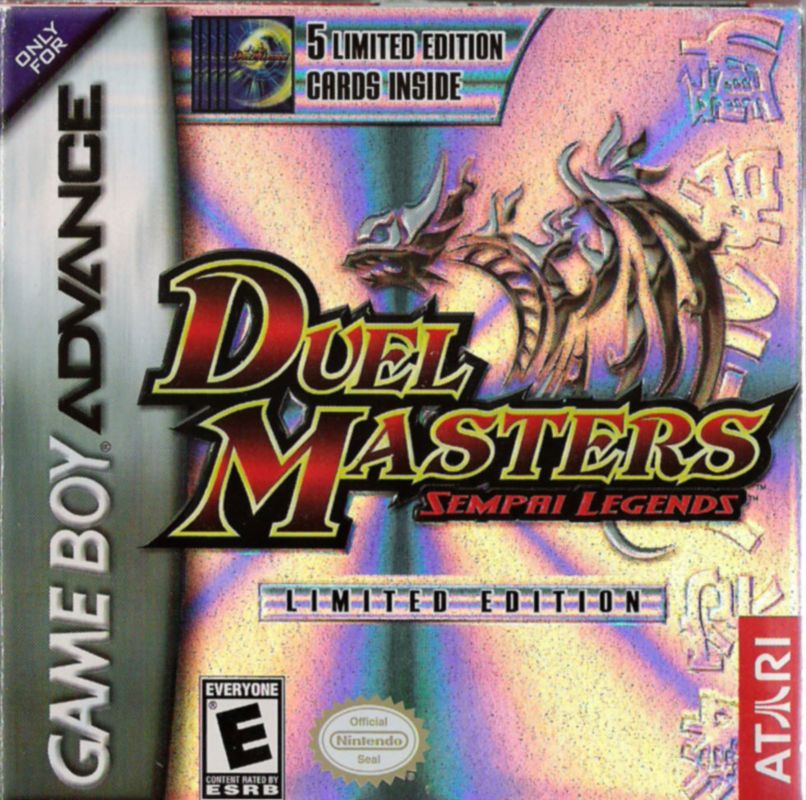
Welcome to Duel Masters: Sempai Legends
Recover a super-powerful card stolen by a mysterious stranger! Build the ultimate fighting deck to summon powerful creatures, cast unbeatable spells, and unleash devastating attacks. Enter tournaments, win cards, and build your reputation.
Practice in the unlockable Duel Room with all 180 cards from the DUEL MASTERS base set and the Evo-Crushinators of Doom expansion set! Play head-to-head and trade cards with your friends. Never give up, trust yourself, and if you play hard, you can't lose!
Getting Started
Turn OFF the power switch on your Nintendo Game Boy Advance system. Never insert or remove a Game Pak when the power is ON.
Insert the DUEL MASTERS: Sempai Legends Game Pak into the slot on the Game Boy Advance. Press firmly to lock the Game Pak in place.
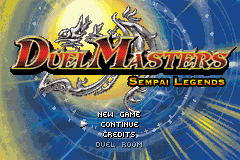
Turn ON the power switch. The main Start-up Screen will appear (if not, begin again at step 1).
Press START to proceed to the Main Menu.
Use the +Control Pad to highlight New Game, Continue, Credits, or Duel Room and press the A Button to confirm. Select New Game to begin a new game. Select Continue to continue a saved game. Select Credits to view the game credits.
Note: You must unlock Duel Room before you can select this option.
Saving and Loading
To save your progress, press START while in Character Mode, select Save from the Pause Menu, and press the A Button.
To load your current game, select Continue from the Main Menu.
Pause Menu
To display the Pause Menu, press START while in Character Mode. Press the +Control Pad ▲ or ▼ to highlight an option, and press the A Button to select that option.
Press the B Button or START, or select Exit to return to the game. The Pause Menu contains the following options:
•
Map & Objective: Display a map that shows your current location and objectives.
•
Deck Management: View your card collection and customize your deck.
•
Tutorial: View a tutorial that explains the basic DUEL MASTERS rules.
•
Link: Link with another Game Boy Advance for head-to-head dueling against a friend.
•
Advanced Rules: Read about some advanced DUEL MASTERS rules.
•
Stats: View your current reputation, experience points, card count, time played, and win/loss record.
•
Options: Change game options.
•
Save: Save your current progress.
•
Resume the Game: Close the Pause Menu and return to the game. You can also press the B Button or START to return.
•
Quit to Main Menu: Quit to the Main Menu without saving your progress.
Options
Press START while dueling or select Options from the Pause Menu to change your game options. Press the +Control Pad to highlight and change options. Press the B Button to exit Options.
•
Text Speed: Determines the speed at which text scrolls.
•
AI Speed: Determines the speed at which computer opponents play. This has no effect on how well AI opponents play.
•
Sound FX: Adjust the volume of battle sound effects.
•
Music: Adjust the volume of in-game music.
•
Battle Screen: Select Active to play creature battle animations. Select Inactive to skip battle animations.
•
Graphic Preset: Select one of three brightness-enhancing options: Off, GBA, or GBA SP.
Duel Setup
There are a few things that happen before you start a DUEL MASTERS duel. In DUEL MASTERS: Sempai Legends, most of the details are taken care of by the game.
1. Flip a coin. If it lands in your favor, you choose whether to play first.
2. Shuffle your deck.
3. Place the top five cards from your deck face down in front of you. These are your shields.
4. Draw 5 cards from the top of your deck.
Note: The game automatically performs steps 2 through 4 for you.
Turn Order Summary
1. Start your turn.
2. Draw a card.
3. Put one card into your mana zone (optional).
4. Summon creatures and cast spells (optional).
5. Attack (optional).
6. End your turn.
Start Your Turn
The first thing the game does is untap any tapped creatures and mana cards. This makes those cards available to use on the turn.
Draw a Card
The game will automatically draw a card from the top of the deck and put it into your hand. If you run out of cards in your deck, you lose.
Important! The person who plays first skips drawing a card on his or her first turn.
Put One Card into Your Mana Zone
Cards in your mana zone generate mana for you when you tap them. Mana is like money that you use to pay for creatures and spells. Each mana card generates one point of mana per turn.
You can add only one card (of any type) into your mana zone from your hand each turn, unless a spell or effect allows you to add more.
To put a card into your mana zone, select it using the +Control Pad and press the A Button. The game will automatically move to the next step.
You don't have to put a card into your mana zone if you don't want to (but it's a good idea for the first several turns). To skip this step, press



 (En,Fr,De,Es,It).png)
.png)

.png)
 (Rev 1).png)
 (Rev 2).png)
_1.png)
 (Rev 1).png)







.png)


_1.png)
.png)

.png)