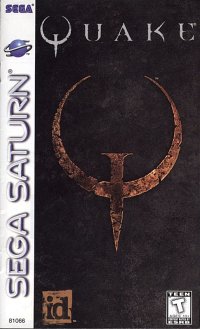
Setup and Loading
Set up your Sega Saturn system as described in its instruction manual. Plug in Control Pad 1 (or the Sega Saturn Stunner, sold separately). For two-player games, plug a second control device into Control Port 2. Place the disc, label side up, in the well of the CD tray and close the lid. Turn on the TV or monitor and the Sega Saturn. The Sega Saturn logo appears onscreen. Important: This CD contains a security code that allows it to be read. Keep the disc clean and handle it carefully. If the system has trouble reading the disc, remove it and wipe carefully from the center straight out toward the edge.
Title Screen and Navigation
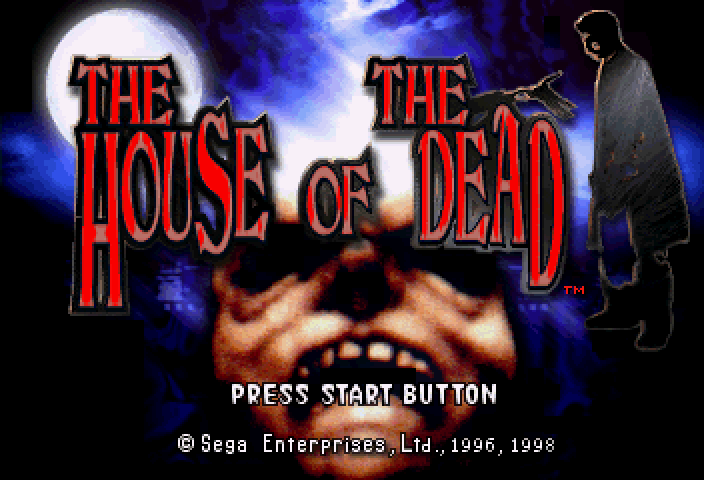
When you first load the game, the Sega logo appears, followed by the Title screen. Press Start to enter Mode Select, or wait to watch the intro movie and game demo. Press Start at any time during the movie to return to the Title screen. In Mode Select, highlight game modes by pressing the D-Pad up/down or pulling the trigger on your Stunner.
Press Button A, C, or Start to enter the highlighted mode.
Game Modes
•
Arcade: Blast undead mutants to smithereens in this faithful port of the arcade hit. •
Saturn: A Saturn-only version that lets you choose the character for a zombie-hunting romp. •
Boss Mode: Sharpen your aim against the final boss from each stage.
•
Rankings: View the top scores or times for each mode.
•
Options: Change gameplay features and sample audio effects heard in the game.
Stunner Controls
The Stunner (sold separately) uses the following controls:
•
Trigger: Fire, scroll through selections, and start the game.
•
Start Button: Pause/resume gameplay and enter/change highlighted selections.
Game System: Reloading and Paths
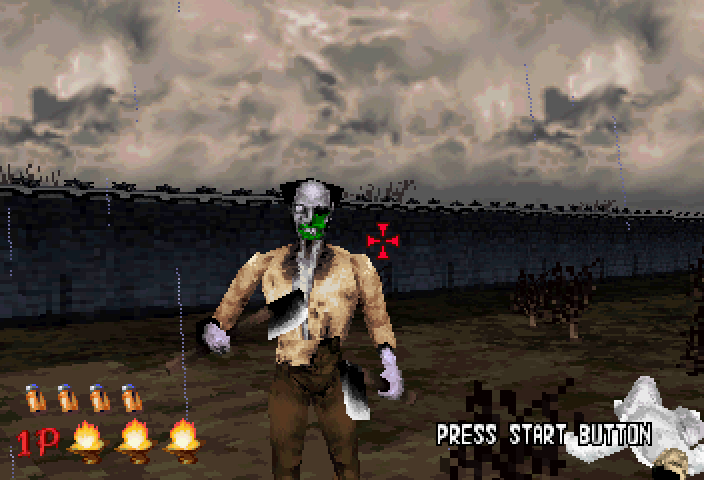
Sometimes your gun runs dry. When the RELOAD message appears, press the Reload button on your control device, or aim your Stunner offscreen and pull the trigger to reload.
In Arcade and Saturn modes, the course of the game changes depending on your actions. Crucial turning points determine the path, leading you into different parts of the DBR grounds. Some paths are easier than others; pay attention to discover the best route. Saturn Mode
When you select Saturn from the Mode Select screen, the Character Select screen appears. Fire to scroll through the characters and press the Start button to select. Each character's ratings appear onscreen: •
Hit Points: The number of Life Torches the character begins with.
•
Chamber: The number of rounds the character's weapon holds.
•
Bullet Damage: The amount of damage inflicted by each shot.
•
Reload Time: The relative speed at which the character can reload.
•
Hit Size: The size of the character's gun's blast; a bigger Hit Size makes it easier to hit targets.
Saturn mode gameplay is essentially the same as Arcade mode. Boss Mode
The Boss Select screen appears when you select Boss Mode. Select a specific boss to practice against, or choose "Fight All" to face each stage boss in order. The objective is to defeat each boss in the shortest time possible.
Rankings
Rankings lets you view the top scores for Arcade and Saturn modes, and the best finishing times for each Boss Mode Level. Press the D-Pad left/right, or pull the Stunner trigger, to move to a new Rankings page. Press Start to return to Mode Select. Options
The Options screen appears when you select Options in Mode Select. Highlight option names by pressing the D-Pad up/down or pulling the trigger on your Stunner.
Press the D-Pad left/right, or the Start button on the Stunner, to change a highlighted option. Press Button A, C, or Start on the Control Pad, or the Start button on the Stunner, to enter a highlighted Options subscreen. Press Button B, or select Exit, to return to Mode Select.
•
Difficulty: Choose from Easy, Normal, or Hard for the overall difficulty.
•
Life: Set the number of Life Torches per game for Players 1 and 2 (Arcade Mode only). •
Continue: Set the number of chances to continue a game, from 0 to 9.
•
Sight Speed: Set the gunsight motion speed (1 = slowest, 5 = fastest) for Players 1 and 2. This does not affect Stunner games.
•
Sight Graphic: Choose between crosshair and pinpoint sights for Players 1 and 2. The gunsight does not appear in Stunner games.
•
Audio: Choose Stereo or Mono sound output.
Sound Test and Controller Configuration
•
Special Effects: Sample sound effects heard in the game.
For Controller Configuration, press the D-Pad up/down to highlight a function name (Fire, Reload, or Speed Up). Press the button you want to assign to that function. You can assign functions to any Control Pad button except Start.
Gun Calibration
Adjust the aim of your Stunner. A bullseye target appears onscreen. Check the current aim by firing at the target.
If the aim is off, fire offscreen to reset the sighting. Then fire directly at the center of the target. The gunsight recalibrates automatically. Test the new aim by firing at the target again. Repeat until satisfied,