How to Start and End the Game
Insert the cartridge correctly into the console and turn on the power. Press the Start button, select New Game, and press the A button. The name input screen will appear. Once you have decided on a name, press the A button to begin your adventure.
*If you change the name from the initial settings, party members in battle will no longer call your name.*
How to Begin the Adventure
If it's your first time playing, select New Game. You can play the adventure from the very beginning. The protagonist's name is pre-determined, but it can be changed using the 'Koudesa' command on P24.
If you are playing a continuation, select Continue. If you have save (stored) data, you can load (read) it to continue and enjoy the adventure. Aim the cursor at your desired save data and press the A button.
How to End the Adventure
To finish the adventure, save first. When you want to end the adventure, use the 'Save' command in the Camp Menu, as described on P16, to save your progress up to that point. Once you have saved, you can turn off the power.
When you get a Game Over… During the adventure, if all of your companions' HP drop to 0, or if all party members become petrified or paralyzed, it is Game Over. You will return to your last save point to resume the adventure.
Don't forget to save!
•
Be careful where you can save.
•
You cannot save during conversations, battles, or events.
•
You can only save at in-dungeon save points.
•
Try to save as often as you can.
CHECK! When you get a Game Over: What happens to Experience Points?
If you get a Game Over, the story and items will revert to their previous state. Of course, you will not gain any experience points either.
Map Screen Actions
Talk to various people
Let's gather information! There are many encounters during an adventure. Try talking to as many interesting people as possible to obtain information. If "↓Scroll" appears during a conversation, please press the A button. This allows you to advance the message.
•
Hold down the A button to display the message at high speed.
Private Action where you can talk to your companions
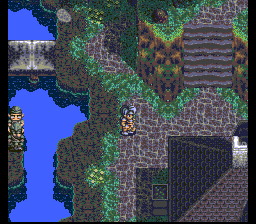
During the game, when leaving or entering a town, if a mark like the photo is displayed in the top right of the screen, try pressing the Y button. Doing this will allow your companions who were with you to enter the town. Try finding your companions inside the town and talking to them.
•
You don't necessarily have to press the Y button; use your judgment based on the situation.
•
This action has various effects on the adventure's development, such as interpersonal relationships. •
You cannot use Private Action if a companion has a status abnormality. Check your position on the World Map
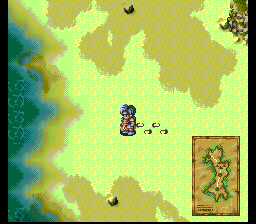
Pressing the Start button will display a "World Map" showing your current location. Make sure to check your position frequently so you don't get lost.
Let's find treasure chests
During the adventure, you may find treasure chests. Press the A button to open a chest and receive its contents. If you search carefully, you may find them in unexpected places. Let's explore various places.
About Events
Various events are prepared during the adventure. Use your courage and wisdom to try to clear each event.
•
First combat event of the opening: "1. Steal the clothes" or "2. Leave the shop as is".
•
For some events, you will be able to select an answer. Choose your favorite answer.
Shops
How to Buy and Sell Items
Buy: Available items for sale are displayed. When the cursor is aligned with an item, its description is also shown. Use the right arrow on the D-Pad to determine the quantity to purchase, and press the A button when finished.
Sell: Items currently owned are displayed. Align the cursor with the item you wish to sell, use the right arrow on the D-Pad to determine the quantity, and press the A button when finished.
Settle: Settles the sale/purchase transaction. Press the A button to confirm.
Leave Shop: Exits the shop. If you press the B button to leave the shop, any pending transactions are cancelled.
Shop Screen Details:
•
① Current party: When entering a weapon/armor shop, marks will light up for characters who can equip the selected item. 1UP indicates increased stats (e.g., attack power). DOWN indicates decreased stats. Left/Right indicates no change.
•
② List of items for sale.
•
③ Quantity of that item currently possessed: A single character can hold up to 20 of an item.
•
⑤ Funds after transaction.
•
⑥ Effects of the item: Press Y button to toggle descriptions.
Introduction to Shops
Inn: When your HP or MP decreases, stay at an inn to recover. Lodging fees vary by location.
Weapon/Armor Shop: Shops dealing in powerful weapons and sturdy armor. Save up your money to equip the strongest weapons and armor available.
General Store: Contains many useful items helpful for adventure. Check the contents in the shop and make good use of them.
Skill Guild: Sells skills. There are three employees at the counter, each providing appropriate advice.
Tavern: Talking to customers provides various information. Also, during Private Action sequences, .png)

.png)
