Getting Started
Insert the Stone Protectors game pak into your Super NES and turn on the power.
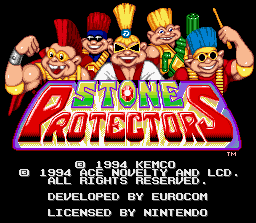
After the Title Screen appears, an animation sequence begins. Press the Start Button to skip the animation sequence and jump to the Main Menu.
Main Menu
Use the Control Pad to highlight an option, then press the Start Button to select the option.
•
1 Player Start: Start the game with the currently selected player mode.
•
Options: Access the game options menu.
Player Mode
This feature lets you pick how you want to play the game. When selected, use the Control Pad to scroll through the following options:
•
1 Player: Battle Lord Zok and his entire Saurian Army...solo!
•
1 Player + CPU: You and a computer controlled Stone Protector character perform a duet against the Saurian Bad Guys!
•
2 Player: You and a buddy team up for intense simultaneous cooperative Rock'n'Roll fighting action! •
Tournament: Practice your battle skills against another Stone Protector. This mode is only for two players.
Player Select Screen
Each Stone Protector has unique moves, strengths, and weaknesses. Use the Control Pad to highlight the desired Stone Protectors character, then press the Start Button to select them.
Player 1 (P1) uses Controller 1, and Player 2 (P2) uses Controller 2. For 1 Player + CPU mode, choose your character first (P1), then choose the computer controlled character (CPU).
Pick Up Items
Scattered throughout Mythrandir are various weapons and items. Items are picked up automatically by walking over them. Sometimes items will appear after you trash an enemy or smash a crate or barrel.
To pick up a weapon, stand over it and press the A Button. Certain weapons can only be picked up and used by certain Stone Protectors. If your character cannot pick up and use a weapon, you will hear a sound prompt when you press the A Button.
Power Transfer Mode
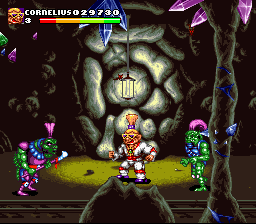
You can share your available Life Meter energy with your fighting partners during 1 Player + CPU and 2 Player Modes. This is especially useful when one player is down to their last Lives Left.
To use this feature, press the Start Button to pause the game. While paused, use the L and R Buttons on your Controller to transfer energy from character to character. Press the Start Button again to return to the game.
.png)

.png)
.png)
.png)

.png)
.png)
_1.png)