Starting the Game
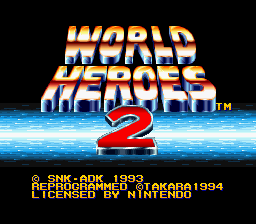
Insert the Game Pak into your Super Nintendo Entertainment System® game machine and turn the power switch ON. The Title screen should then appear. Press the Start button to bring up the Game Mode Select screen.
Use the + Control Pad to select 1P Game mode, VS Game mode, or Option mode, and press the Start button to set.
1P Game Mode Overview
Play against the computer. Select your character from 14 different characters, select the fighting mode (either Normal or Survival mode), and then head into battle! VS Game Mode Overview
Battle it out against a friend. First select your character and the fighting mode, then select the stage and the type of gauge. Hold down the Select button when setting your character selection to go into the Character Option screen. Option Mode Overview
Reset the options.
Fighting Modes
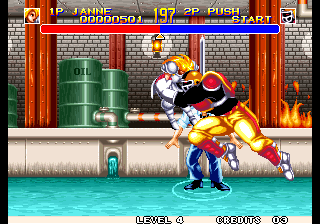
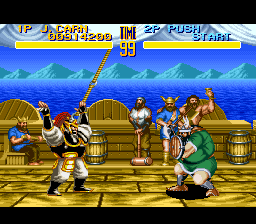
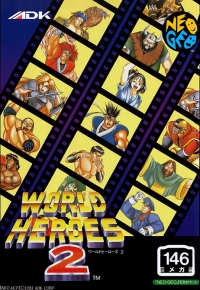
In WORLD HEROES 2, there are two game modes (1P Game and VS Game) and two fighting modes - Normal mode and Survival mode. Once you've selected the game mode, you choose which fighting mode you want to fight in. •
Normal Mode: In this mode you fight in the usual way.
•
Survival Mode: In this mode the thrills multiply, as each stage has special traps and danger zones which you can use to damage enemies, but will also damage you if you don't fight with all the skills at your command!
Normal Mode Rules
•
In this mode you fight up to three rounds against your opponent to decide the winner of the match.
•
You win a round when your opponent's energy has run out.
•
The first person to win two rounds out of three wins the match.
•
This mode normally uses a standard life gauge ("Normal" life gauge).
Survival Mode Rules
•
In this mode you battle it out against your opponent in a one fall, timed match.
•
Knock out your opponent for a count of 10. If no player is knocked out before time runs out, the computer decides the winner.
•
This mode normally uses a "Seesaw" life gauge. Every time you damage your opponent, your life gauge goes up and your opponent's gauge goes down. Taking all of your opponent's strength will knock him/her out.
*Note: The life gauges are automatically set as above, when the "Life Gauge" option is set to "Arcade" in Option mode. You can change the life gauge by setting this option to "Normal" or "Seesaw".*
Playing 1P Game Mode
At the Game Mode Select screen, select 1P GAME MODE and press the Start button. The Player Select screen will then appear. Select any one of 14 different characters. Press any button (L, R, A, B, X, or Y button) to set your selection.
Press the Y button to select COIN-UP original color.
•
1PLAYER DATA 2PLAYER DATA
The Mode Select screen will then appear. Choose either Normal mode or Survival mode. Press any button to set your selection. The game will then begin.
A second player can join the action at any time. Simply press the Start button on the 2P controller to start playing. The winner of the match can then switch back to a 1P game and continue playing. Playing VS Game Mode
At the Game Mode Select screen, select VS GAME MODE with the + Control Pad, and press the Start button. The Player Select screen will then appear. Each player selects his/her character with the respective + Control Pad, and then sets his/her selection with any button.
Keep the Select button pressed down when setting a character selection to move to the Character Option screen.
•
1PLAYER DATA 2PLAYER DATA
Character Option Screen
The Character Option screen then appears. Move around the screen using the Select button. You can set the following options on this screen:
•
Handicap: Add a handicap. The higher the number, the greater the handicap (choose from 8 handicap levels).
•
Key Config: Choose the type of control system - Arcade (4 button system) or SNES (6 button system).
•
Button Config: Choose which buttons will be used as the punch, kick, and throw buttons (choose from the A, B, X, Y, L, and R buttons; the same button cannot be used twice).
VS Mode Setup
The Mode Select screen will then appear. Choose either Normal mode or Survival mode and set with any button. If you and your opponent don't make the same selection, the computer will choose a mode randomly.
VS Stage Options
Once you've set the mode, the Stage Option screen will appear. Move
.png)

.png)
_1.png)

.png)
.png)
_1.png)






.png)