Key to Quick Play
•
Make sure the power is turned OFF.
•
The opening of Aerobiz Supersonic will begin! Push START to skip to game set-up.
Starting a New Game
•
Select NEW GAME from the menu.
•
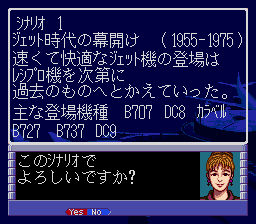
Select one of the four scenarios.
•
Select a game level: 1-Glider, 2-Prop, 3-Turbo, 4-Jumbo Jet, 5-Supersonic.
•
Select the number of players (1 to 4) or DEMO for a demonstration game. Press RESET on your game system to end a demonstration game.
•
Select your home base: First select one of the seven regions in the world. Then select a major city (green) within that region as your home hub and press A. Press B if you want to choose a different region. Competitors may select different major cities within the same region, but no two players can choose the same home base city. Selected home base cities will be displayed in red circle.
•
If you wish, you may customize airline names and trademark colors. When you have completed making changes, select EXIT.
•
If everything has been set up the way you like, select YES when asked, "Is everything in order?" Otherwise, select NO to return to scenario selection.
Customizing Name and Color
•
Changing Name: Input a new name by selecting a maximum of 7 letters. Pushing B will erase the last character selected. When you have completed your new name, select END.
•
Changing Color: Mix Red, Green, and Blue to create a trademark color. Push Up and Down on the control pad to select a color, then push Left and Right to adjust the density. When you decide on the color, press B.
Resuming a Saved Game
•
To continue a saved game, select CONTINUE during game set-up. Select one of the two saved games you want to play.
Options Menu
You can reach the Options Menu from the main commands.
•
SAVE: You can save two games. By saving, you erase any game previously saved on the same space.
•
ANIMATION: Turn ON/OFF the airplane take-off animation.
•
SOUND: Turn Music (BGM) ON/OFF, turn Special Effects (SFX) ON/OFF, and switch between stereo and monaural sound.
•
MESSAGE: Set message display speed to FAST, MEDIUM, or SLOW. You may also speed up message display by pressing Button X.
•
END GAME: Quit the game. Save before you quit if you want to replay a game later. When ending multi-player games, each player can choose to let the computer take over game play.
Hub and Spoke System
In Aerobiz Supersonic, the world market is divided into seven regions. Flights within a region are called 'regional' flights. Flights from one region to another are called 'inter-regional' flights. Your destination can be either to a major city or a minor city.
You will build an airline network between cities based on the 'hub and spoke' system. As your network expands, it will begin to look like the hub and spokes of a wheel.
•
Open Regional Routes: A hub is a major transfer point where regional flights connect. All routes in a region fly to the regional hub. For example, if you start with your regional hub in Chicago, you can fly customers from San Francisco to New York by routing them through Chicago to change planes.
•
Open Inter-regional Routes: To expand your network into another region, you must open an inter-regional route. You must fly from a regional hub to a major city in another region. For example, to connect North America to Southeast Asia, you can open a route from your regional hub in Chicago to Tokyo.
•
Close a Hub: When you close a hub, all flights that originate from that hub will also close. If you close your regional hub in Tokyo, all routes in Southeast Asia will close as well as routes you later established to other regions, such as Oceania.
Game Flow
For your airline to grow into the world's top airline, you will have to be a smart executive. While there are many different management strategies, all of them follow the same general game flow.
•
Prepare To Open New Routes (Hold Board Meeting, Acquire Slots, Purchase Airplanes, Improve Facilities)
•
Open New Regional Routes
•
Open New Inter-regional Routes and Build Hubs
•
Expand Routes Within New Regions
•
Run Advertising Campaigns
•
Goal: Meet Year-End Victory Conditions
Preparing to Open New Routes
•
Hold Board Meeting: Call a board meeting and ask your managers for their recommendations on where to fly.
•
Acquire Slots: You can't land without landing slots. Once you've decided where you want to fly, send your managers to negotiate for slots.
•
Purchase Airplanes: Planes are classified as short-haul, medium-haul, and long-haul. You can fly within one region with short- and medium-haul aircraft, but you will need long-haul aircraft for inter-regional flights. Be sure to check route requirements before ordering.
•
Improve Facilities: Adjust your budget in the Repair, Advertisement, and Service departments to improve performance. Passengers will fly on rival airlines if they feel your facilities are inferior.
Opening Regional Routes
When preparations are complete, you can open new routes in your home base region. As you expand you will quickly run out of landing slots at your home
.png)

.png)


.png)
.png)