Let's Go!
•
Set up your Super NES as described in its instruction manual.
•
With the power switch OFF, insert the DRAGON™ Game Pak, its label facing towards you, into the Super NES and press it down firmly.
•
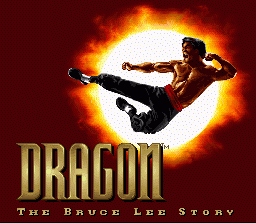
Push the power switch to ON. After a second or so, the Nintendo screen will appear. When the DRAGON™ title screen is shown you are ready to play DRAGON™!
•
If the Nintendo screen or DRAGON™ title screen doesn't appear, push the power switch to OFF. Ensure your Super NES is set up correctly and the DRAGON™ Game Pak is properly inserted before pushing the power switch to ON again.
Always ensure the Super NES power switch is set to OFF before inserting or removing the DRAGON™ Game Pak.
The Title Screen
After the Credits have been shown, the DRAGON™ title screen is presented. After a short time the eight highest scores are displayed and eventually a slide show introduction sets the scene.
If no button is pressed on a controller, a brief demonstration of DRAGON™ in action is shown. •
Press the START BUTTON to call up the game select screen.
The Game Select Screen
Here's where you decide how to play DRAGON™: either on your own or with a friend in a combat-intensive version of Bruce Lee's life story, or as a straightforward match between two or three Bruce Lee characters.
Eight options are presented. The option to be selected or changed is indicated by a small arrow beside it. Ghosted options are unavailable for selection. All options are chosen as follows:
•
Press ANY Button (including the Start Button) to select the option.
•
Press the Control Pad left or right to change the indicated option.
Game Select Options
•
ONE PLAYER STORY GAME - Select this to fight opponents controlled by the Super NES in a progressive match following the film's storyline.
•
TWO PLAYER STORY GAME - Choose this option to enable combat between two Bruce characters (controlled by you and a friend) and a Super NES controlled opponent.
•
ONE PLAYER MATCH - Take on another Bruce Lee controlled by the Super NES at the scene of your choice. Note that selecting this option calls up the Match Game Screen.
•
TWO PLAYER MATCH - This option allows you and a friend (each controlling a Bruce Lee character) to fight in a head to head clash to the finish. Note that selecting this option calls up the Match Game Screen.
•
THREE PLAYER MATCH - If a Multi-Tap is attached to your Super NES, a third person can join in for all out combat. Note that selecting this option calls up the Match Game Screen.
•
HIGH SCORES - See the names of the eight best players of the day. Note that your high scores will be lost when you turn off your Super NES.
•
OPTIONS - Calls up the Options Screen.
The Options Screen
From here you can adjust the playing environment to suit your taste. Eight new options are presented.
•
DIFFICULTY - Choose from NORMAL, PIECE OF CAKE, EASIER, TOUGH or ARCADE ACE to affect the ability of the opponents that Bruce will face. This option also determines how many Stages you can play in a Story.
•
GAME SPEED - Choose from NORMAL, TURBO or ORIGINAL.
•
SOUND TEST - Your chance to hear all the sound effects (represented by numbers) used in DRAGON™. Choose a sound effect in the same way as you would an option. Press any button to listen.
•
MUSIC TEST - Your chance to hear all the pieces of music (represented by numbers) used in DRAGON™. Choose a piece of music in the same way as you would an option. Press any button to listen.
•
MUSIC - ON or OFF, gives you the option to have music or not.
•
SOUND - Choose to hear all the sound effects and music in either STEREO or MONO.
•
MOVIE SEQUENCES - YES, or NO if you don't wish to see the short scene-setting animation preceding each level.
•
EXIT - Select this to return to the Game Select Screen.
Gameplay Status Indicators
•
SCORE - Points are earned for every successful attack, but bonus points are only awarded for impressive play (for example, winning a bout without getting hit). A Form bonus is given when the quality of Bruce's combat is exceptional.
•
ENERGY - For every hit taken, energy is lost. Note that some attacks remove more energy than others. There is no energy replacement; energy is regained only when Chi is at its maximum.
•
CHI - This is Bruce's inner strength (mystical power). Increase it to enable two new modes of combat: Fighter and Nunchaku. The Chi Meter is boosted for every successful attack (hit) and lost when an attack fails (Chi is lost in all modes, but is gained only from successful attacks in Mantis mode). Chi is also earned by performing certain tasks, for example, hitting the opponent first or collecting a Yin Yang when fighting in a Match. •
MIRRORS - The number determines how many chances you have. For every defeat, a Mirror is lost. When all Mirrors are lost, the game is over. Note that the Mirrors are only shown at the end of each bout, whether Bruce has won or lost.
The Bonus Round
The fastest but most challenging way to acquire Chi and points is in the Bonus Round. Attack Pete The Dummy, hitting the pads for points and avoiding the sticks.
Be warned, the more often a pad is hit, the faster the stick will spin. However, the faster the stick/pad spins, the faster your Chi level will increase.
You can only do the Bonus Round in Mantis Mode; the
.png)

.png)
