Game Overview
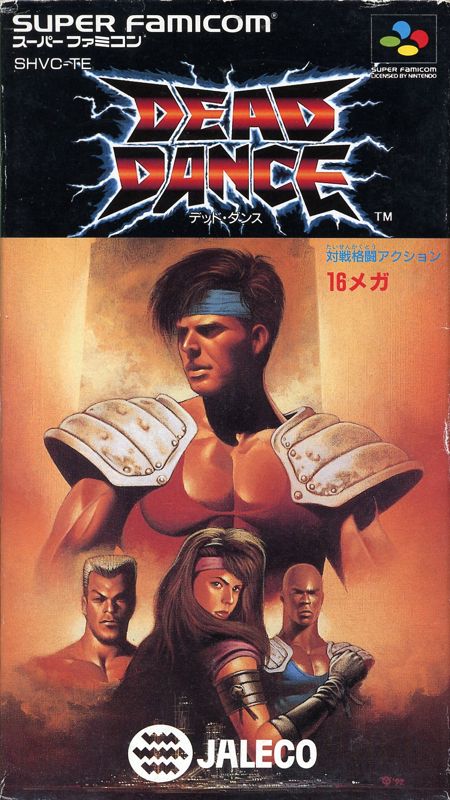
Tuff E Nuff™ challenges you to an all-out, fight-to-the-finish competition with a series of strange and dangerous opponents. You get great graphics, music and sound effects, plus dozens of awesome fighting moves like the Blue Thunder Punch, the Butterfly Stab Drop, the Double Sledge Hammer, and the Lightning Tackle.
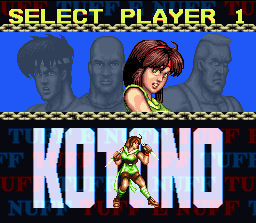
To begin, you choose one of four champions: Syoh, Zazi, Kottono, or Vortz. Each has been trained in different fighting techniques and uses over 20 different kicks, punches, throws, and other special moves. There are seven enemies, each with his own personality and fighting style: Beans, DolF, Rei, Gajet, Sirou, K's, and the Fighting King. You also fight the other three champions before approaching your real enemies, for a total of 10 different opponents. Game Modes
Tuff E Nuff™ includes three game modes: Story Mode, 1P vs 2P Mode, and 1P vs CPU Mode.
•
Story Mode: You choose a character, then take on each opponent in 10 separate best-of-three matches. If you lose a match, you receive a password to return to that level later.
•
1P vs CPU Mode: You fight a single match against the enemy of your choice.
•
1P vs 2P Mode: You fight a single match against another player.
Each match is timed, starting at 99 seconds and counting down to 0. An option screen lets you turn the time limit on or off. You can also select one of three difficulty levels and switch moves assigned to the four control buttons (A, B, X, and Y).
Getting Started
1. Place the Tuff E Nuff™ Game Pak into your Super NES and turn on the unit.
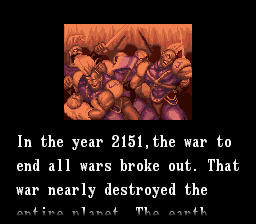
2. After a few moments, the story text begins to scroll up the screen. Press START at any time during the story to display the title screen.
3. If you do not select an option, demo sequences will appear. Press START to return to the title screen.
Title Screen Options
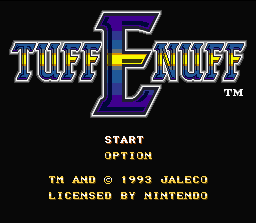
On the title screen, your options are START and OPTION. Use the Control Pad to highlight one of these options, then press START.
•
SELECTING A GAME MODE: Highlight START to display the Mode Selection screen. Press Left or Right on the Control Pad to choose between Story Mode, VS CPU Mode, and 1P VS 2P Mode, then press START.
•
OPTION MODE: Highlight OPTION to display the Option Mode screen. Press START again to return to the title screen.
Option Mode Settings
The Option Mode screen contains three options. Press Up or Down on the Control Pad to highlight an option.
•
Game Level: Choose the difficulty by pressing Left or Right. Options are EASY, NORMAL (default), and HARD.
•
Time Limit: Turn the time limit on or off.
•
Key Config: Switch the moves assigned to the four control buttons (A, B, X, and Y).
Story Mode Details
When you select Story Mode, two options appear: START and PASSWORD. Press Up and Down to highlight an option, then press START.
•
START: Begins the story at the beginning.
•
PASSWORD: Enter a password for a specific level to start there.
In Story Mode, you select one of the four champions, then challenge each of the other three to a match to determine the strongest. If you defeat the other three, you enter the Fighting King's Tower and take on six deadly enemies one at a time. The final stage is a battle to the finish with the Fighting King himself. If you are defeated, the password for the current level is shown. You are asked if you want to continue. Choose YES to start over at the beginning of the level with the same character. Choose NO to return to the title screen.
VS CPU Mode Details
In VS CPU Mode, you play against the computer. Choose one of the four champions, then select an enemy. You fight a three-bout match on the selected enemy's stage. The first fighter to win two bouts wins the match.
At the end of the match, you are asked if you want to try again. Choose YES for a new match, or NO to return to the title screen.
1P vs 2P Mode Details
In 1P vs 2P Mode, Player 1 chooses one of the four champions, then Player 2 chooses one of the three remaining champions. The SELECT STAGE screen appears, allowing you to choose any of the 11 stages for the match. Press Left or Right on either controller to change the location, then press START to begin.
You fight a single three-bout match. The first player to win two bouts wins. The loser is asked if they want to try again. Choose YES for a new match, or NO to return to the title screen.
Instant Replay
Instant replay controls appear automatically at the top of the screen after the final bout.
•
Press the Right and Left Buttons on the top of the controller to move the action forward and back.
•
Press any of the A, B, X, or Y Buttons to move the action forward one frame at a time.
•
Press START to exit the Instant Replay screen.
In Story Mode and VS CPU Mode, you may replay the action whether you win or lose. In 1P vs 2P Mode, only the winning player controls the instant replay feature.
Passwords
If you lose a match in Story Mode, you are given the password to the current level. Each password
.png)



.png)
.png)



.png)


