Starting the Game
•
Make sure your Super Nintendo Entertainment System is set up correctly. •
Be sure the controller is properly plugged in.
•
Make sure the power is turned off. Place the No Escape game pak into the cartridge slot and press it down firmly.
•
Turn on the power switch ON.
•
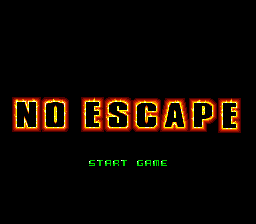
When you get to the Title Screen, push the START button and the No Escape logo will fade down to display the presentation. You can bypass the presentation if you press START again.
Inventory Access
To use the inventory you must press the Select button. To go back to the game press the Select button again.
When you are in the inventory you will be able to do a number of things to help you through the game. There are two main areas that you can use.
The Bag
This area shows you what objects Robbins has in his possession.
There is an object that cannot be removed from the bag. This is called the environment icon and can only be used in special circumstances when interacting with the environment.
Using Weapons
To use a weapon you must move the cursor, using the direction key, over the weapon that you would like to use. When you are over the weapon of your choice press the X button.
The weapon will then appear in the box in the top left hand corner of the screen. This box shows what Robbins has in his hand.
There are other things that Robbins can put in his hand during the game. Try equipping Robbins with other items such as a leather pouch or a protective vest by pressing the X button while the cursor is over those items. Only one object can be equipped at a time.
Survival Kit
At the bottom of the screen you will see that there are 5 boxes in a row. By placing objects in the first four boxes you will find that there are many completely new objects that Robbins can create.
To put an object into the survival kit you must use the cursor to highlight the object you would like to insert, then by pressing the B button the object will be placed in the next available box.
When you put an object in the survival kit a small '+' sign will appear after it. This means that another object can be combined with the previous object. If the '+' sign does not appear it means that no more objects can be placed together.
When you have put the correct objects into the first four boxes a new object will appear in the last box. The last box is called the result box. If you would like to create the object that is in the result box, you will need to press the A button to accept it. New objects can be made from combinations of 2, 3, or 4 objects.
Interacting with the Environment
There are some objects that you will want to use with the environment. To interact with the environment you must first find an area in the game that makes the active environment icon (leafy tree) present in the status bar.
Once you have found one of these areas you can go back into the inventory to select the objects that you would like to put in the environment. First you must put the environment icon from the 'bag' into the survival kit.
Then place the object or objects that you would like to combine with the environment into the sequence. If you are successful a new object will appear in the result box. Again you must press the A button to accept the result.
Stephano
Stephano is the chief collector of the Insiders and has the largest personal collection of items of all of the Insiders. He lives and works near the shore and he always attempts to trade in such a way as to make profit for himself.
Robbins is always trading at a loss for any objects that Stephano has and he must be careful that the objects he is gaining are worth the loss of the objects he is offering for trade.
The strategy element of the game's trading mechanism is especially crucial when dealing with Stephano. The player must work carefully to avoid coming away from an encounter with Stephano having lost a lot and gained little or nothing. Stephano's character is demonstrated through his own strategic 'pricing policies' and reluctance to trade willy-nilly.
King
King is a cowardly and untrustworthy character. In the film he's the Warden's spy in the Insider camp. His treacherous streak manifests itself in the unreliability and inconsistency of his advice.
Some of what he says are outright lies whereas, every now and then, he throws Robbins a curve-ball by giving him a piece of solid information. The player never knows quite where they stand with King and has to take everything he says with a pinch of salt.
Trading Mechanics
All the traders value objects differently according to their individual character. Each trader will value an object by using a colour code system: red, green and blue.
Only blue objects can be traded for blue, green for green and red for red. Use the control pad to select a box and the Y button to cycle through the objects in each box. When you have decided which object you would like to trade for one of your own then press the A button to accept the transaction.
Trader Feedback
All the Traders have something to say about each object in the game. By highlighting an object with the cursor the trader will give you an immediate response as to what they think about the object. They may have lots to say or they may not be interested in the object at all.
The response that an insider gives you about an object could be a vital clue and what an object is actually
.png)

.png)
.png)
.png)

.png)

.png)

_1.jpg)


_1.png)










 (Beta 2).png)




 (Beta).png)
