How to Start the Game
•
This is a 1 or 2 Player game. Insert the game pak into your Super Nintendo Entertainment System and turn on the power. •
Select the mode you want to play from the Mode Select Screen by moving the [Otane Cursor] with the + Control Pad and pressing the Start Button.
Game Modes
•
STORY MODE: Play against the computer, and a ending different from the arcade version will await you! •
VS MODE: 2 player mode where you can play against a friend!
•
LIFE ATTACK MODE: See how many opponents you can defeat with just 1 Life Meter!
•
PRACTICE 1 MODE: Practice your fighting skills on a motionless opponent! •
PRACTICE 2 MODE: Practice your skills against the COM with no time limit. Study the moves of the computer thoroughly in this mode!
Character Selection
•
Move the cursor to the character of your choice and press any button to select the character.
•
Depending on the button you push (A,B,X,Y, START), the color of your character will be different.
Story Mode
•
Play against the computer and try to defeat all other characters to become the new Gogetsu Clan Leader. The final match will be against the reigning leader, Oume.
•
Use the 2nd Player Join-In feature to join in anytime during the game! Press the Start Button on either the 1P or 2P controller not in use to join in!
VS Mode
•
Play against a friend in this mode!
•
The Results Screen will be displayed after each match, allowing you to view a record of your results.
•
Use the handicap feature to make up for any differences in fighting skills. •
Background select feature.
•
As long as the game is not reset or the power is not turned off, a record of your results will continue to be recorded in the Results Screen after each match.
The Gogetsu Combat Tournament Rules
•
1) The object of the tournament is to win!
•
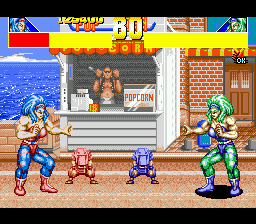
2) Damage your opponent to exhaust your opponent's Life Meter to win a round.
•
3) Win 2 rounds to win a match!
•
4) If after 4 rounds a winner cannot be decided, the person with the most victories will be declared the winner.
•
5) In the event a winner still cannot be decided, the match will end in a draw.
•
6) If the Timer runs out, the player with the most Life left on their Life Meter is the winner.
•
7) Don't despair if you lose, there will come a day when you will win!
Join-In Mode
•
Now you can join in anytime during game play! Even during the Story Mode! Pick up the controller that is not being used and press the Start Button. The Character Select Screen will appear and you may select your character.
Continue
•
The loser of the match will be able to continue by pressing the Start Button before the Continue Timer runs out. If the Timer reaches 0, the game is over.
Practice Mode Overview
•
This is an exclusive 1 Player mode. If the player is using the 1P controller, the computer will use the 2P side. If the player is using the 2P controller, the computer will use the 1P side.
Practice 1 Mode
•
This mode is used for practicing Special Attacks, Combination Attacks, and defensive moves.
•
Your opponent will not attack. They will be in a "motionless" state so that you may practice your attacks.
•
When you have mastered a combination attack, the number of hits in your Combination Attack will appear on the screen. Create your own Combination Attacks and improve your skills!
Practice 1 Mode COM
•
1) The computer character will be in the standing (squatting) position and will not move, jump or attack your character.
•
2) Your 1st attack will not be blocked, but the 2nd attack and any thereafter that are not Combination Attacks will be blocked.
•
3) If the computer character is in the block/guard position, it will go back to its original standing position after your character moves away from it.
•
4) Even after the Life Meter reaches 0, the computer character will not be knocked out.
How to Control & Exit PRACTICE Mode 1
•
Controls in this mode are the same as in the other modes.
•
To exit the Practice 1 Mode, press both the L & R Buttons at the same time.
Practice 2 Mode
•
This is a sparing mode in which your character will fight against the computer. However, your Life Meter will not be affected.
•
Study the moves of the computer carefully and practice your combination attacks and defensive moves.
•
When you have mastered a Combination Attack, the number of hits in your Combination Attack will appear as in the [PRACTICE 1 Mode].
Practice 2 Mode COM
•
1) Choose your level of difficulty and COM character opponent in the sub screen.
•
2) Even after the Life Meter reaches 0, the computer character will not be knocked out.
How to Control & Exit PRACTICE 2 Mode
•
Controls in this mode are the same as in the other modes.
•
To exit the Practice 2 Mode, press both the L & R Buttons at the same time.
Life Attack Mode
•
This is also a 1 Player Mode.
.png)

.png)
