Object of the Game
Relief Pitcher™ adheres to the normal rules of baseball -- so what you want to do is score more runs than the opposing team! This instruction manual makes no attempt to explain the rules and strategies of the sport -- we assume that you're already familiar with the finer points of baseball.
You can start a game in the late innings as a reliever or begin from the beginning as a starter in either a one-player game against the computer or a two-player game against another person. Each pitcher has a full repertoire of pitches available -- fast ball, curve ball, and a unique specialty pitch of your choosing.
Batters can use the power swing to hit for the fences, pull the ball to the power field, go with a pitch and hit to the opposite field, bunt, and swing high or low. Strategies such as the hit & run, stealing bases, safety squeeze, and suicide squeeze are available. You can play it one game at a time or, if you begin the game in the late innings as a reliever, a 12-game "season" (one-player) or a best-of-seven series (two-player) option is available.
Pre-Game Activities - Getting Started
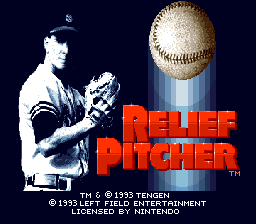
Place the Relief Pitcher™ Game Pak into your Super NES and turn on the unit. The title screen appears, followed automatically by the GAME SELECT screen.
Game Select Screen
There are two types of game situations to choose from in either a one-player or a two-player game. In a one-player game, you can begin a game as the starting pitcher and play an entire game or you can come in as a relief pitcher in the late innings in any of a variety of game situations that are determined by the computer. When you choose to begin a game as a relief pitcher, there's a 12-game season for you to play. As a starter, there is no season - just one game at a time.
You have similar options in two-player, head-to-head action - either start a game in the first inning or start the game in the late innings with the game on the line. When you choose the RELIEF PITCHER option in a two-player game, you'll play through a best-of-seven series, in which the first player to win four games wins the series.
To choose an option from the GAME SELECT screen:
•
Press Up or Down (or SELECT) on the Control Pad to move the highlight (blue background with yellow outline) from one option to another.
•
Press START (or the A or B Button) to select the highlighted option.
Select Team Screen
There are four teams from which to choose:
•
The Boston Bashers (a good power hitting team)
•
The Houston Dusters (a good fielding team)
•
The Los Angeles Speeders (a team with a lot of speed)
•
The Chicago Strokers (a solid, all-around good hitting team)
The team chosen from the left side of the SELECT TEAM screen is the home team unless you choose RELIEF PITCHER - 12 GAME SEASON (one-player) or RELIEF PITCHER - BEST OF 7 SERIES (two-player game), in which case the home team varies from game to game.
Each team plays in a different stadium, so the field graphics vary depending on the team you select. The four stadiums are modeled after real, big-league ballparks:
•
Boston plays in a stadium modeled after Fenway Park complete with the famous "Green Monster" wall.
•
Houston plays in a stadium that closely resembles the spacious Astrodome.
•
Los Angeles plays in a typical Dodger Stadium atmosphere including palm trees.
•
Chicago plays in the "Friendly Confines" --- venerable Wrigley Field, complete with vined outfield walls.
In a one-player game, the computer selects your opponent automatically. In a two-player game, each player chooses a team, although the two players can't choose the same team.
To select a team:
•
Press Up or Down on the Control Pad (or SELECT) to move the highlight from one team to another.
•
Press START (or the A or B Button) to select a highlighted team.
In a one-player game, you'll select from the left side of the screen while the computer's team appears on the right side of the screen. In a two-player game, player one's team selection appears on the left side while player two's team selection appears on the right side. After making team selections, press any button to move on to the SELECT PITCHER screen.
Select Pitcher Screen
The SELECT PITCHER screen has three parts:
•
Top section: Choose your pitcher's special pitch from among the four choices given (knuckleball, rising fastball, screwball, or sinker).
•
Middle section: Choose your pitcher's throwing arm (left-handed or right-handed).
•
Bottom section: Choose whether your pitcher throws overhand or sidearm.
To make your selections:
•
Press Up or Down on the Control Pad (or SELECT) to move the blue highlight to the special pitch you want for your pitcher.
•
Press the A or B Button (or START) to select the highlighted pitch.
•
Use the same procedure to highlight and select LEFT-HANDED or RIGHT-HANDED.
•
Highlight and select OVERHAND or SIDEARM.
In a two-player game, player one makes selections first, then player two gets a chance. When you've made all selections, press any button to advance to the next screen (or just wait a
.png)

.png)
.png)
 (Beta).png)




.png)
.png)